
Feature Guide
Response & call alerting screen options
Every alerting screen layout available on your First Arriving dashboards, in one place. Pick whichever suits the station — these work no matter where your primary dispatch information comes from.
These are the 3.0 Dashboard screens. They are available to all new customers and to anyone who has converted from 2.0.
Some features depend on your integration — personnel responding and hydrant data in particular. Our implementation and support team can confirm what your setup supports.
The screen options
Six layouts, with Option 4 available in two background treatments. Tell us the option number and we will set it up.
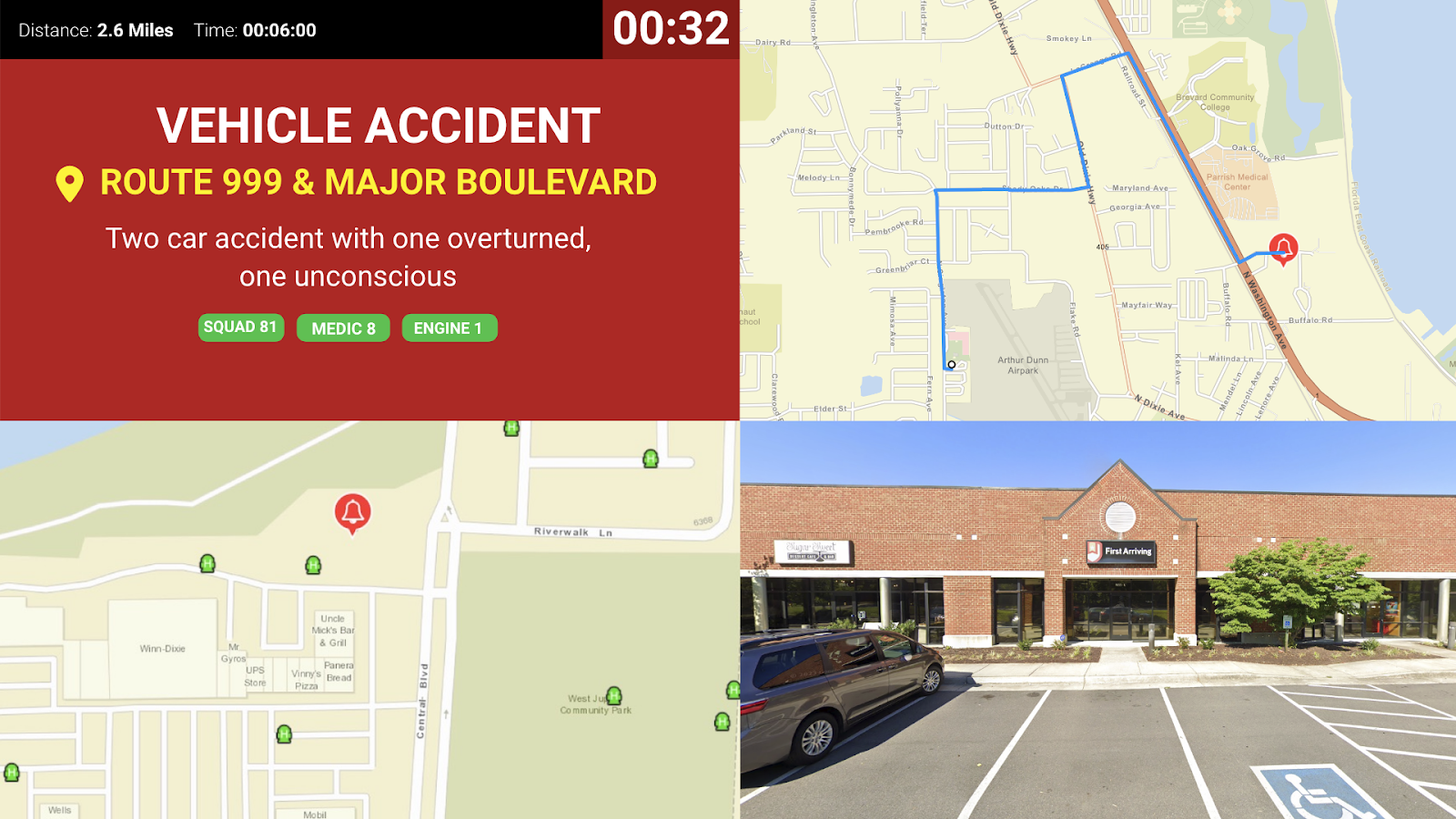
Option 1: Four Corners
Incident details, hydrants, routing with Google Street View and 360, turnout clock, and units dispatched. Optionally who is responding, if your integration supports it. Hydrants require a service that provides hydrant data.
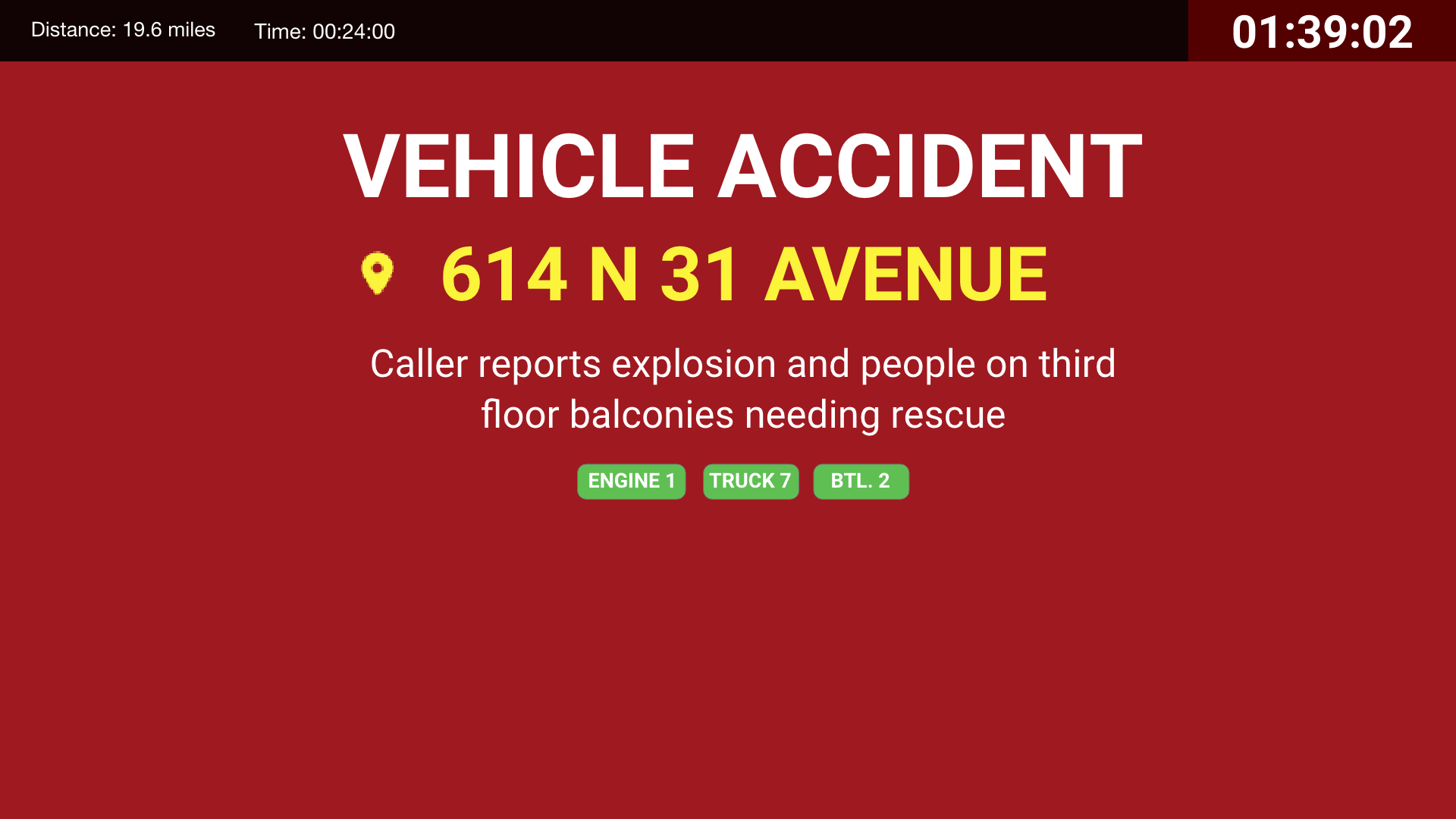
Option 2: The Basics
Incident details, units dispatched, turnout clock, time and distance. Optionally who is responding, if your integration supports it.
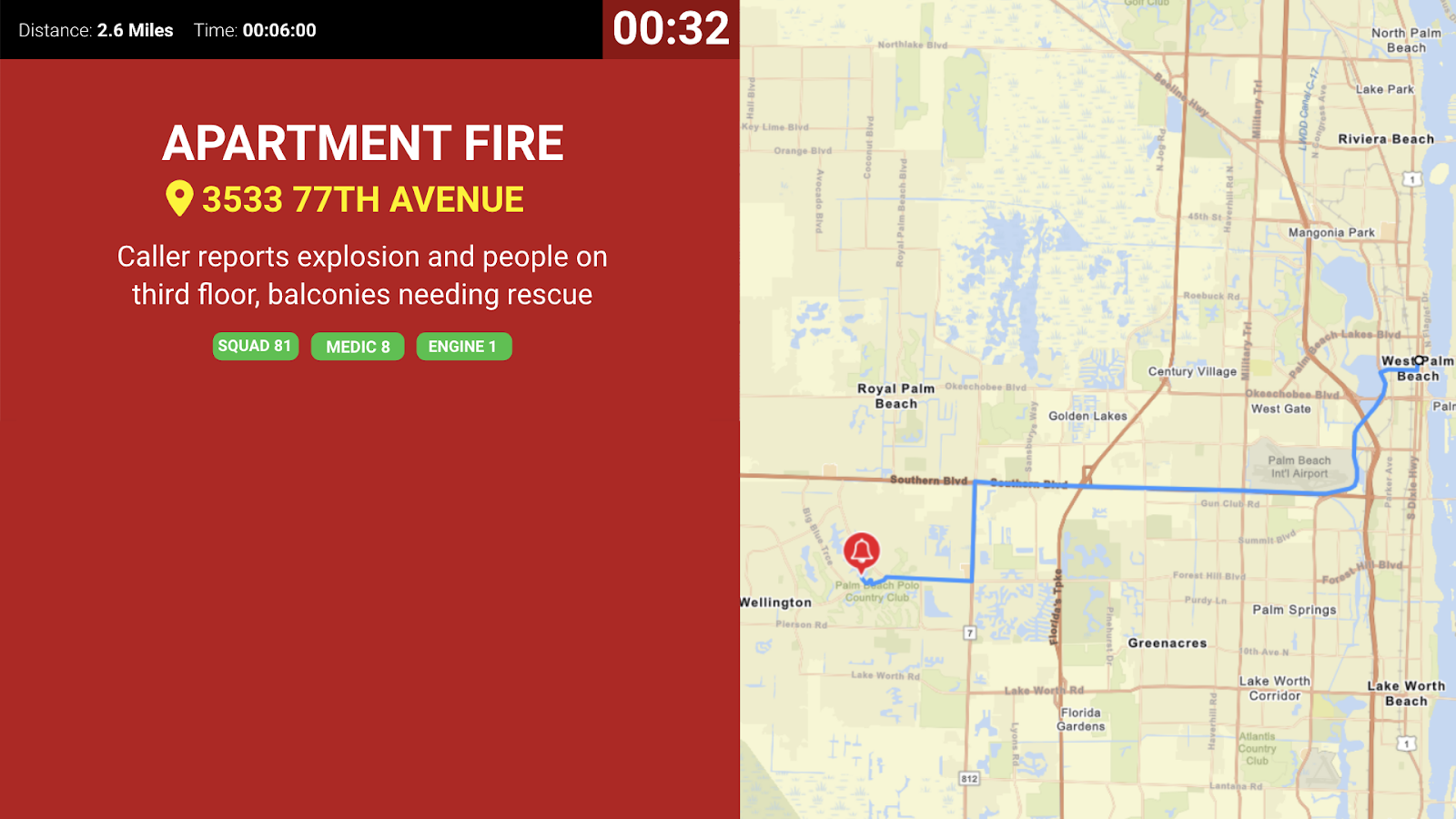
Option 3: Two Sides
Dispatch information including units responding, call details, turnout time, distance, and a larger routing map. Optionally who is responding, if your integration supports it.
Option 4
Dispatch information including units responding, call details, turnout time, distance, hydrant layers, Street View, and a routing map. Optionally who is responding, if your integration supports it.
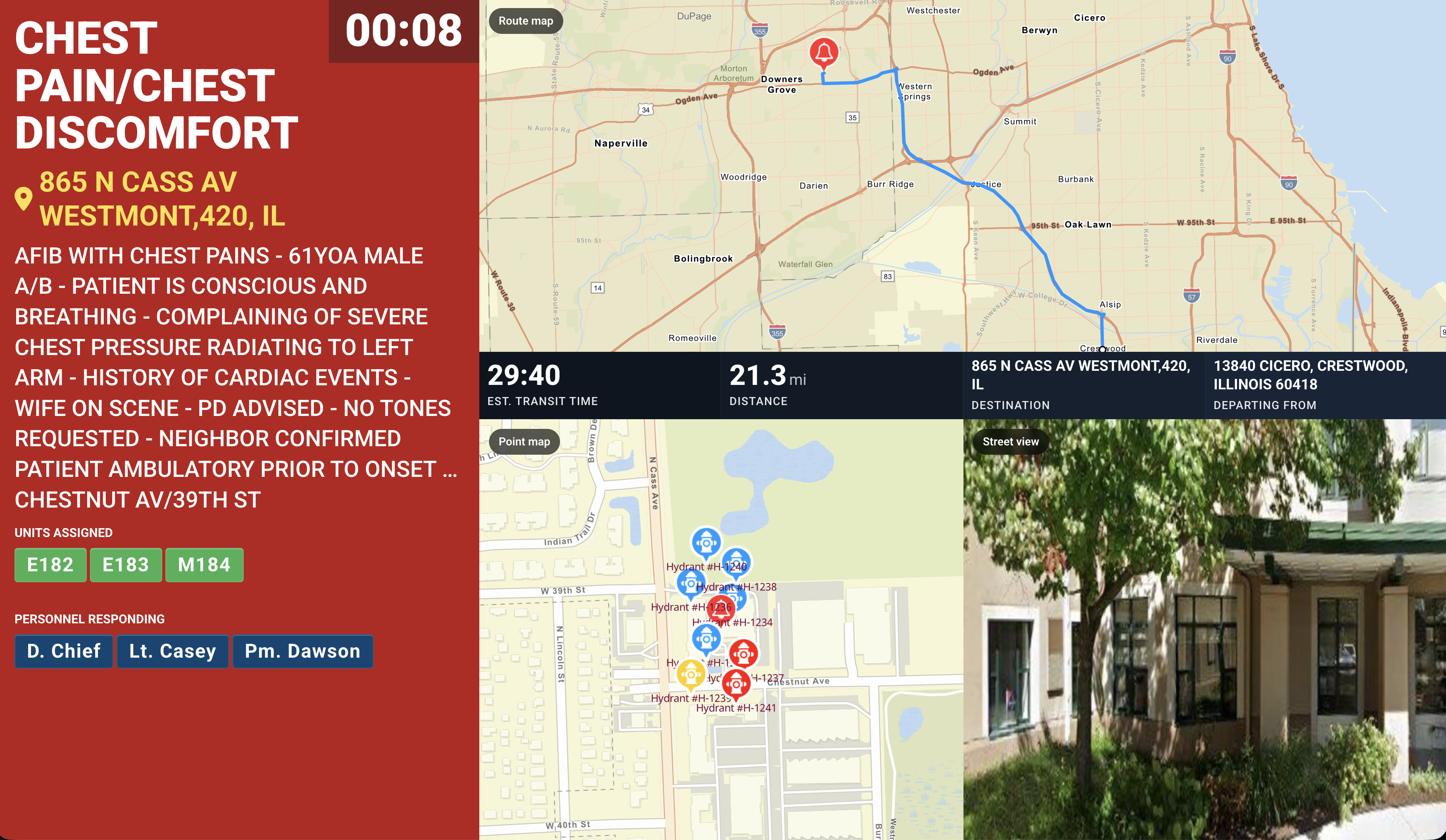
Option 4 — alternate background
The same layout as Option 4, shown here on the alternate background. Available with a red or a black background.
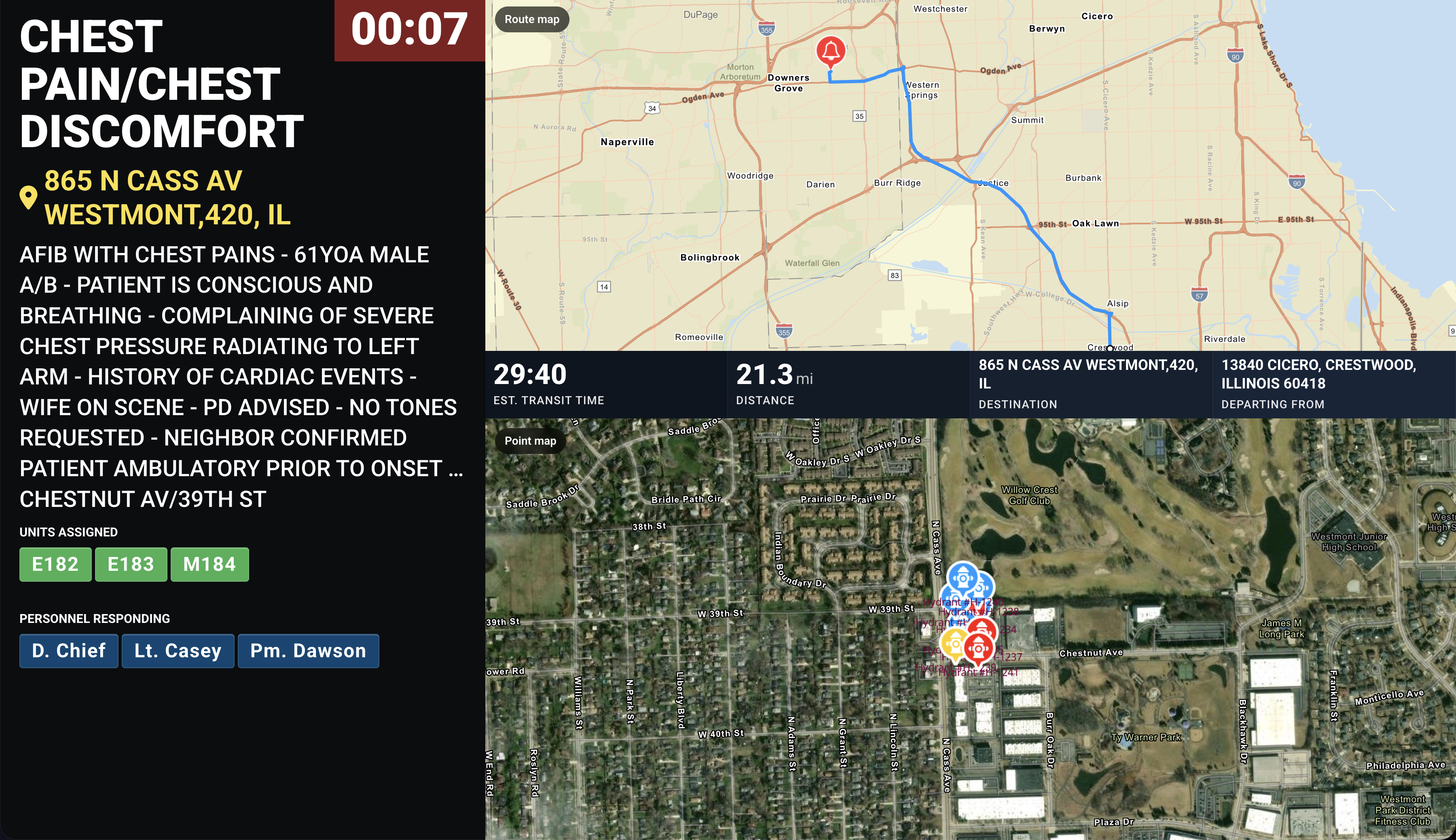
Option 5
Dispatch information along the top including units responding, call details, turnout time, distance, hydrant layers, and Street View — no routing map. Optionally who is responding, if your integration supports it. Available with a red or a black background.
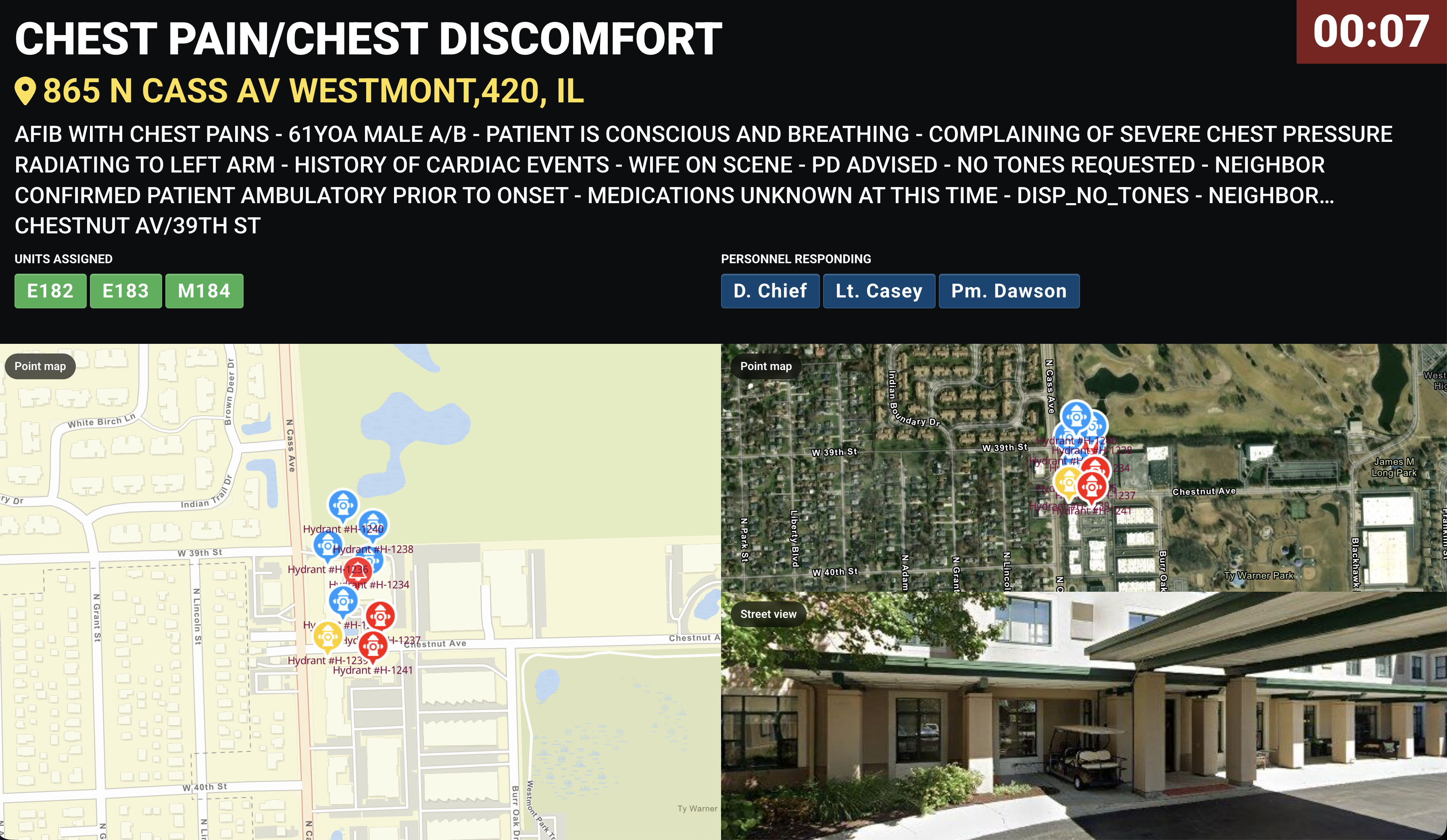
Option 6
Dispatch information down the left including units responding, call details, turnout time, distance, and a routing map. Optionally who is responding, if your integration supports it. Available with a red or a black background.
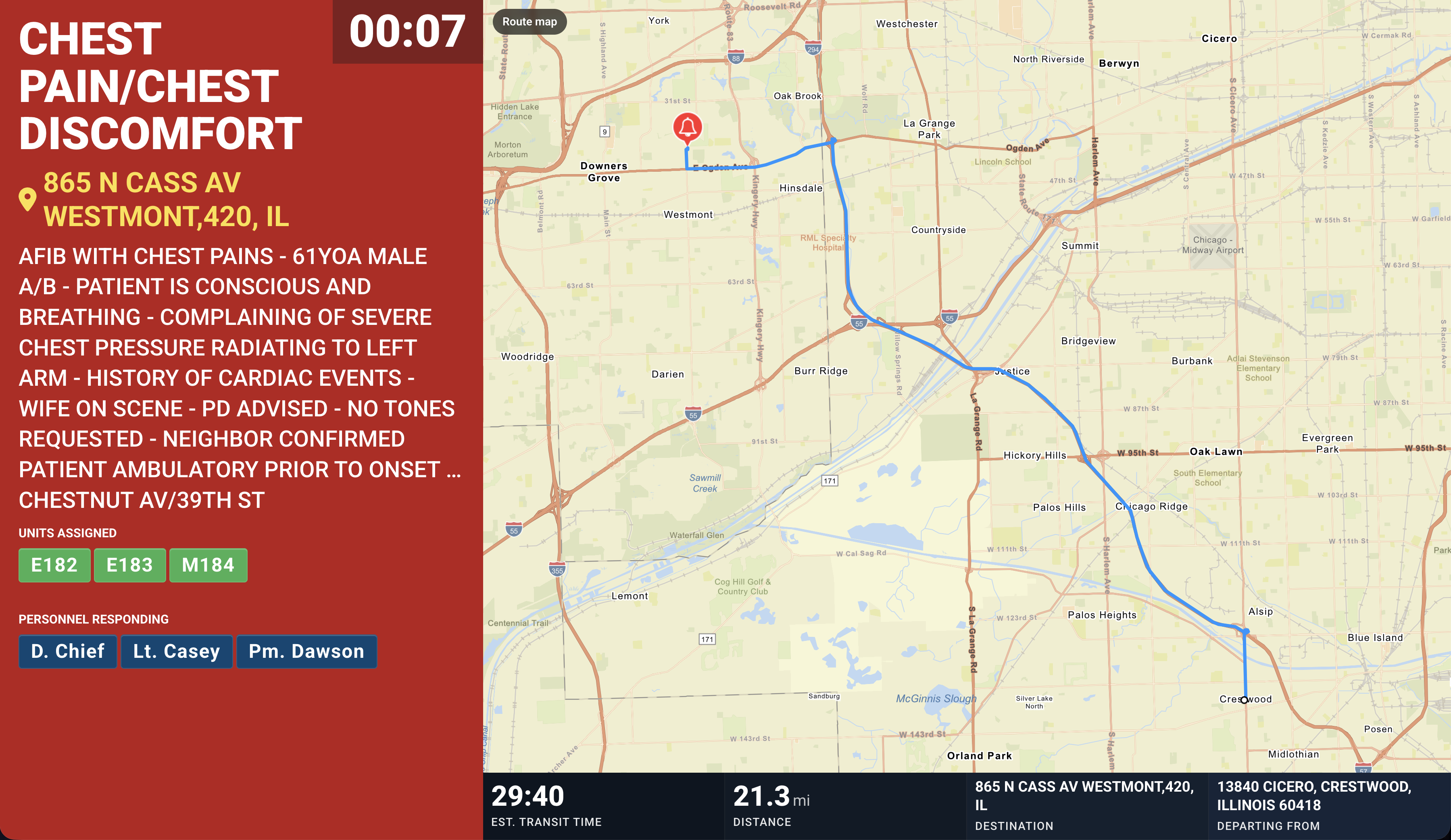
How to change your alerting screen
Open a ticket at our support center with the option number you want, and which stations or screens it should apply to. You can also pair any of these with custom alert sounds so crews can tell calls apart by ear.
Secondary notification only: our platform is built for secondary notification of alarms and situational awareness. Always rely on your CAD or dispatch center for primary dispatch information.
Not sure which layout fits your stations? Open a ticket at our support center or reach us at dashboards@firstarriving.com and we’ll walk through it with you.