
Integration Guide
Active911
Put the calls and alerts pushed through Active911 straight onto the screens in your stations — full incident alerting when a run drops, and a recent-call feed with map between runs.
What we can put on your dashboard
Two integrations, set up independently. Jump to the one you need: Call Alerting · Recent Alarms
Call Alerting
Calls, the moment they drop
Incident details, units dispatched, who’s responding, hydrants, routing, and a turnout clock — in six screen layouts.
Recent Alarms
What’s been running
A readable feed of recent calls with a correlating map for location context.
Call Alerting & Alerts
Displays calls and other alerts that are pushed through Active911.
Key features
- Real-time call dispatch
- Nature of call, address, units dispatched, call notes, and personnel responding
- Hydrant mapping and directions
- Turnout timer with ETA and distance
- Optional custom alert sounds and ESRI layers
What we need from you
- An Active911 account
- Your Agency ID
- The page groups you want displayed
- An API key requested from Active911 — we’ll give you instructions specific to First Arriving once you sign up for service. Send it to us through the First Arriving Secrets Tool, then paste the link it generates into a ticket at our support center — never by email. Full instructions: Sending First Arriving sensitive information.
Agency ID versus Refresh Token: your Agency ID alone enables the core alerting integration. Hydrant data and responding-personnel display require an Active911 Refresh Token as well, so send that too if you want those features.
Compatible views
These alerting screens are available regardless of where your dispatch information comes from. Some features, such as personnel responding, are specific to certain integrations — our implementation and support team can confirm what your setup supports. Any of the following are available on 3.0 Dashboards, which covers all new customers and anyone converted from 2.0.
The screens below are a sample, not the full set. For the current, complete list of alerting screen styles, see Response & Call Alerting Screen Options.
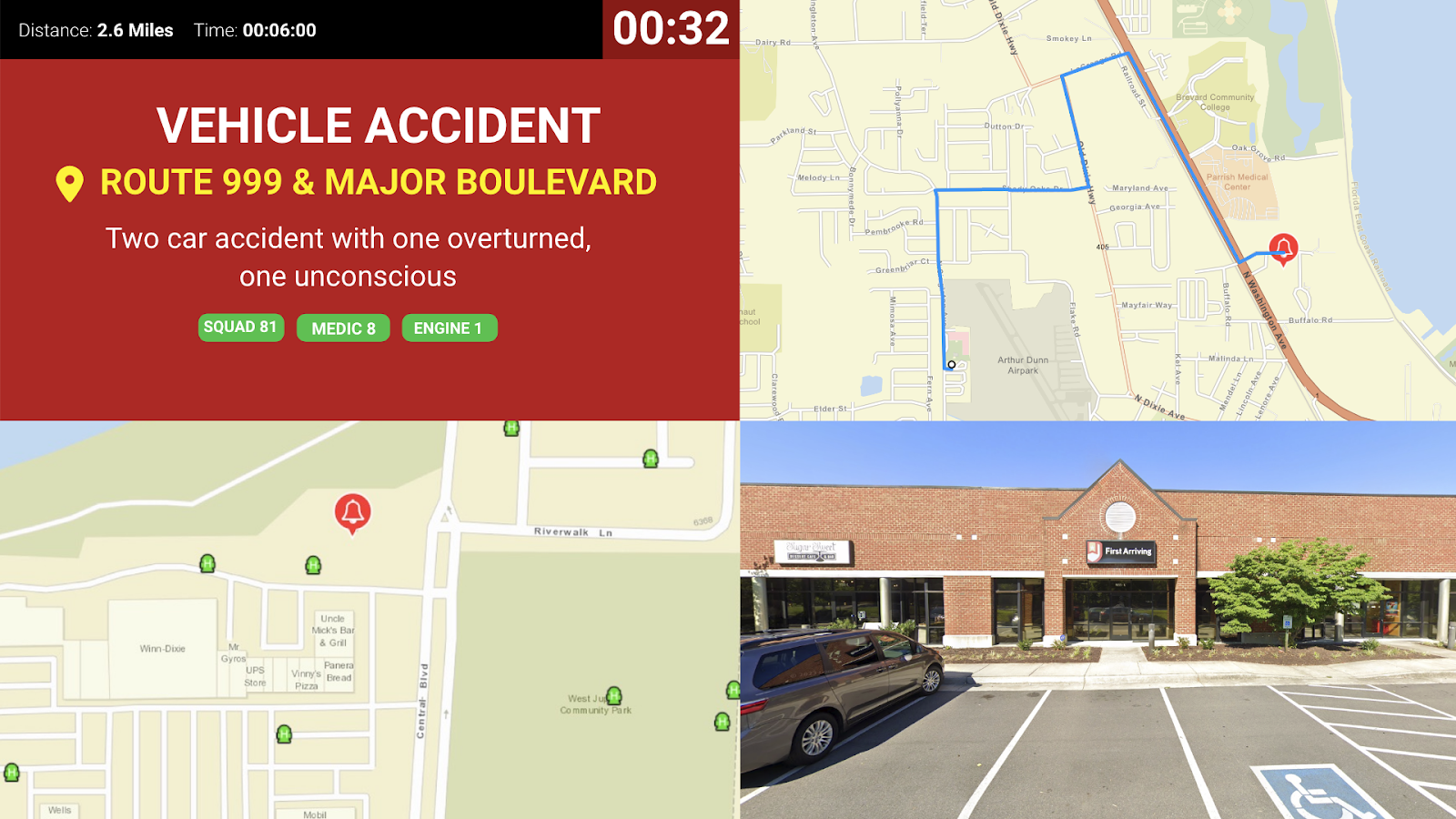
Option 1: Four Corners
Incident details, hydrants, routing with Google Street View, turnout clock, and units dispatched. Optionally who’s responding, if your integration supports it.
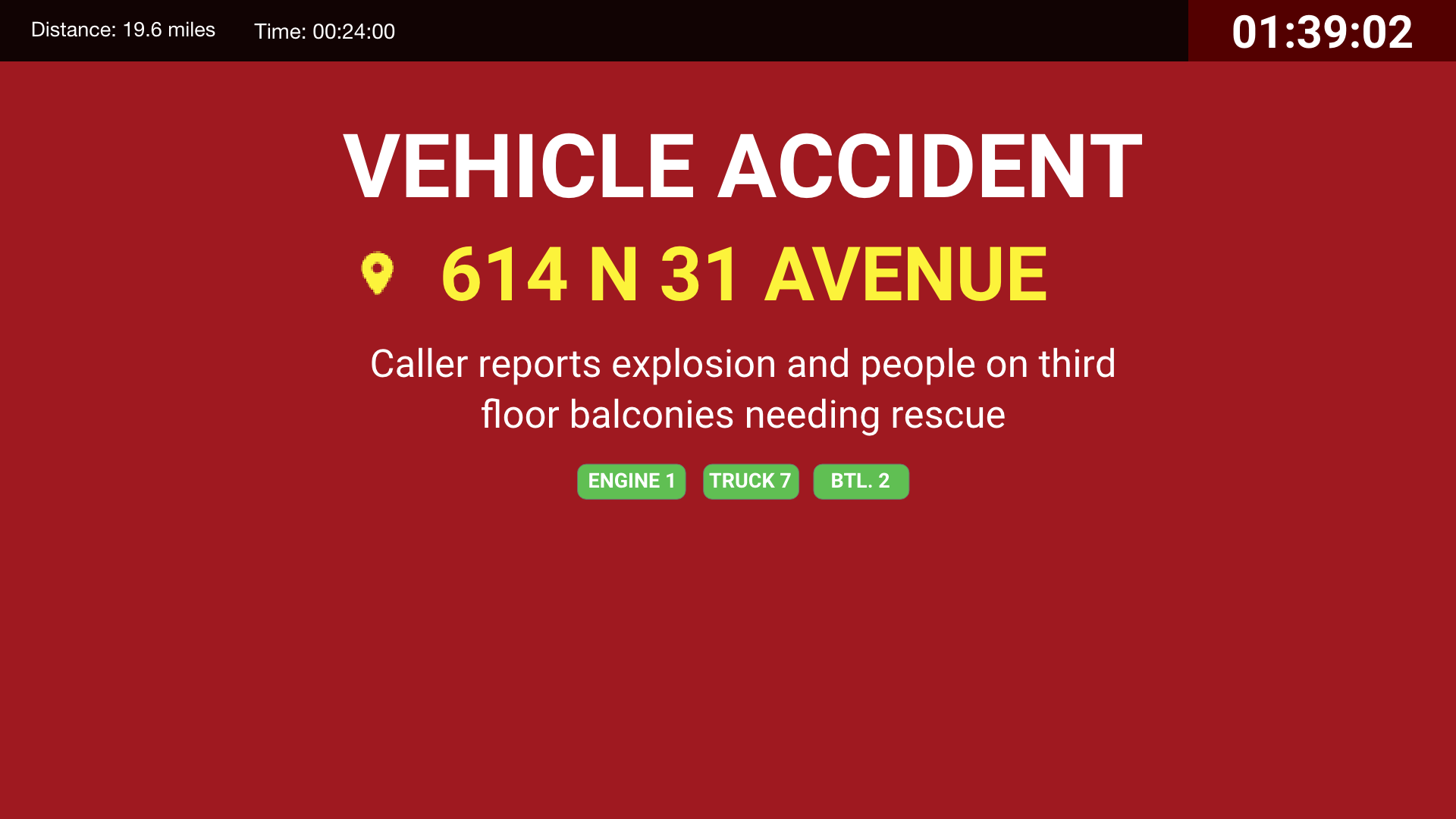
Option 2: The Basics
Incident details, units dispatched, turnout clock, time and distance. Optionally who’s responding, if your integration supports it.
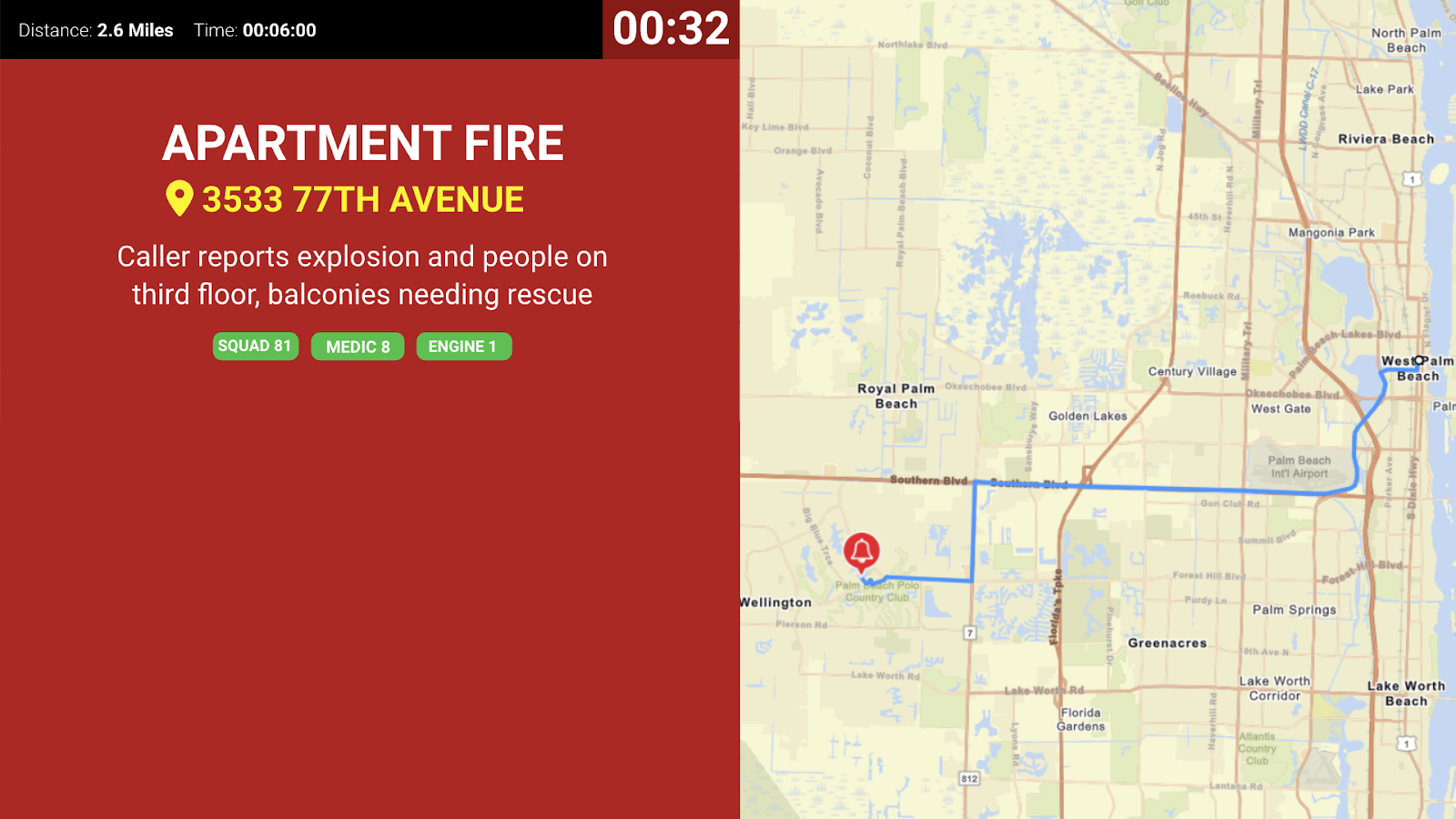
Option 3: Two Sides
Dispatch information including units responding, call details, turnout time, distance, and a larger routing map. Optionally who’s responding, if your integration supports it.
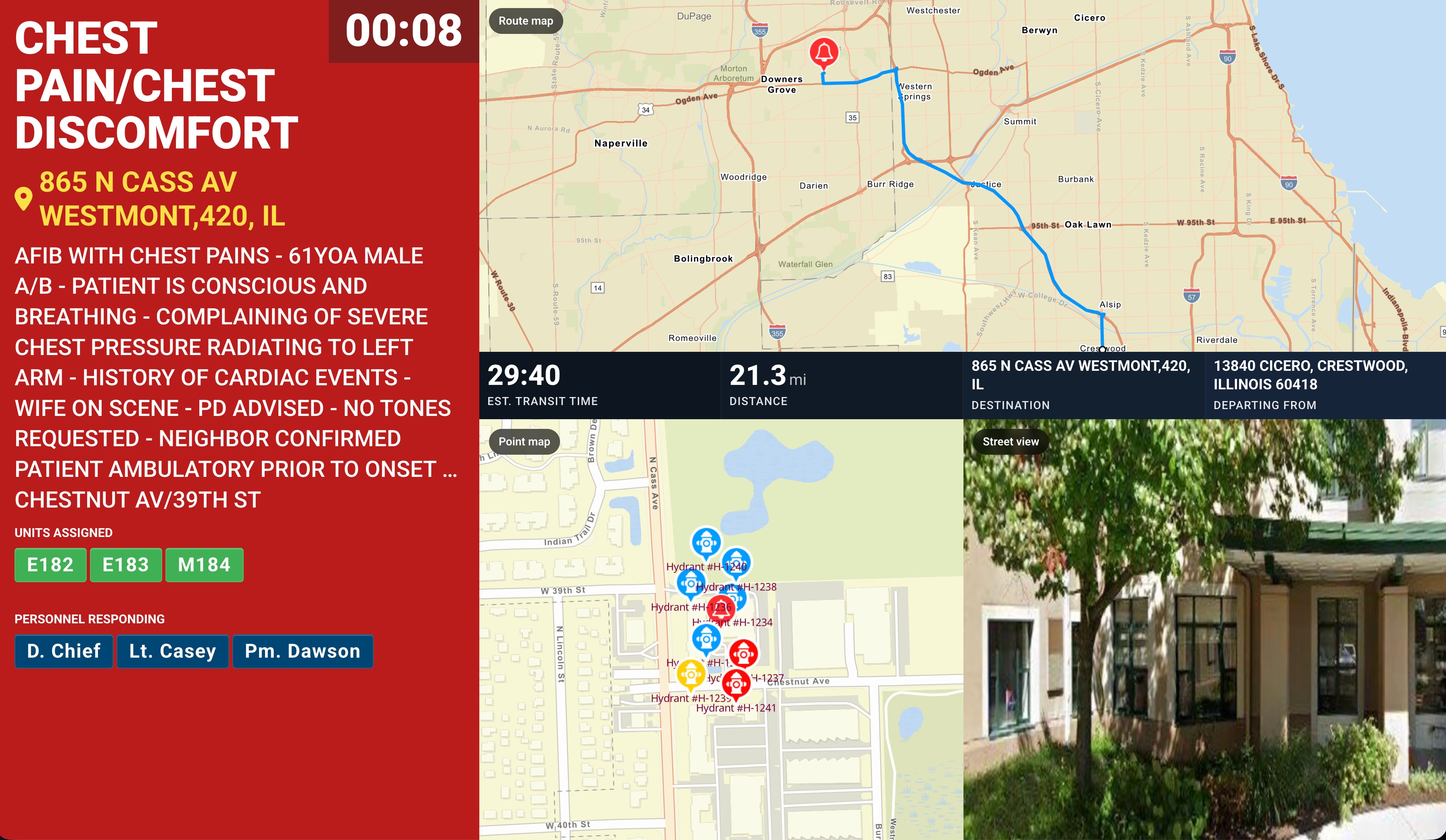
Option 4
Dispatch information including units responding, call details, turnout time, distance, hydrant layers, street view, and a routing map. Optionally who’s responding, if your integration supports it. Available with a red or black background.
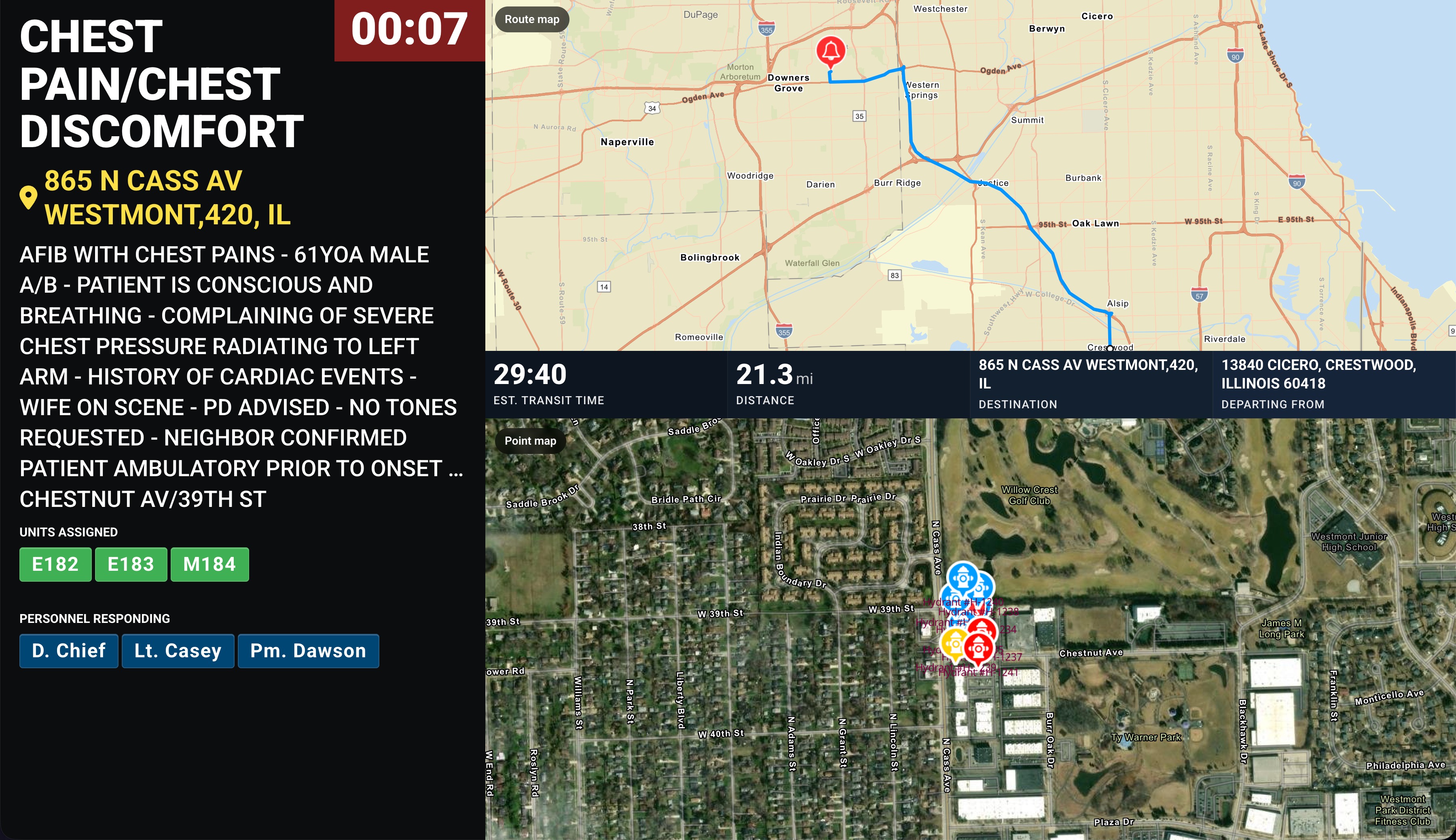
Option 5
Dispatch information up top including units responding, call details, turnout time, distance, hydrant layers, and street view — no routing map. Optionally who’s responding, if your integration supports it. Available with a red or black background.
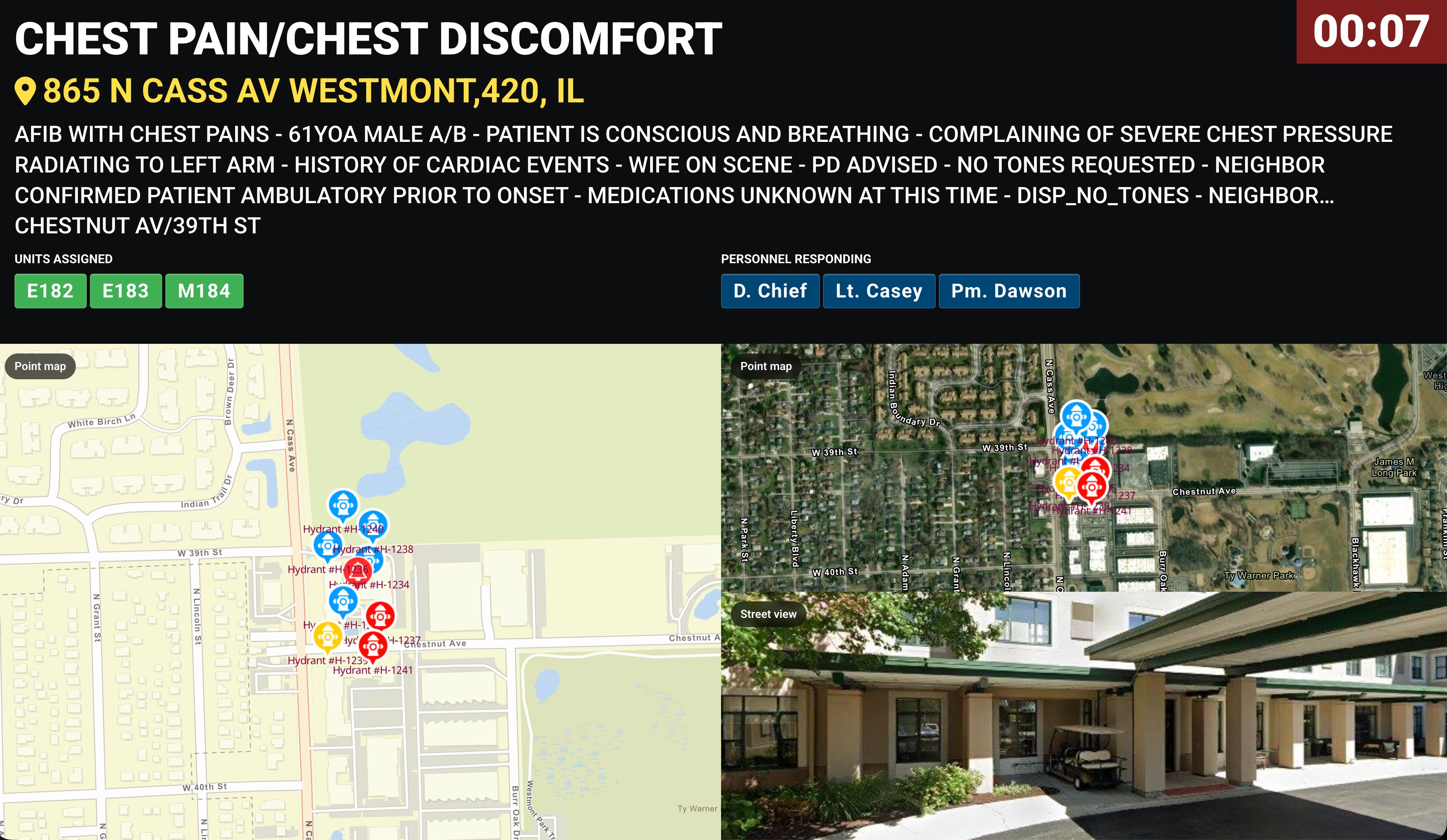
Option 6
Dispatch information on the left including units responding, call details, turnout time, distance, and a routing map. Optionally who’s responding, if your integration supports it. Available with a red or black background.
Recent Alarms
Displays recent call information in an easy-to-read feed, with a correlating map for location context.
This integration is enabled via an API connection with Active911, where we pull data from their API after you submit an Active911 Refresh Token.
Key feature
- An at-a-glance view of summarized recent call and alerting data in a feed layout with map
What we need from you
An Active911 Refresh Token. Send it through the First Arriving Secrets Tool and paste the generated link into a ticket at our support center rather than emailing it, and let us know at dashboards@firstarriving.com that you’d like Recent Alarms added.
Compatible views
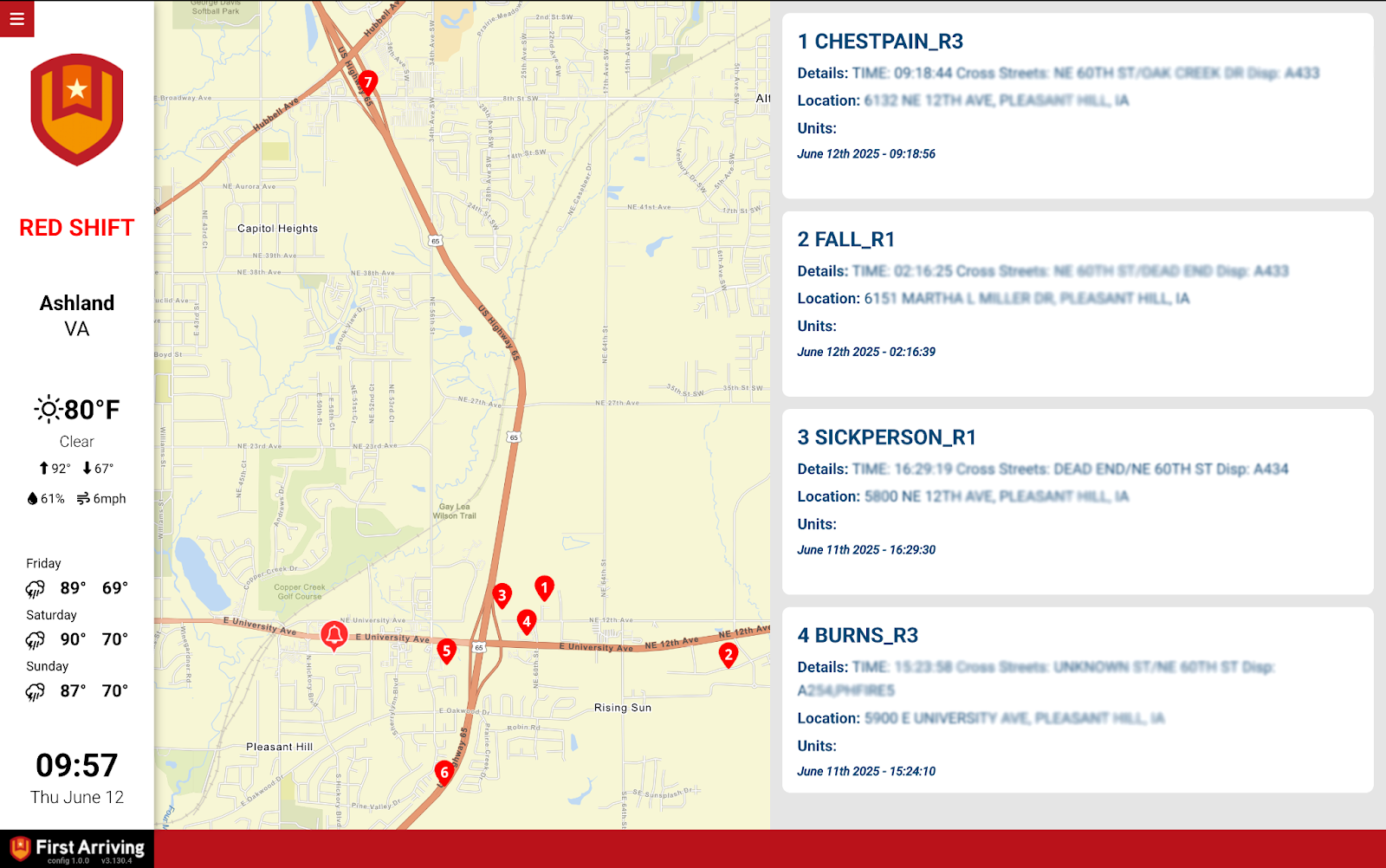
Standard view. Map and feed side by side. These can also be re-ordered so they stack in a single column.
Questions about setup, or want help deciding which alerting screen belongs in which station? Open a ticket at our support center or reach us at dashboards@firstarriving.com and we’ll walk through it with you.