
Integration Guide
Acadis by Vector Solutions
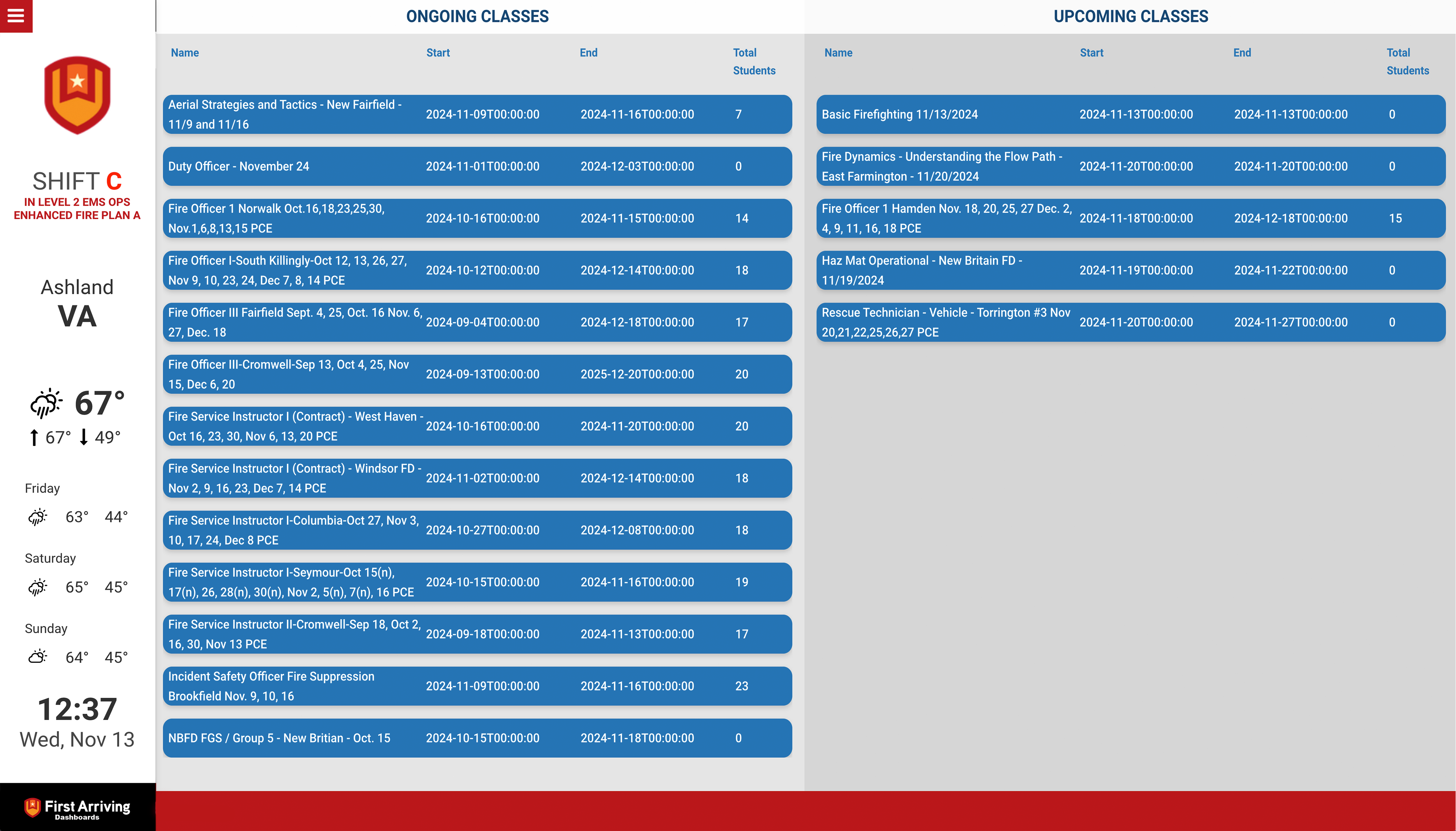
Put training from Acadis on the screens in your stations. Classes running now, and more usefully what is coming up — with how many people have signed up, so a thin class gets noticed while there is still time to fill it.
What we can put on your dashboard
Current classes
- Course name
- Start and end days and times
- Total students enrolled
Upcoming classes
- Course name
- Start and end days and times
- Total students enrolled
What we need from you
You need an Acadis account. Your Vector rep issues five values — ask for all of them in one go, since the integration needs the full set.
About vendor charges: data or API access could carry an additional charge, determined by Vector Solutions and not by First Arriving.
Example screen
Questions about setup, or want upcoming classes on one screen and current on another? Open a ticket at our support center or reach us at dashboards@firstarriving.com.