Temp Stick Sensors Integration

Modified on Mon, 23 Nov at 11:41 AM

Temp Stick Sensors

Integration Guide

Temp Stick Sensors Integration

Keep an eye on your medication fridges, drug boxes, freezers and apparatus bays from your First Arriving dashboard. The board shows the latest reading from each of your Temp Stick wireless sensors, so crews can spot a problem before it becomes one.

What we can put on your dashboard

Sensor readings

  • Temperature, in °F or °C
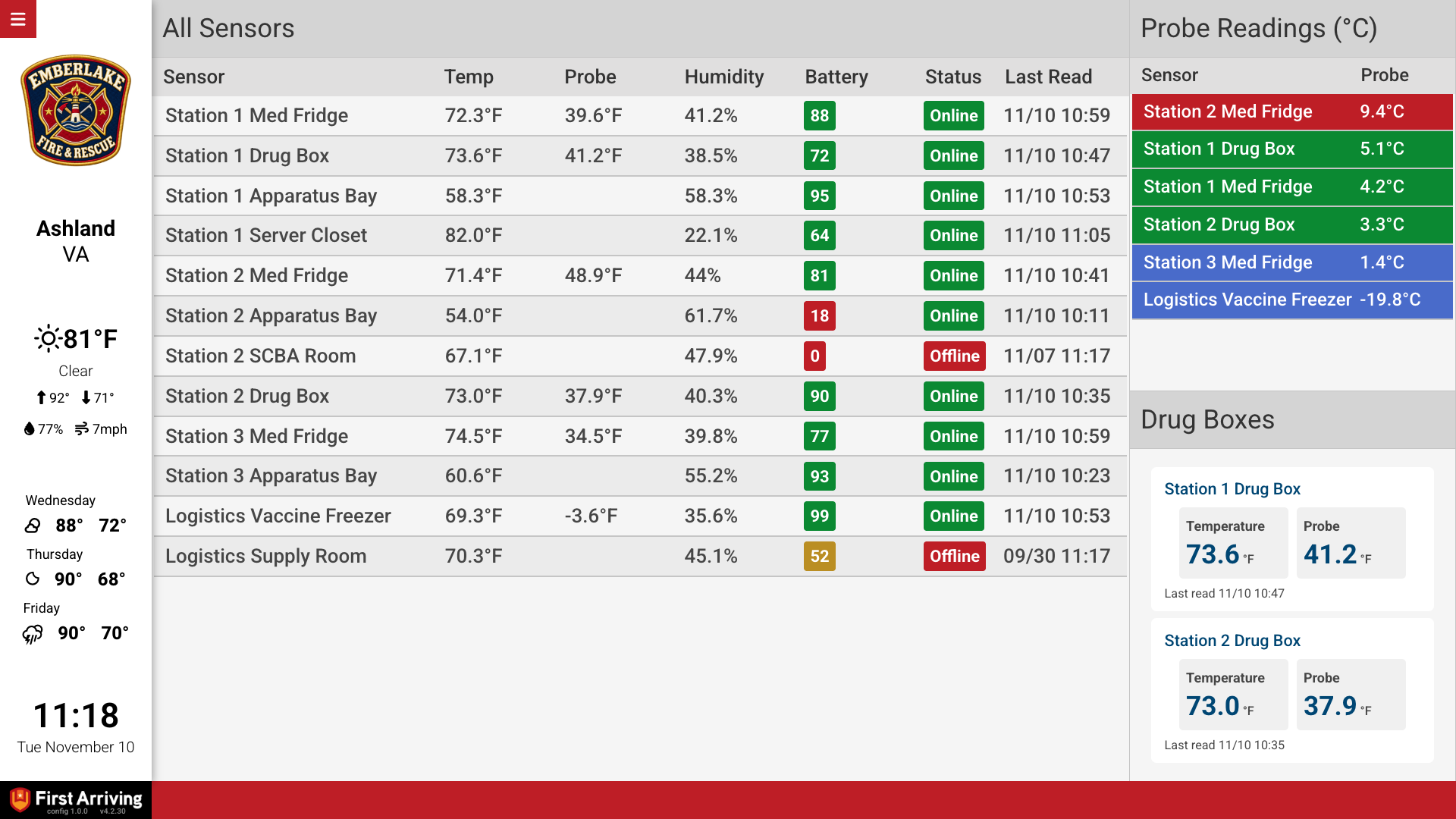
  • Probe temperature (sensors with an external probe, such as a buffer bottle inside a fridge)
  • Humidity
  • Battery level
  • Online / Offline status
  • Last time each sensor checked in

What we need from you

You need Temp Stick sensors and a Temp Stick API key. Your contact at Temp Stick can tell you how to get one.

1

Ask Temp Stick for your API key

Contact your Temp Stick representative and ask how to get an API key for your account.

2

Decide how your board should look

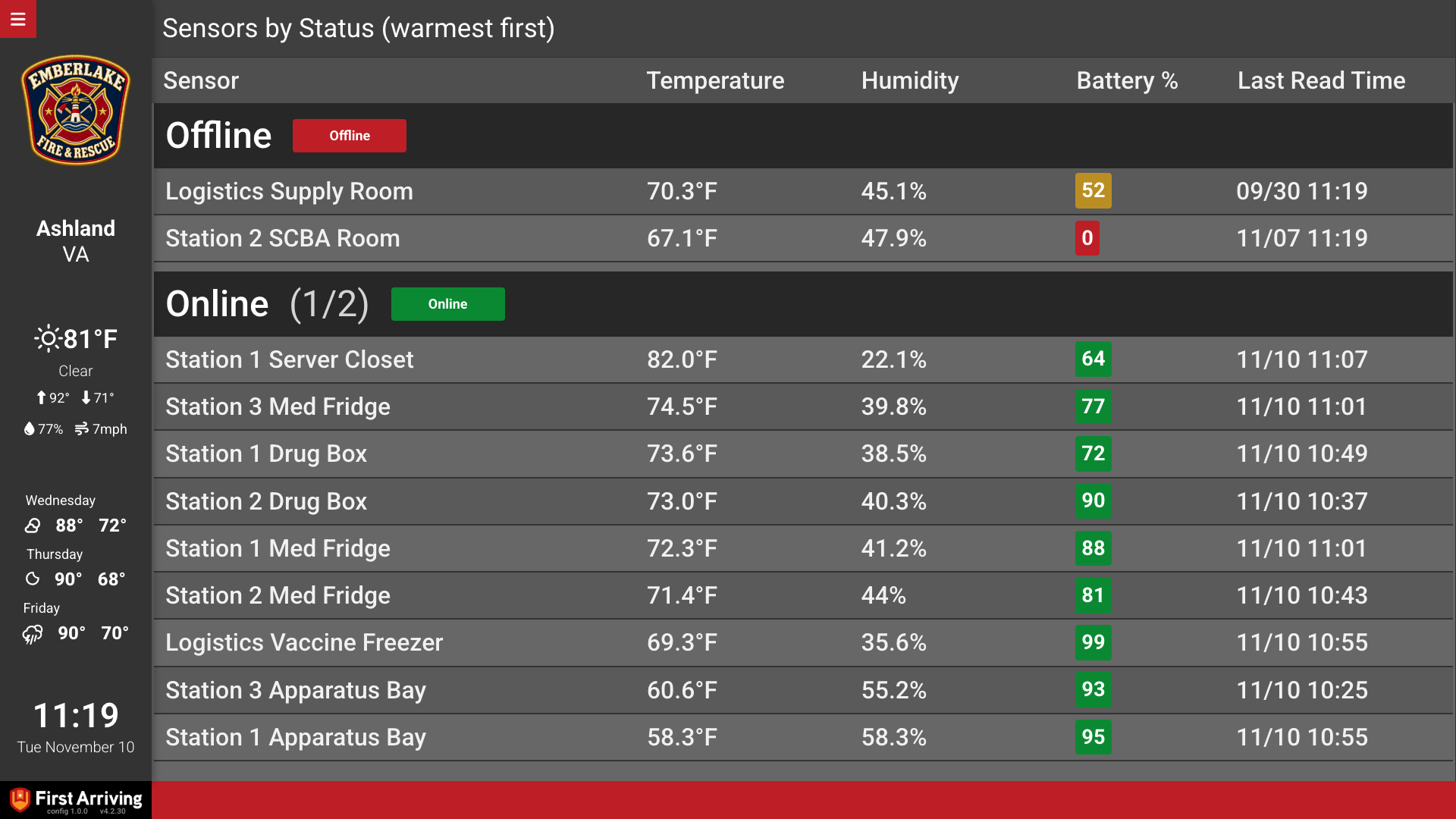
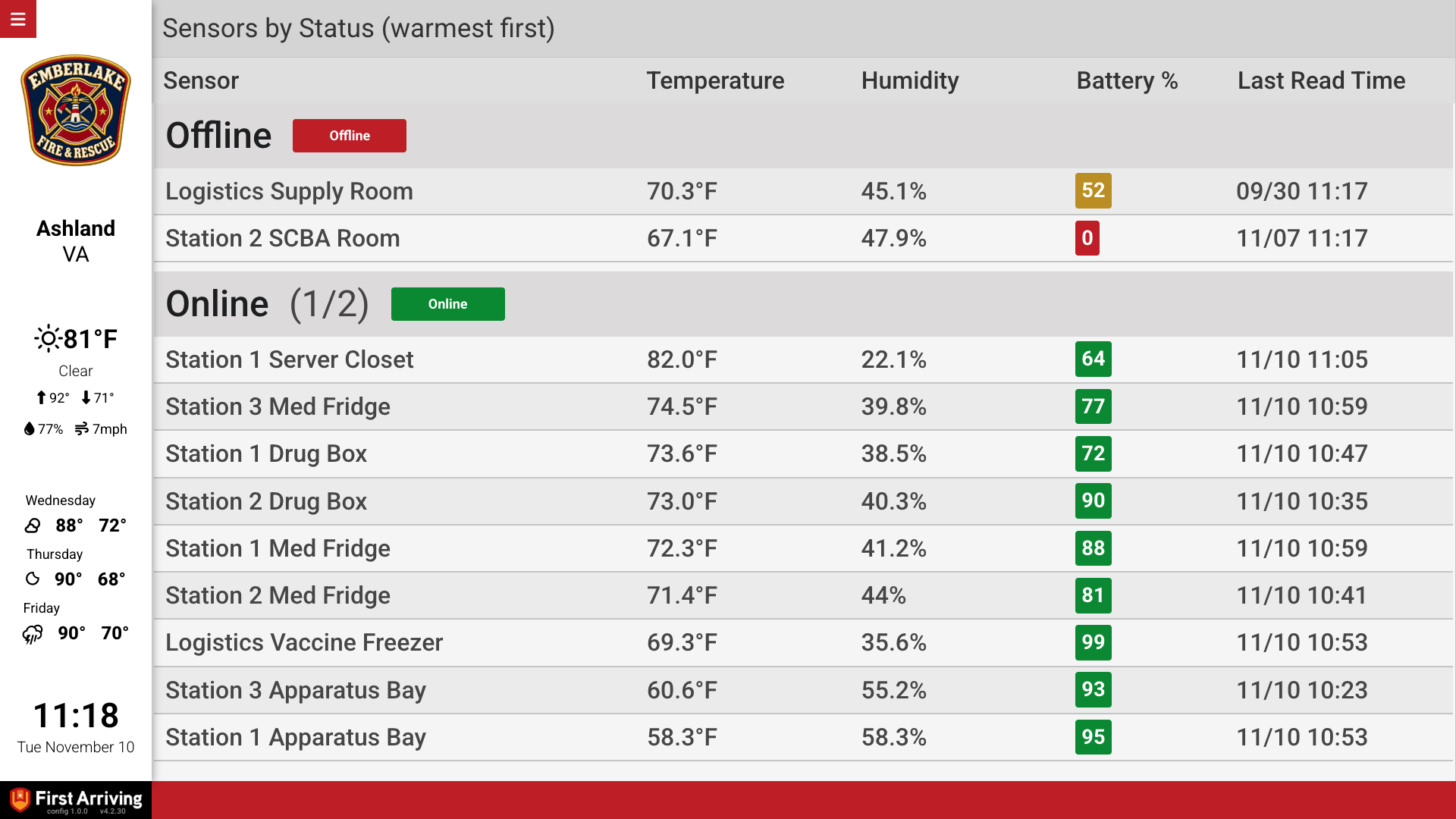
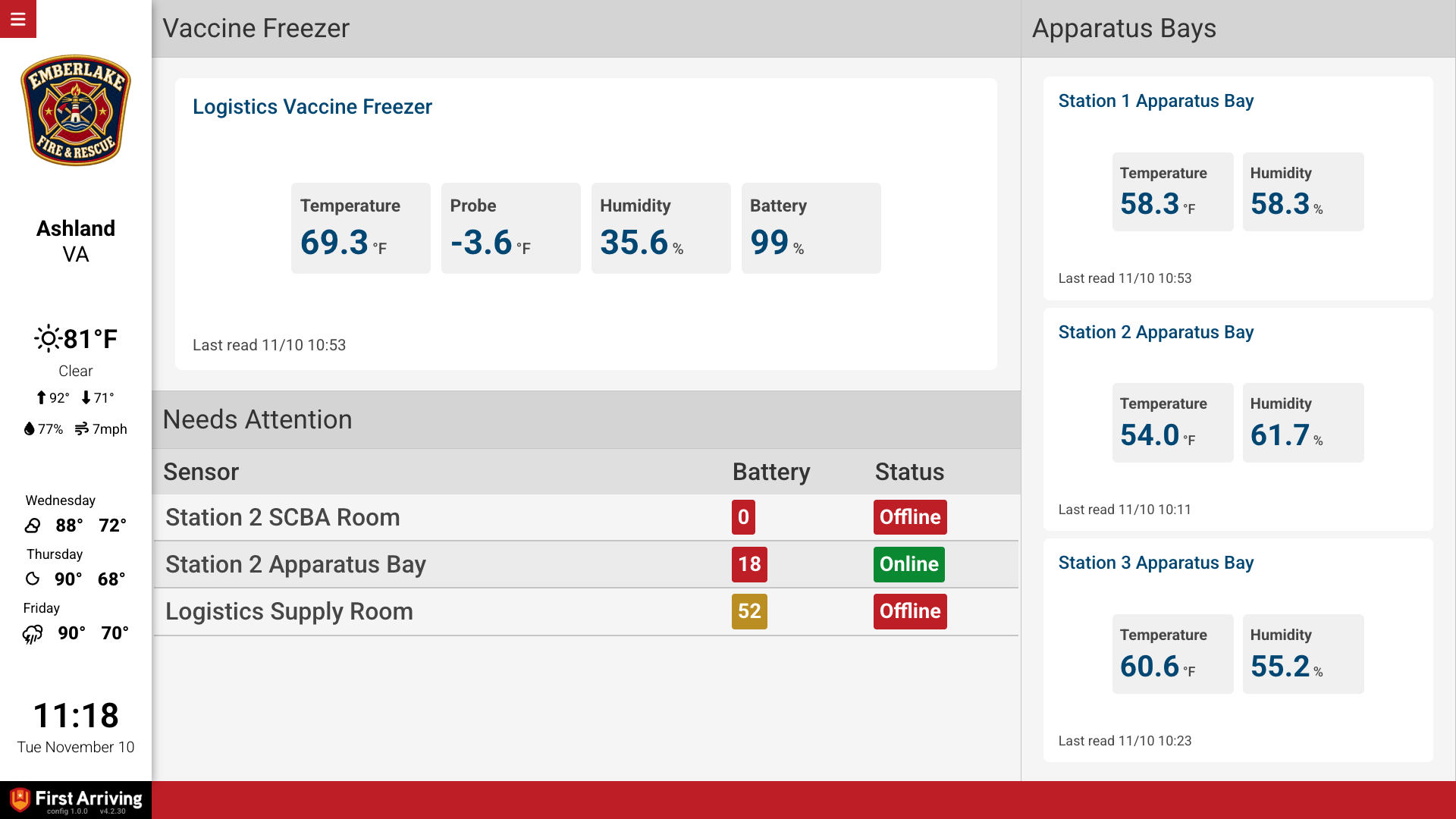
  • Table view: every sensor in one list. Sort it (for example, warmest first) or group it by status so offline sensors are at the top
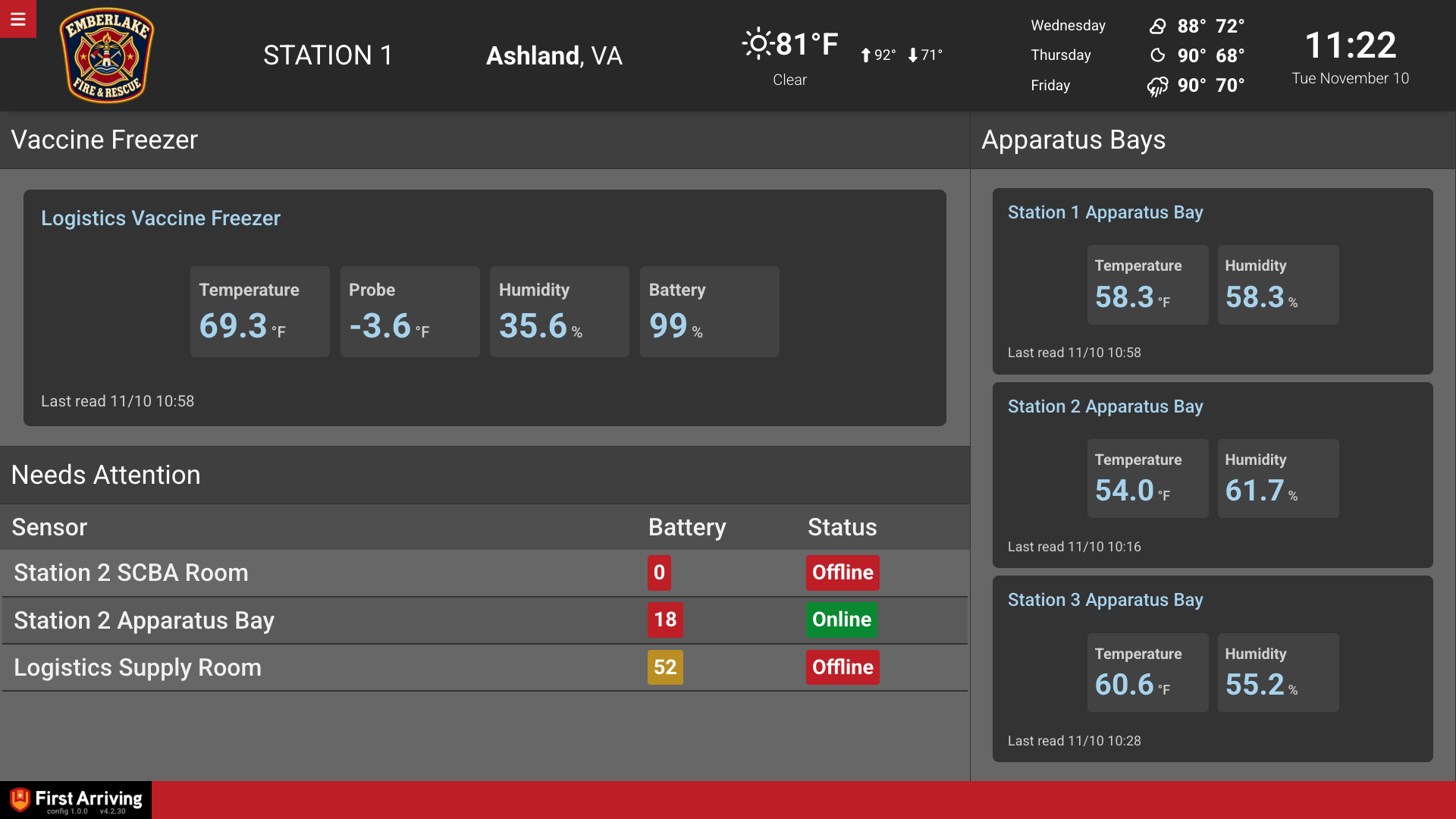
  • Card view: one card per sensor with large, easy-to-read numbers, grouped by station or location
  • Temperature colors: the safe range you want, for example green between 36–46 °F for medication fridges, blue when too cold, red when too warm
  • Battery colors: green, yellow or red, so low batteries stand out
  • Status colors: online sensors in green, offline sensors in red
  • Which sensors: all of them, only the ones you pick, or all except ones you want hidden (backup or spare sensors, for example)
  • Splitting: whether to spread sensors across pages or columns by station
3

Send them to us securely

Open a ticket at our support center, then submit them through the First Arriving Secrets Tool and paste the link it generates into your ticket. Please don’t send them by email. Full instructions: Sending First Arriving sensitive information.

About update timing: Your dashboard shows each sensor's most recent check-in, so readings update as often as your Temp Stick sensors are set to report.

Example screens
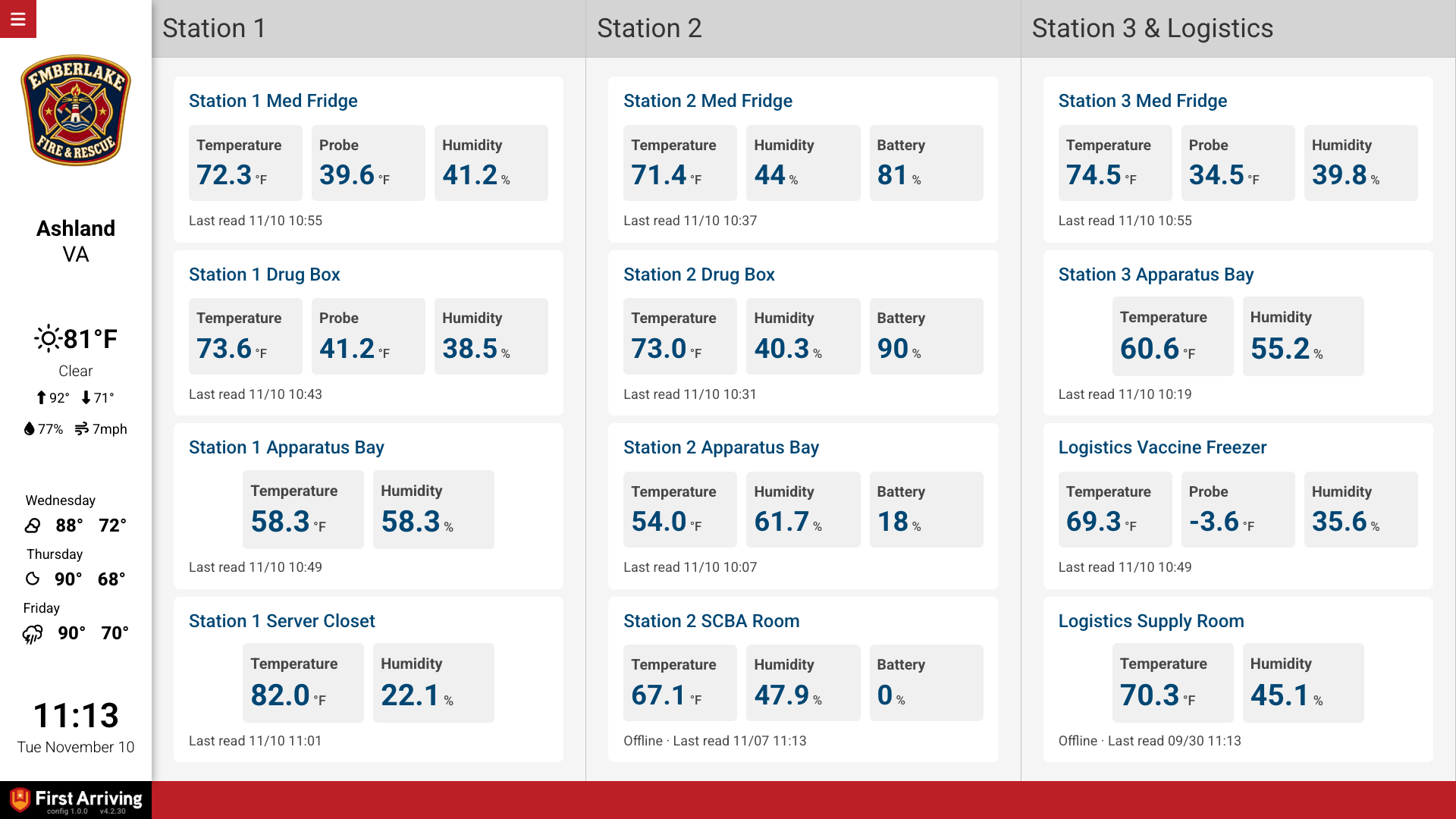
Temp Stick Sensors on a First Arriving dashboard

Questions about setup, or want fridges on one screen and apparatus bays on another? Open a ticket at our support center or reach us at dashboards@firstarriving.com.