Integration Guide
ESO
If your agency runs on ESO, two of their products feed the screens in your stations: NERIS for call volume and response-time performance, and ESO Scheduling for the roster. You can run either on its own, or both together.
What we can put on your dashboard
Jump to the one you need: ESO NERIS · ESO Scheduling
9 Widgets
ESO NERIS
Call counts, turnout times, incomplete reports, recent incidents — as tables, charts, a gauge, or a map.
7 Days Ahead
ESO Scheduling
The daily and upcoming roster, so shift vacancies and relocations are visible before anyone asks.
ESO NERIS
Nine widgets across four formats. Add any of them to any dashboard, as many times as you like, each with its own settings — two copies of the same widget can show completely different views.
Key features
Five tables, two charts, one gauge, one map.
- Call Counts and Calls by Type — totals grouped by station, type, or unit
- Turnout Times — response-time performance by unit, broken out by shift, against your benchmark
- Incomplete Reports — incidents with unfinished NERIS reports, useful on an officer-facing screen
- Past Incidents — recent individual incidents in a table you can order and group
- Incidents Chart and Call Counts Chart — the same data as doughnut or bar
- Turnout Gauge — one response-time metric on a radial dial
- Recent Calls Map — latest incidents plotted as pins
About date ranges: every widget pulls the last 30 days by default. You can set any window from 1 to 365 days, except the Recent Calls Map, which is capped at 30 days.
What we need from you
One item: a subscription key generated in your ESO Admin Console by a user with the Public API Administrator role. The full six-step walkthrough, including how to regenerate the key so you can see it, is in ESO — NERIS API.
ESO Scheduling
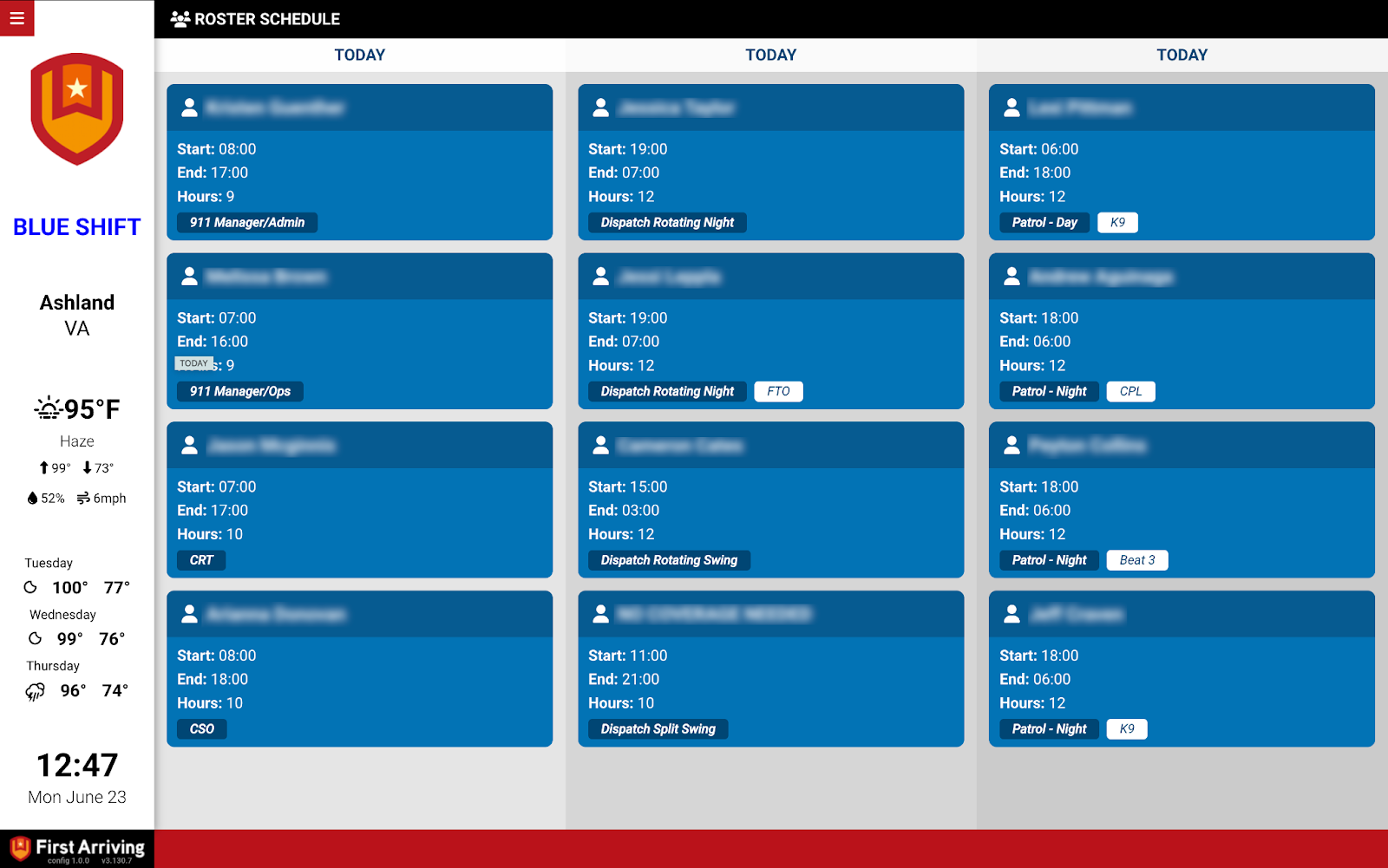
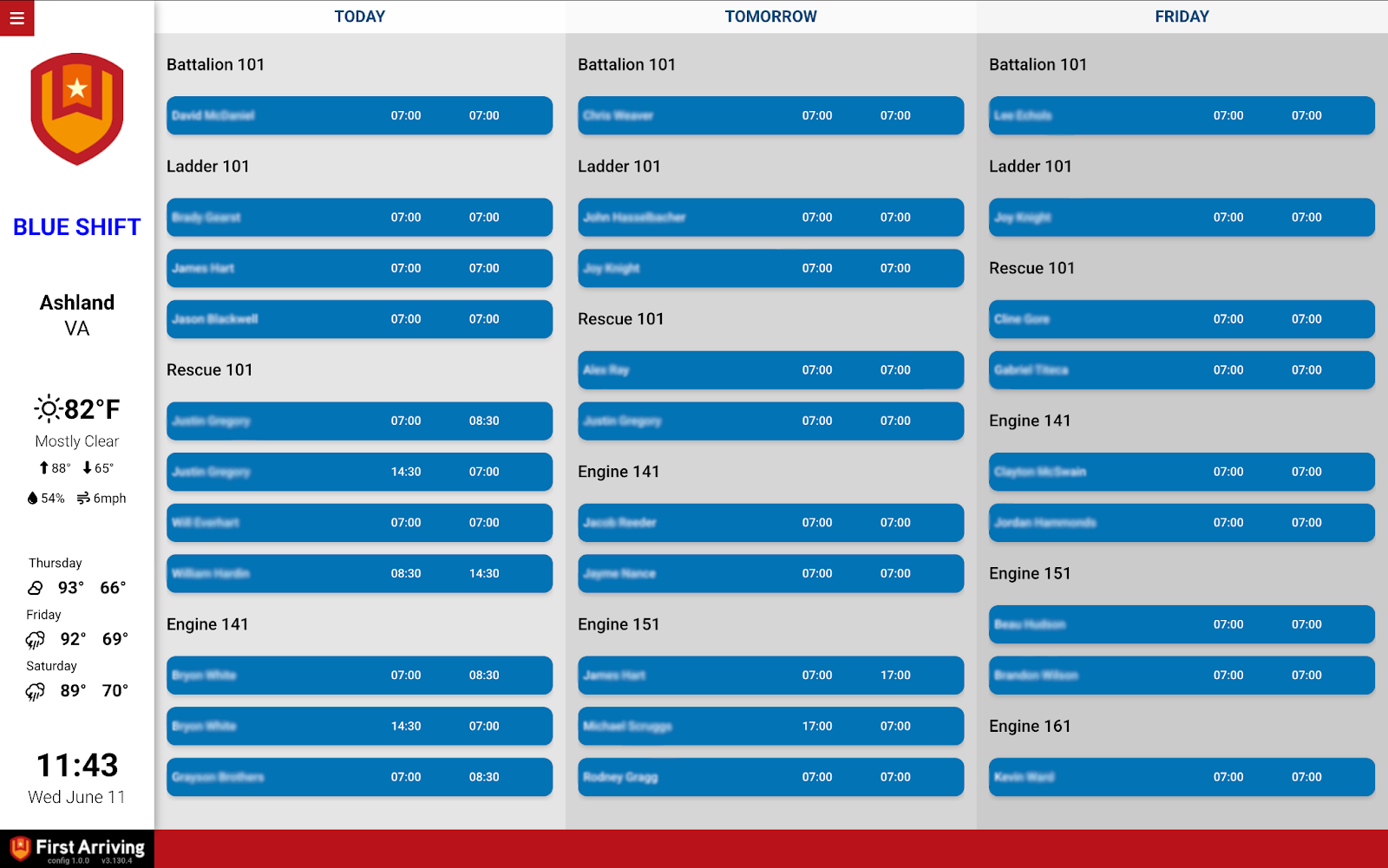
The daily and upcoming roster on the screens in your stations, so personnel can see who is scheduled and where — and so upcoming vacancies and relocations get noticed early.
Key features
The current day and the days after it, up to seven days.
- Name
- Start and end time
- Position
What we need from you
Three values, all issued by ESO: your Customer ID, the password for API access, and the vendor key. Contact ESO support or your customer rep to get them. Full detail is in ESO Scheduling.
Sending us credentials
Both integrations use the same handoff. Open a ticket at our support center telling us which ESO products you want on your screens, then submit the keys or credentials through the First Arriving Secrets Tool and paste the link it generates into your ticket. Please don’t send credentials by email. Full instructions: Sending First Arriving sensitive information.
About vendor charges: data or API access could carry an additional charge, determined by ESO and not by First Arriving.
Other ESO products we integrate with
- SafetyPad by ESO — ePCR analytics, including turnout times against target
- Firehouse Software by ESO — records management and department events
Not sure which ESO products you have, or which widgets belong on which screen? Open a ticket at our support center or reach us at dashboards@firstarriving.com and we’ll work through it with you.