
Integration Guide
SafetyPad by ESO
Bring ePCR data from SafetyPad onto the screens in your stations — turnout performance against your own target, plus incident and transport detail.
What we can put on your dashboard
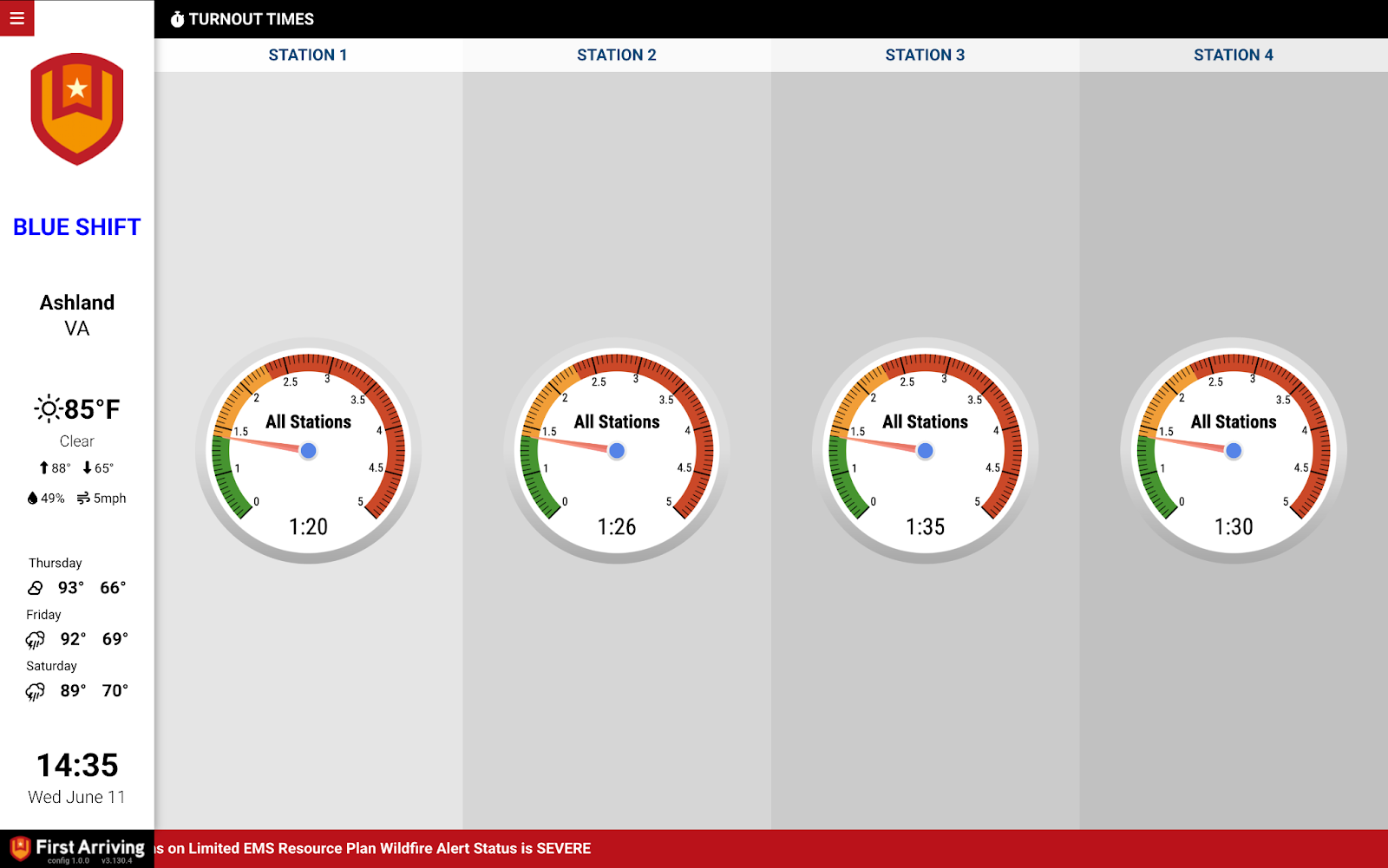
Turnout times
Measured against a target you set, over a window you choose.
- Total number of calls in the time frame
- Number of calls under target — 90 seconds, for instance
- Average turnout time in minutes and seconds
- Average enroute time in minutes and seconds
Incident details
- Response code
- Nature of the call
- Unit
- Medication given
- Hospital
- Date and time
Hospitals transported to
- Name of the hospital
- Number of patients taken in a time frame you specify
What we need from you
Two things, both issued by SafetyPad: the API endpoint and an API key.
Open a ticket at our support center first, then submit the credentials through the First Arriving Secrets Tool and paste the link it generates into your ticket. Please don’t send them by email or chat. Full instructions: Sending First Arriving sensitive information.
About vendor charges: data or API access could carry an additional charge, determined by ESO and not by First Arriving.
Example screen
Tell us your turnout target and the time window when you open your ticket — our support center, or dashboards@firstarriving.com.