
Integration Guide
Vector LMS
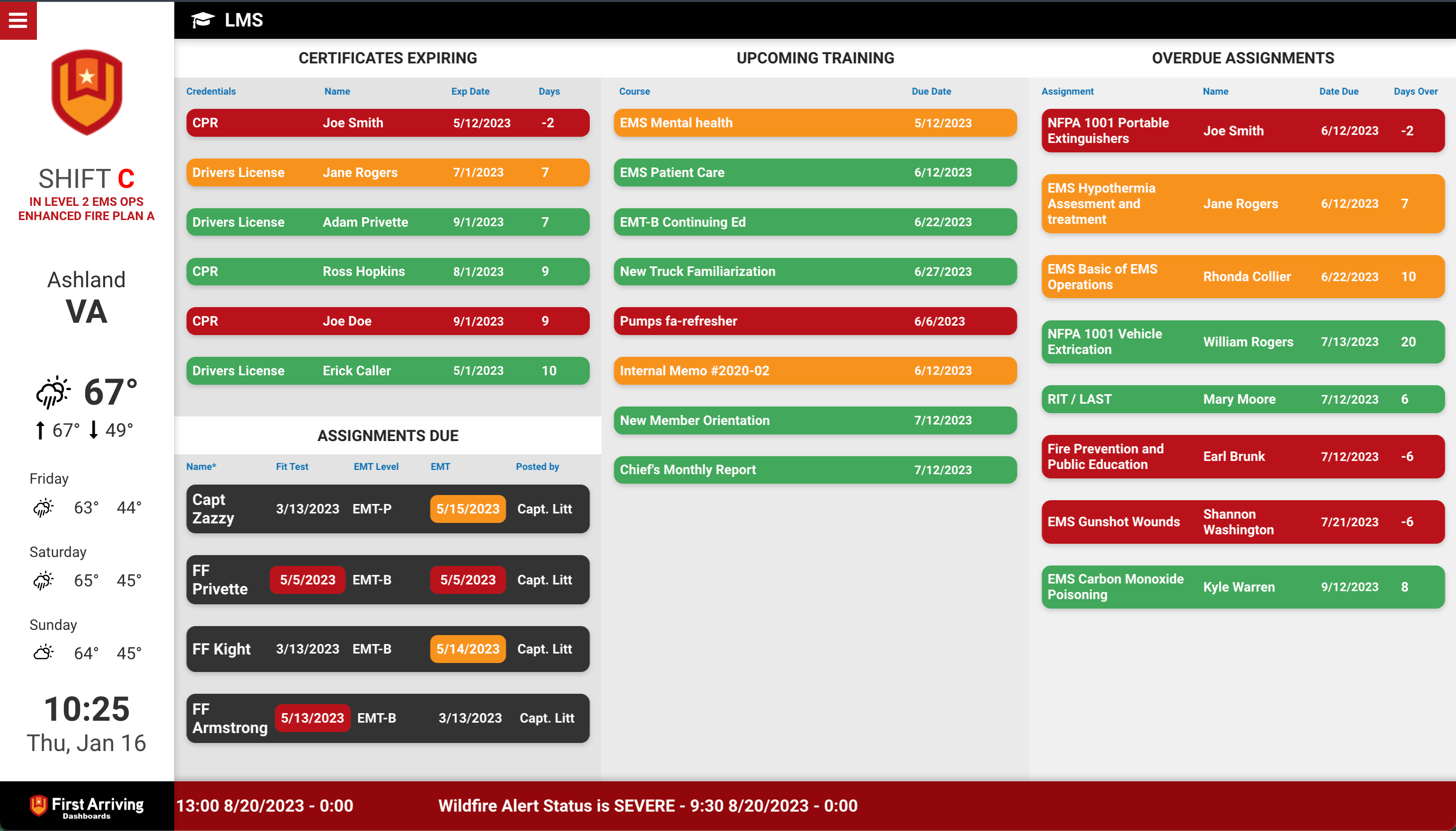
Put training status on the screens in your stations — who has assignments outstanding, whose certifications are about to lapse, and what courses are coming up. The things that get forgotten until they become a compliance problem.
About Vector LMS. Formerly TargetSolutions, Vector LMS delivers online training and record-keeping for fire, EMS, law enforcement, risk pools, municipalities and public works — accredited courses alongside performance management tools.
What we can put on your dashboard
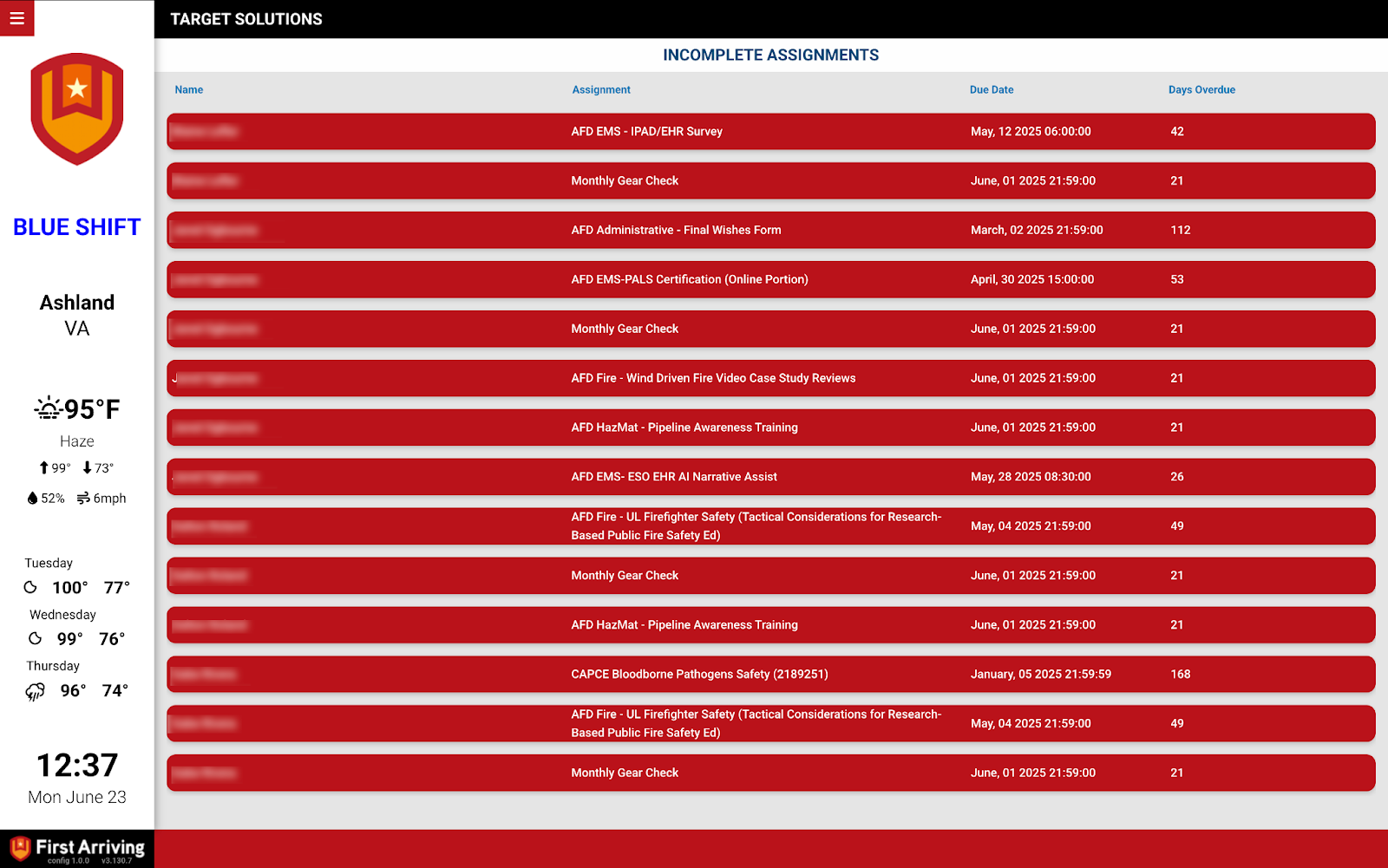
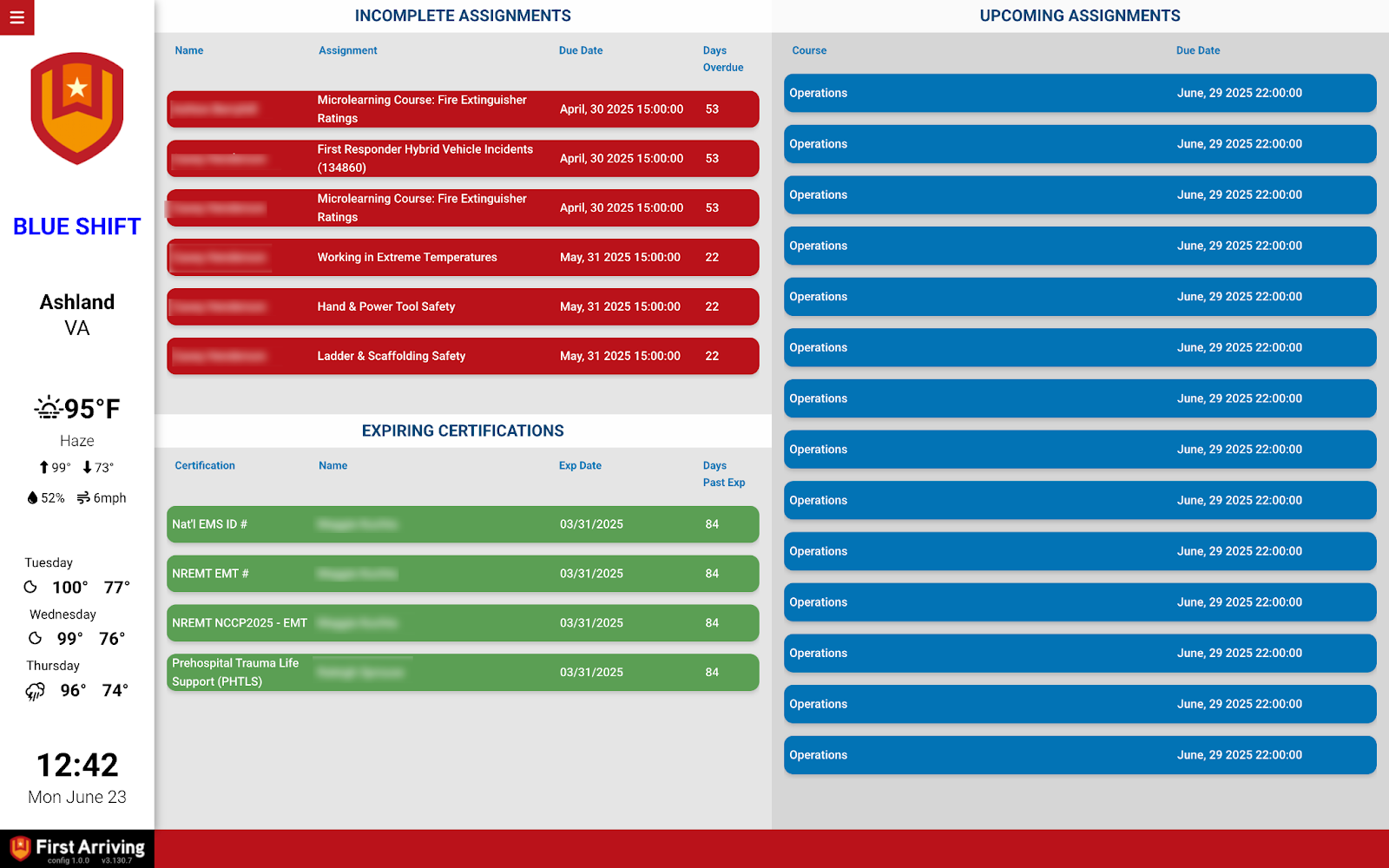
Daily incomplete assignments
Who is behind, on what: name, course name, due date, and days due.
Certifications and expirations
Both already expired and coming up, so a lapse is visible before it matters.
Upcoming courses by person
Per team member: name, course name, and due date.
What we need from you
You need a Vector LMS or TargetSolutions account. We ask for the specifics during implementation.
We will request your account information and API key as part of setting this up. Vector provides both to you — you don’t have to generate them.
Open a ticket at our support center to start, then submit the API key through the First Arriving Secrets Tool and paste the link it generates into your ticket. Please don’t send it by email. Full instructions: Sending First Arriving sensitive information.
About vendor charges: data or API access could carry an additional charge, determined by Vector Solutions and not by First Arriving.
Example screens
Want to see the training platform itself? Visit the Vector LMS site or request a demo.
Questions about setup, or want other Vector LMS data on your screens? Open a ticket at our support center or reach us at dashboards@firstarriving.com — more integration options are planned, so it is worth asking.