
Integration Guide
Vector Scheduling (formerly CrewSense)
Put your Vector Scheduling roster on the screens in your stations — yesterday, today, and tomorrow, grouped by unit and colour-coded however suits your crews.
About Vector Scheduling. A cloud-hosted, rules-based employee resourcing platform serving nearly 100,000 users across North America. Administrators can alert, match-qualify, and fill openings with limited manual work. Vector Scheduling is a Vector Solutions brand, previously known as CrewSense.
What we can put on your dashboard
Roster views
- Both single-day and multi-day views — yesterday, today, tomorrow
- Group by schedule name, which most agencies name by unit
- Optionally show positions or roles
- Custom colour coding per unit or per position
- Show or hide entries by schedule name, so a screen carries only what that station needs
What we need from you
You need a Vector Scheduling or CrewSense account, then two values you can generate yourself.
About vendor charges: data or API access could carry an additional charge, determined by the vendor and not by First Arriving.
Example screens
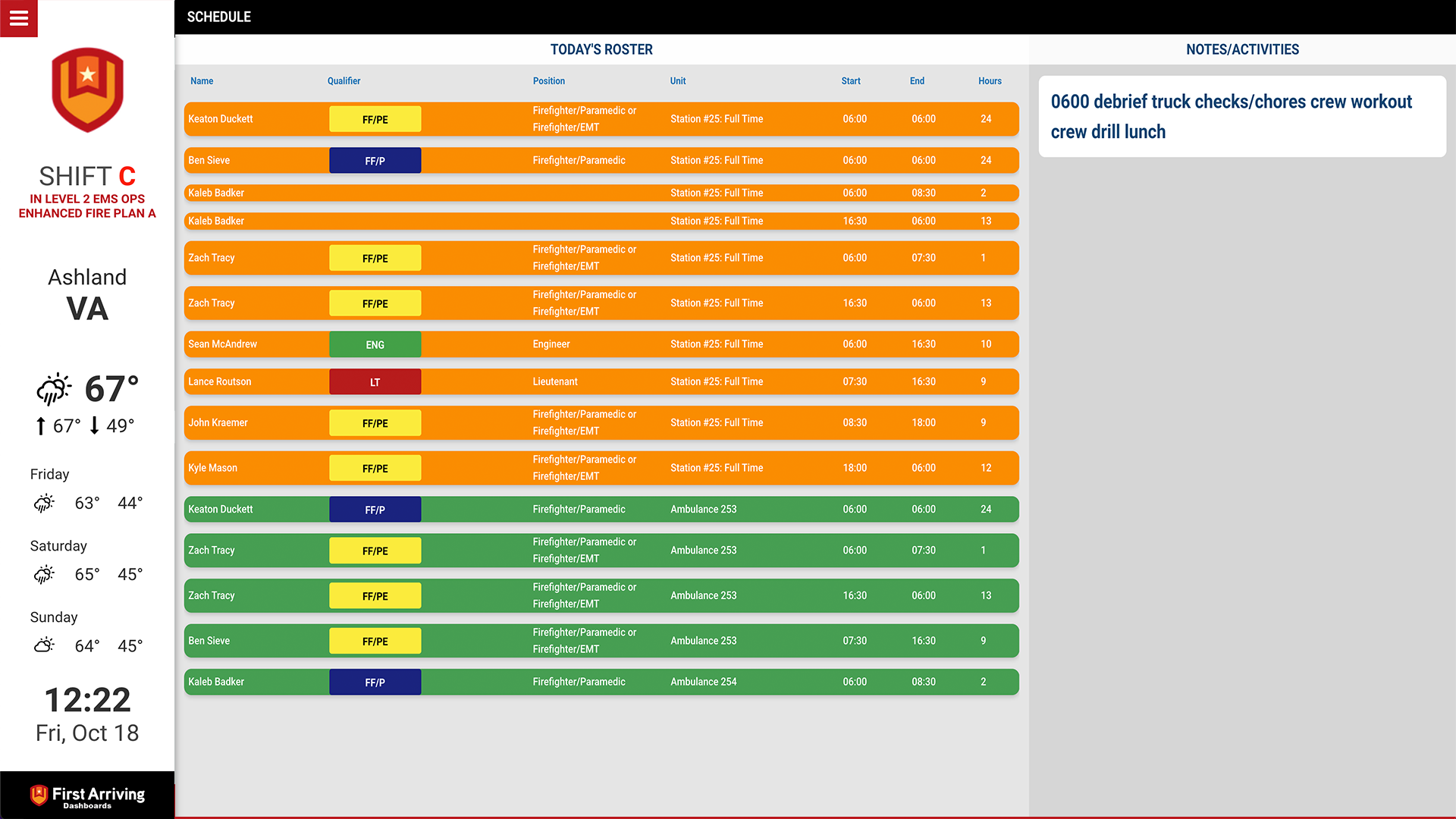
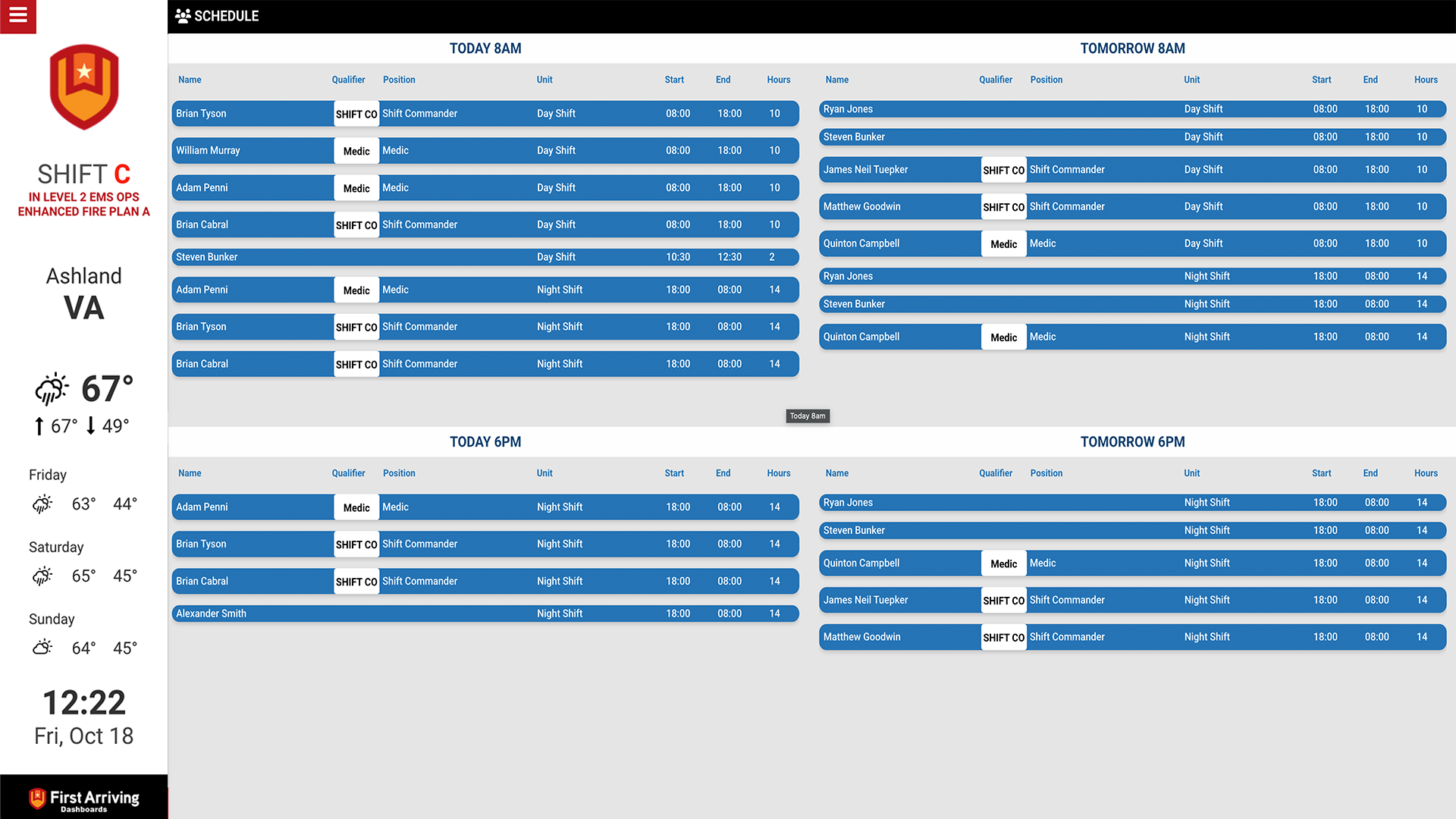
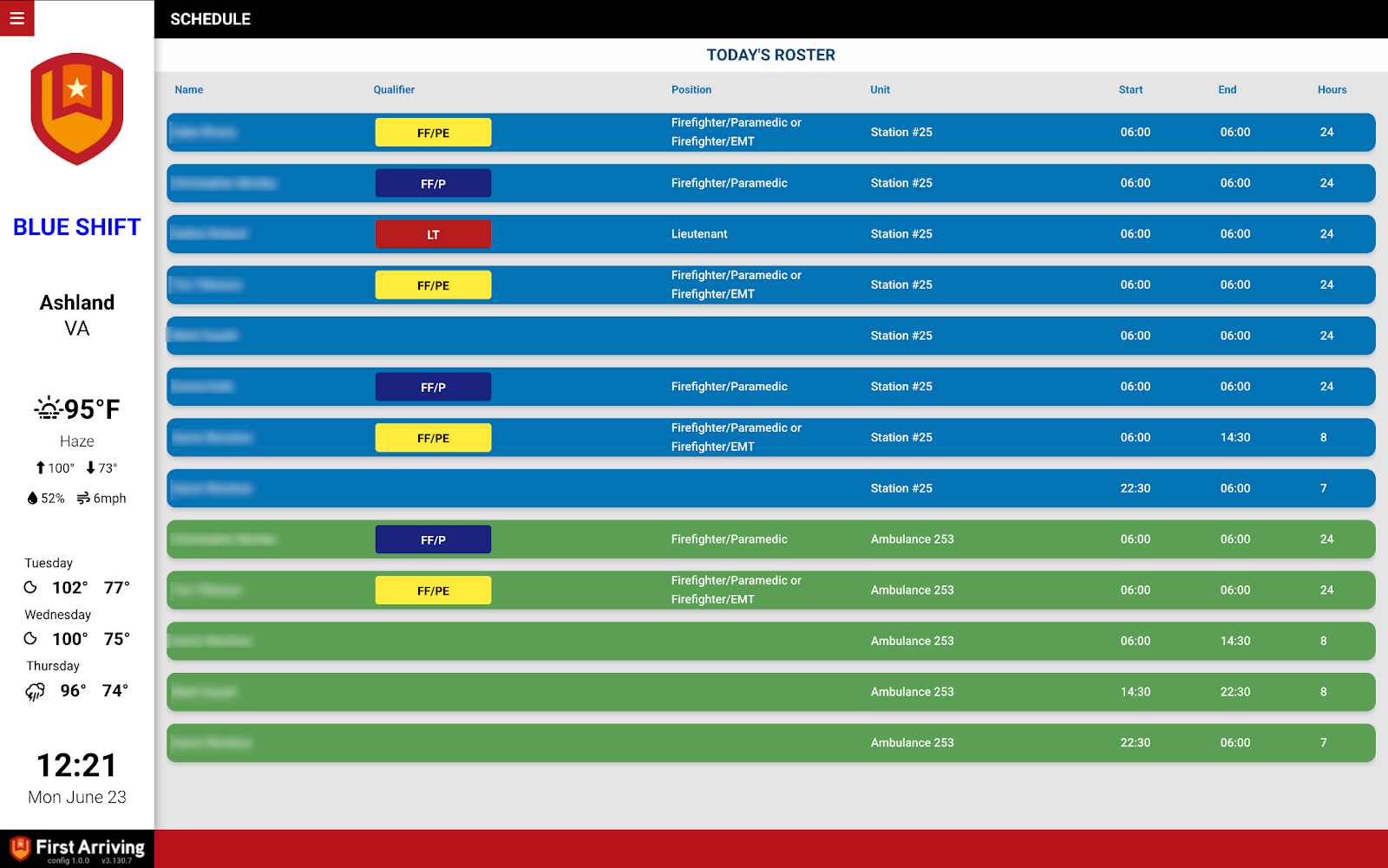
Want to see the scheduling product itself? Visit crewsense.com or request a free demo.
Questions about setup, or want a particular colour scheme per unit? Open a ticket at our support center or reach us at dashboards@firstarriving.com.