
Integration Guide
Vector Solutions
Four Vector Solutions products feed the screens in your stations: Scheduling for the roster, LMS for training and certifications, Check It for apparatus and equipment status, and Acadis for training classes. Run any one on its own, or several together.
What we can put on your dashboard
Jump to the one you need: Scheduling · LMS · Check It & Halligan · Acadis
Who’s On
Vector Scheduling
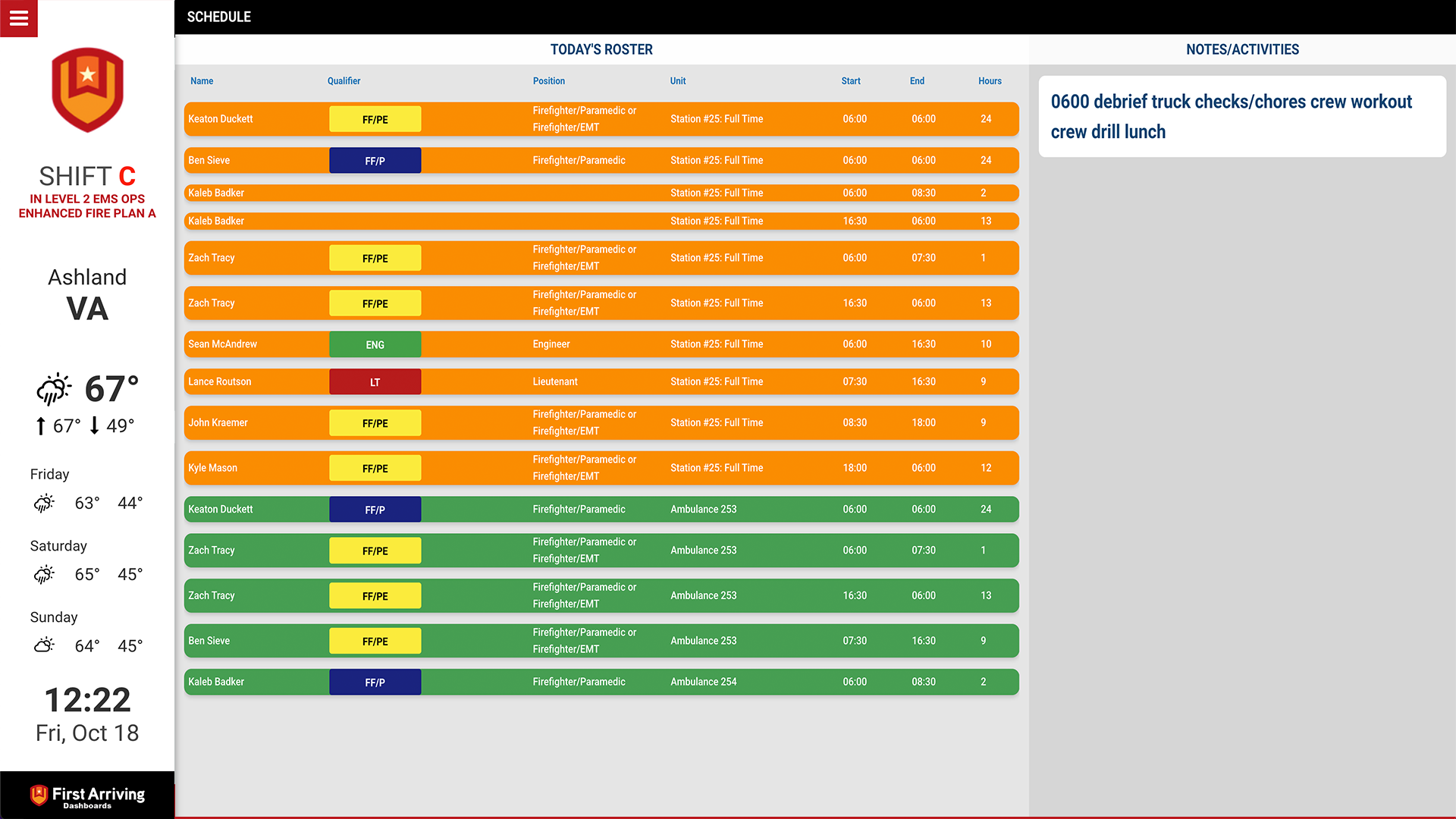
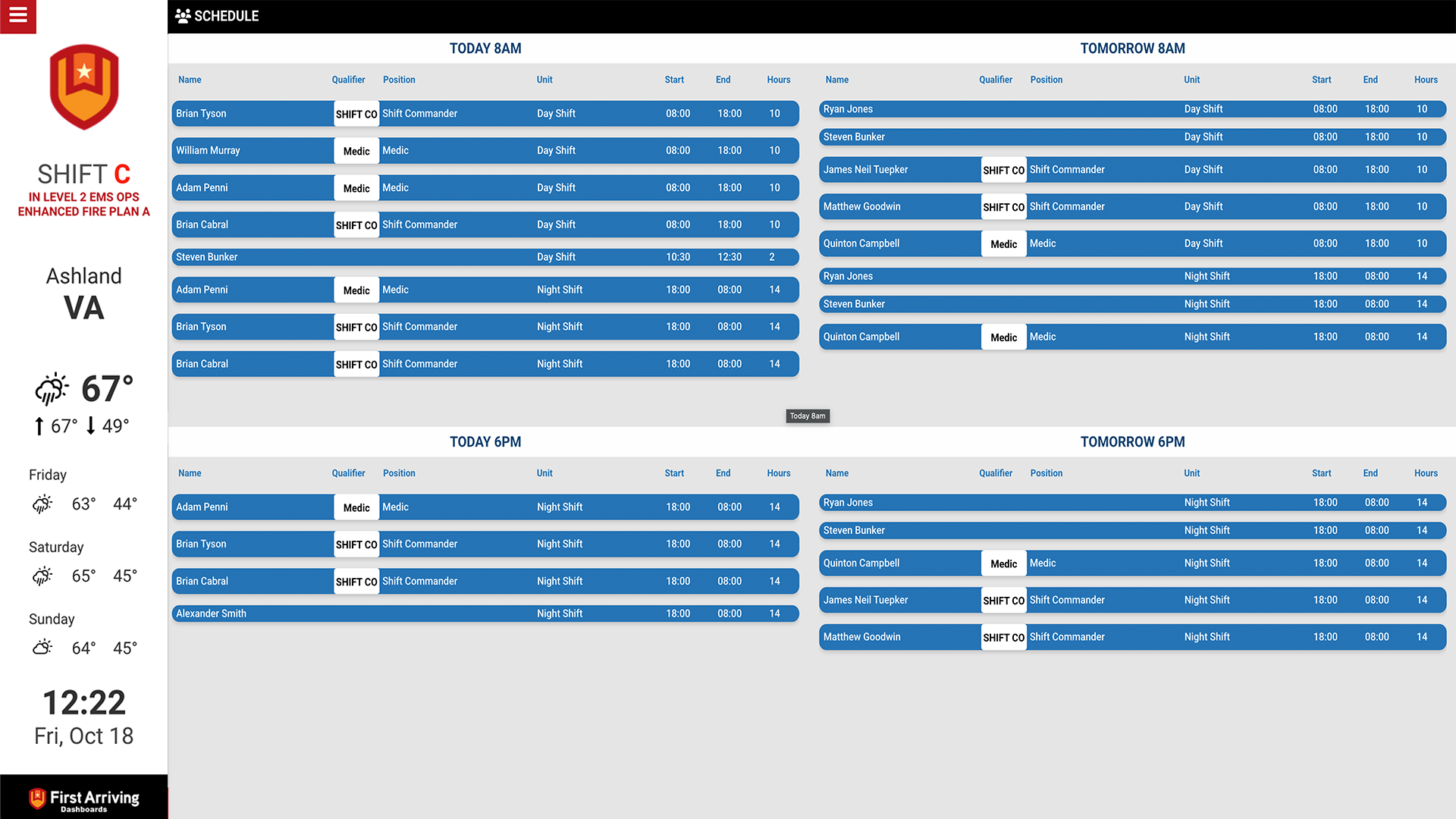
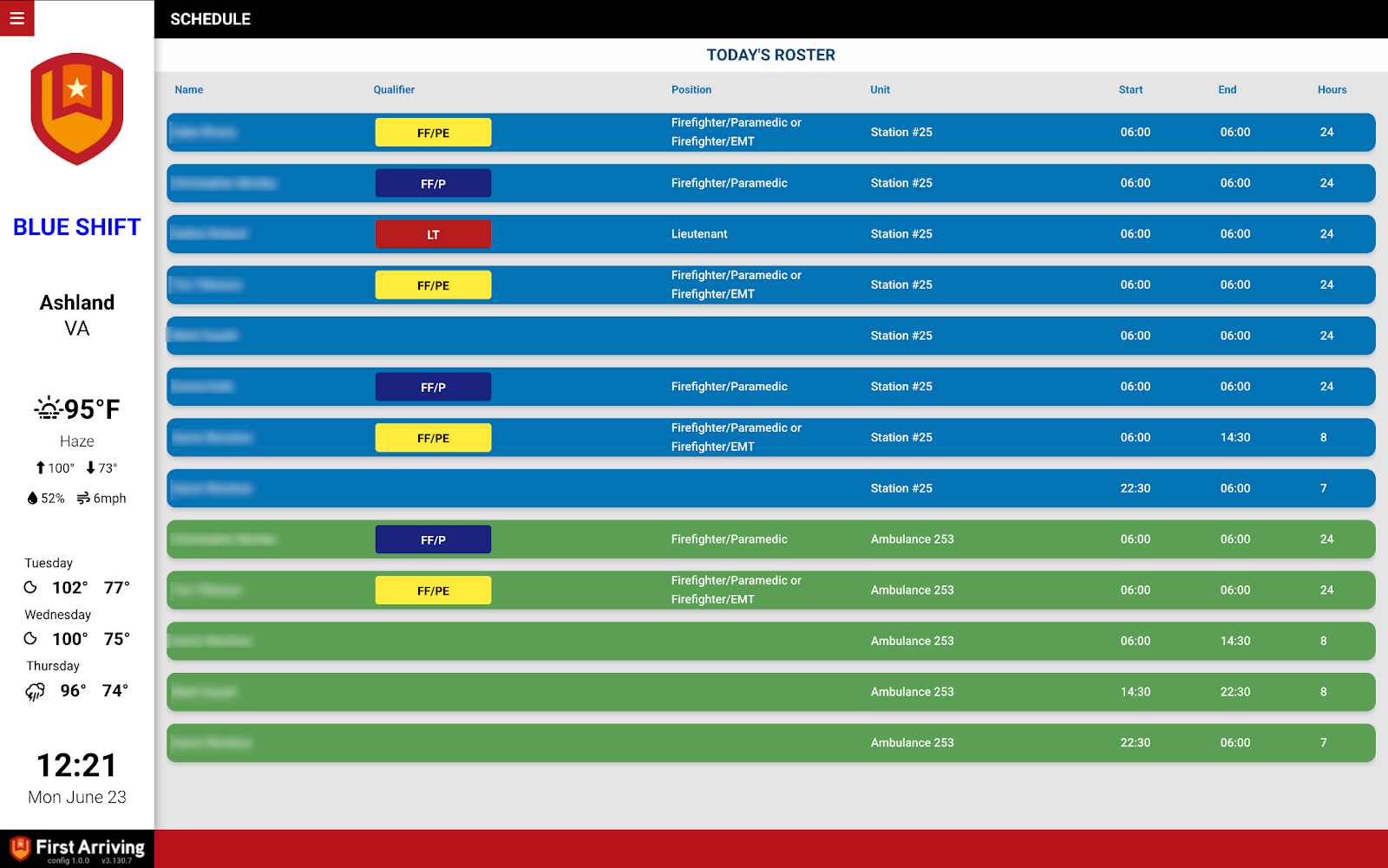
Yesterday, today and tomorrow’s roster, grouped by unit and colour-coded to suit your crews.
Compliance
Vector LMS
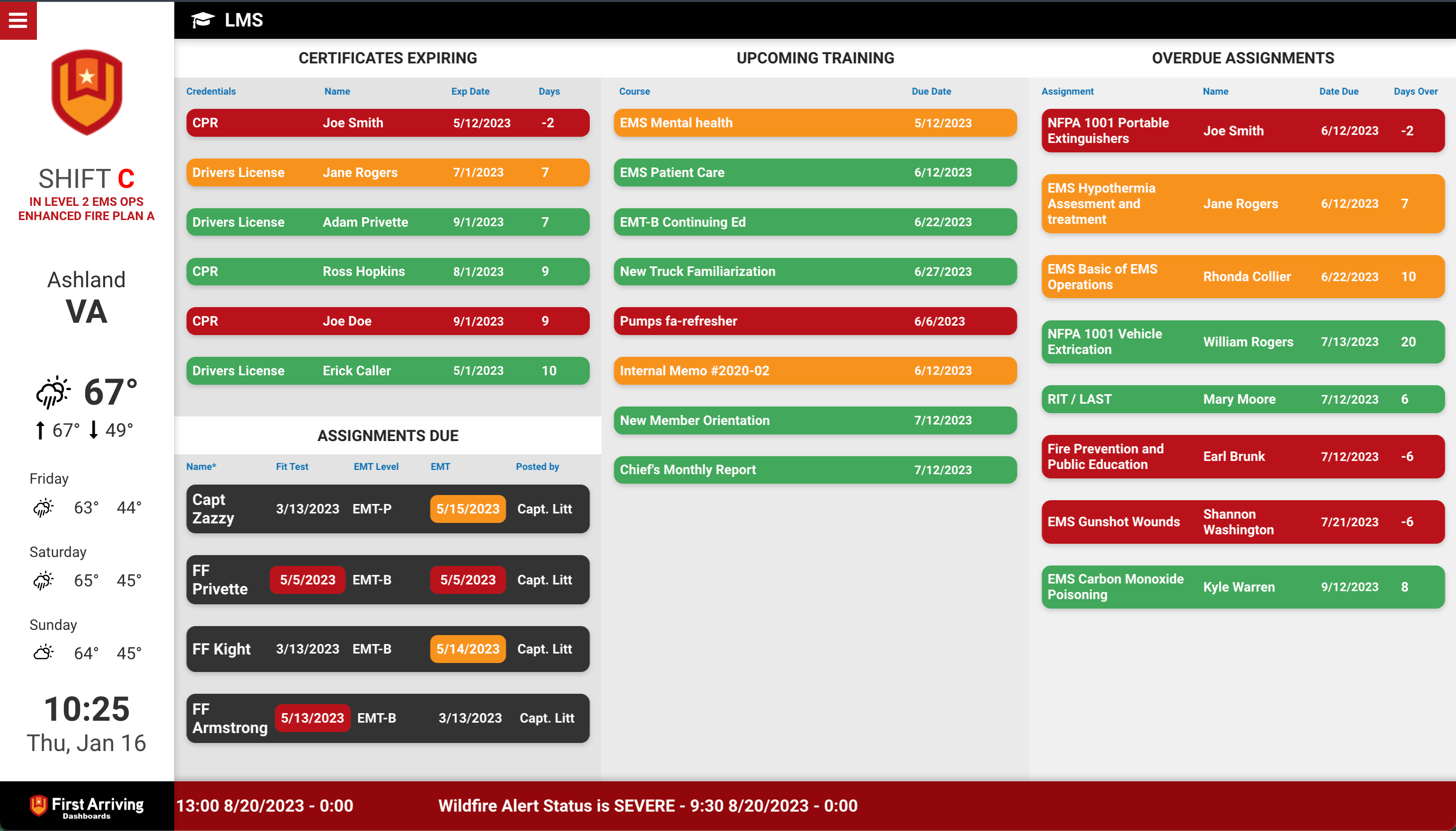
Outstanding assignments and certifications about to lapse — the things forgotten until they become a problem.
Readiness
Vector Check It & Halligan
What is in service, what is overdue for a check, and what has an open work order.
Training
Acadis
Classes running now and coming up, with enrolment counts so a thin class gets noticed early.
Vector Scheduling
Formerly CrewSense. The roster on screen, laid out the way each station needs it.
Key features
- Single-day and multi-day views — yesterday, today, tomorrow
- Group by schedule name, which most agencies name by unit
- Optionally show positions or roles
- Custom colour coding per unit or position
- Show or hide entries by schedule name, so a screen carries only what that station needs
What we need from you
A Client ID and Secret Token, both of which you can generate yourself inside the application — no need to contact the vendor. Full detail in Vector Scheduling.
Vector LMS
Formerly TargetSolutions. Training status where officers will actually see it.
Key features
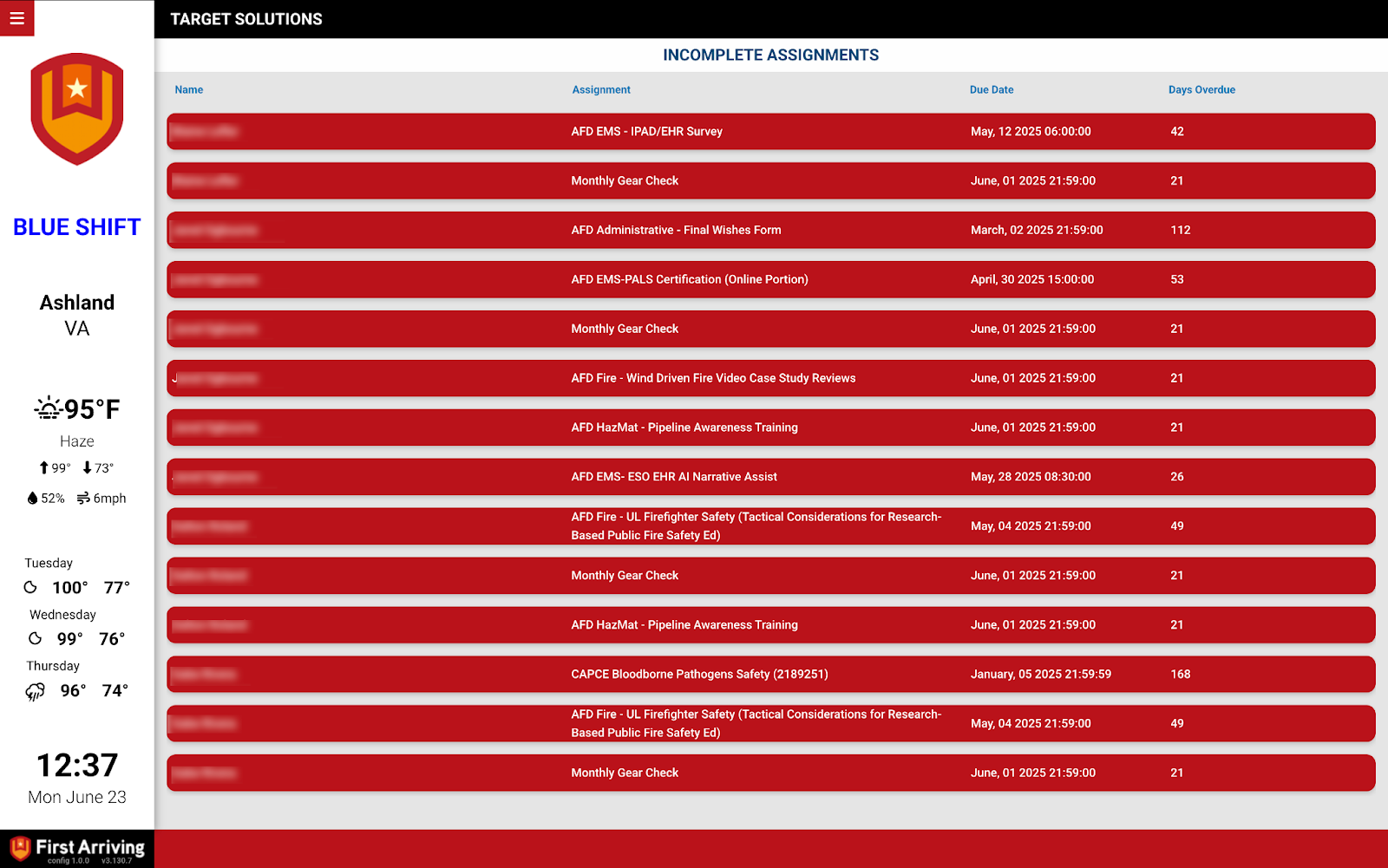
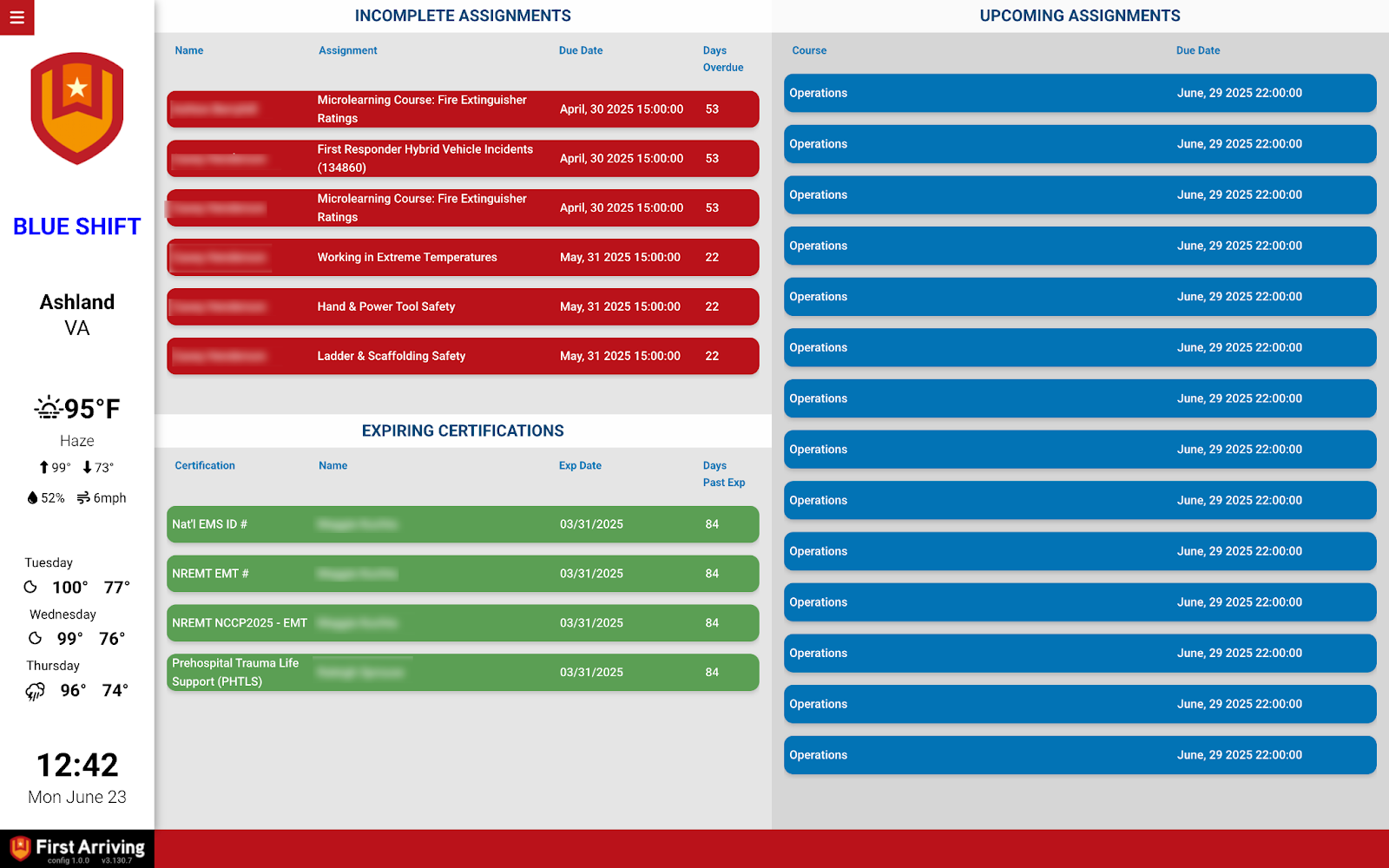
- Daily incomplete assignments — name, course, due date, days due
- Certifications and expirations, both expired and coming up
- Upcoming courses by person
What we need from you
Your account information and API key. Vector provides both to you — nothing for you to generate. Full detail in Vector LMS.
Vector Check It & Halligan
Apparatus and equipment readiness at a glance. Check It is also known as Halligan.
Key features
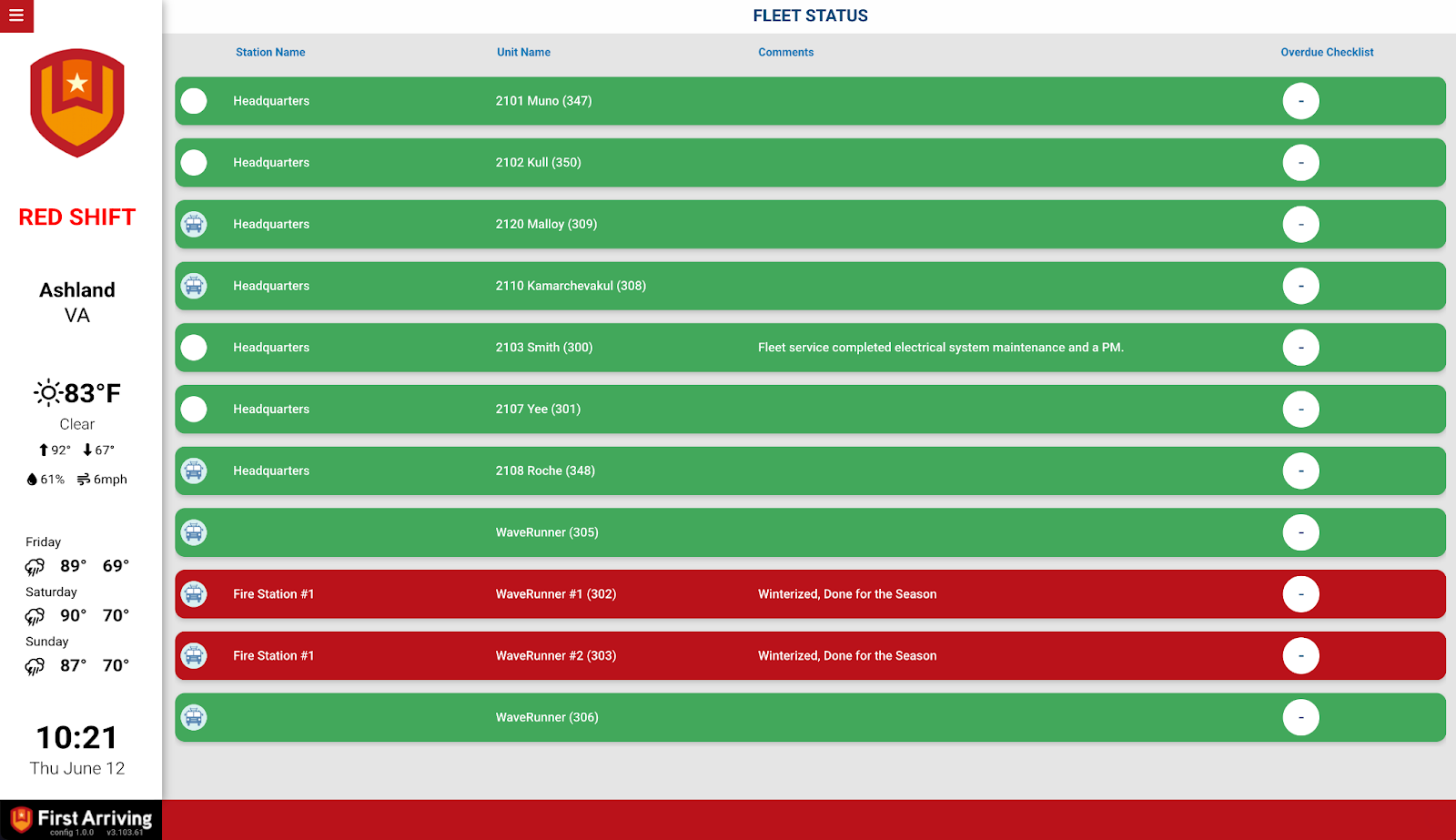
- Fleet and apparatus status — unit image, name, in or out of service
- Equipment status — name, make and model, inspection status
- Overdue checklists and open work orders per unit
- Share in-service status with other agencies on First Arriving dashboards, subject to permissions
This one has a rule worth knowing before you start: setup creates a dedicated Check It user named First Arriving, and the token stays valid only while nobody ever signs in as that user. One login breaks the integration.
What we need from you
An authentication token tied to that dedicated user, which the Check It team generates. The full procedure, the rules around the account, and what to do if authentication stops working are in Vector Check It & Halligan.
Acadis
Training classes from Acadis’ hire-to-retire training management system.
Key features
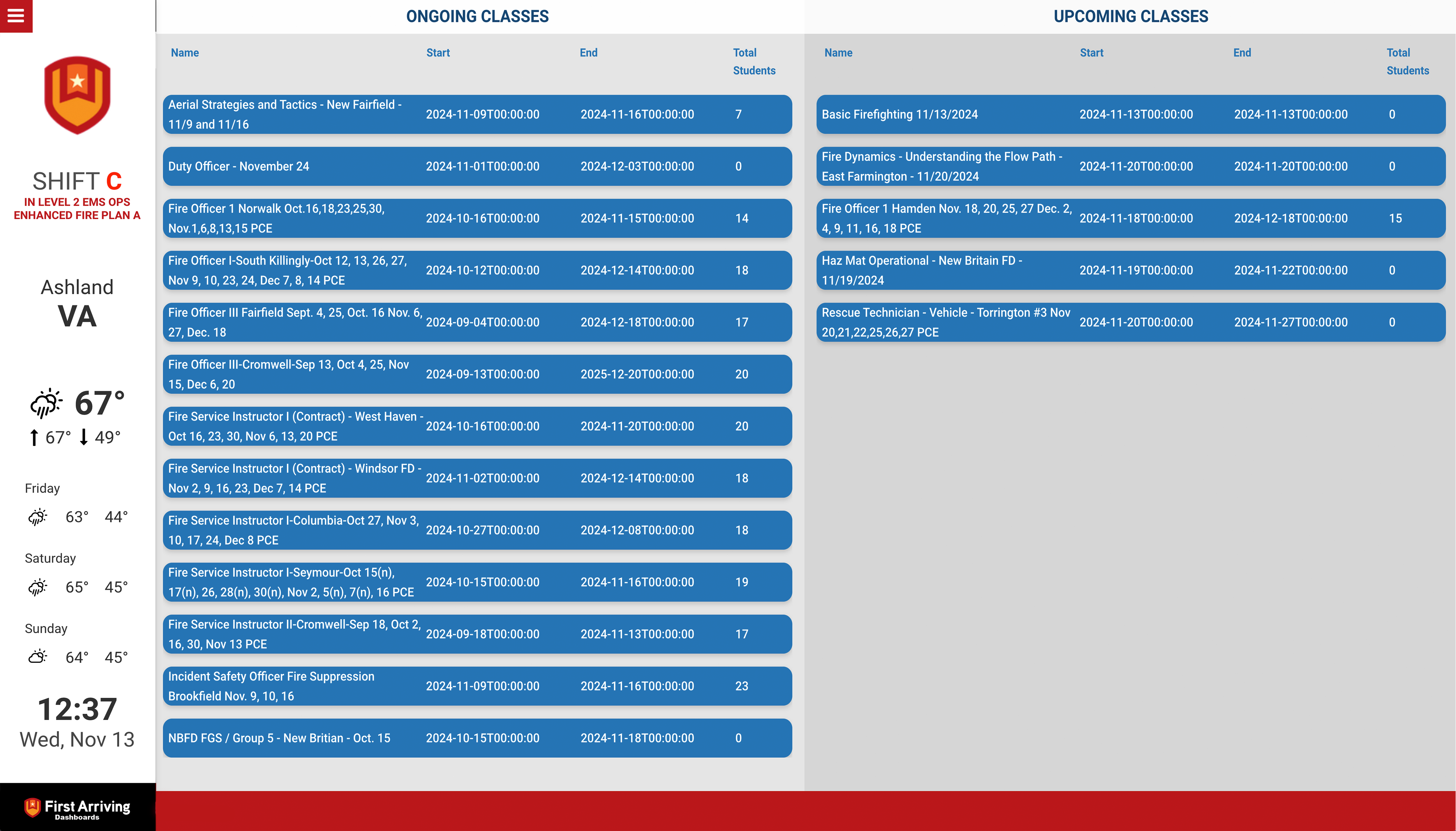
Both current and upcoming classes, each showing:
- Course name
- Start and end days and times
- Total students enrolled
What we need from you
Five values from your Vector rep — Base URI, Consumer Key, Consumer Secret Key, Token Key and Token Secret. Ask for the full set in one go. Detail in Acadis by Vector Solutions.
Sending us credentials
All four use the same handoff. Open a ticket at our support center telling us which Vector products you want on your screens, then submit the keys or tokens through the First Arriving Secrets Tool and paste the link it generates into your ticket. Please don’t send credentials by email. Full instructions: Sending First Arriving sensitive information.
About vendor charges: data or API access could carry an additional charge for any of these, determined by Vector Solutions and not by First Arriving.
Not sure which Vector products you have, or which belong on which screen? Open a ticket at our support center or reach us at dashboards@firstarriving.com and we’ll work through it with you.