
Integration Guide
Humanity Scheduling
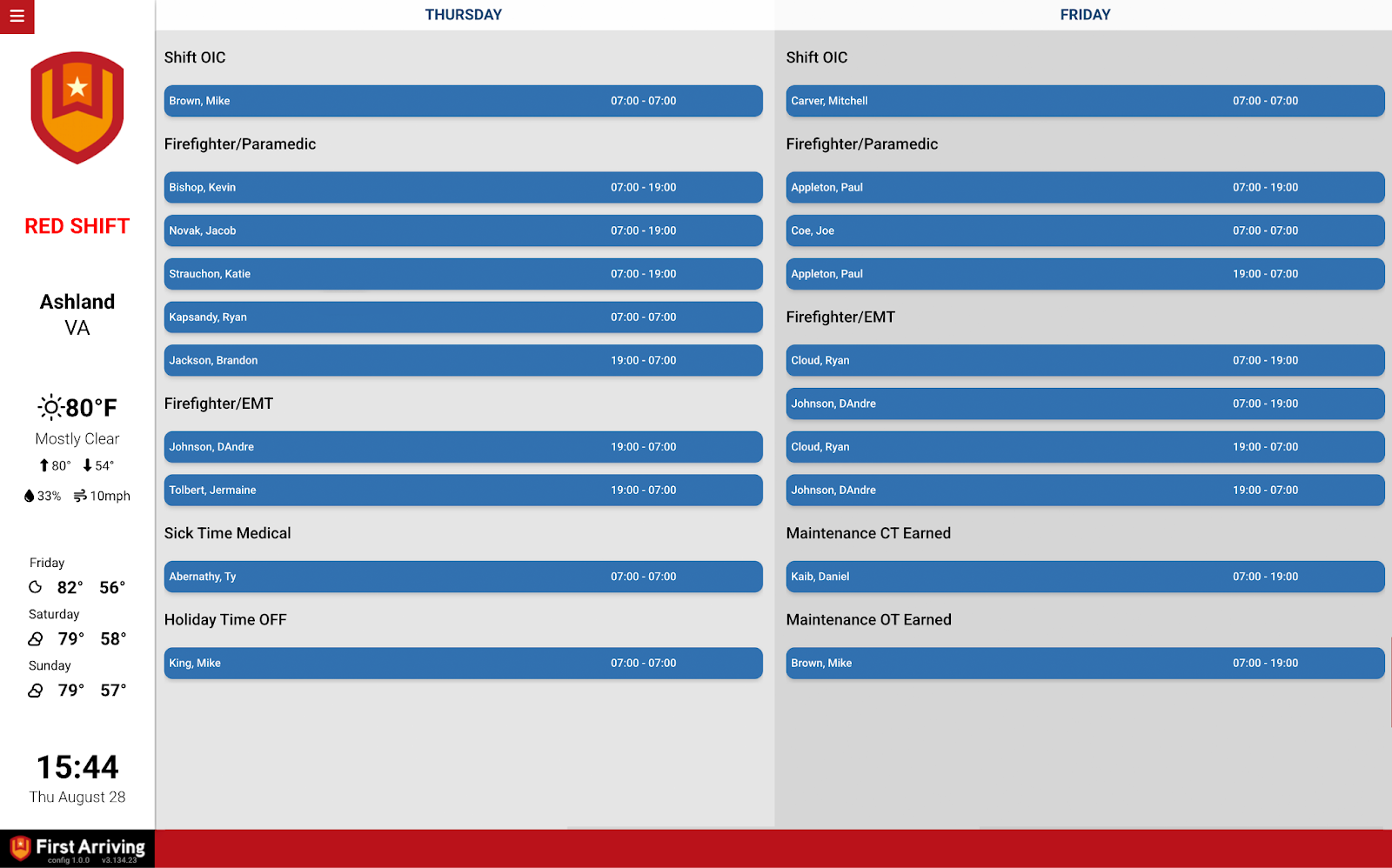
Put the current day’s roster from Humanity on the screens in your stations, so crews can see who is on without opening anything.
What we can put on your dashboard
Current day roster
Today’s assignments, per person.
- Name
- Unit or seat number
- Scheduled start and end time
What we need from you
Four items, all from your own Humanity account.
About vendor charges: data or API access could carry an additional charge, determined by Humanity and not by First Arriving.
Example screen
Questions about setup, or want the roster laid out differently? Open a ticket at our support center or reach us at dashboards@firstarriving.com.