
Integration Guide
Aladtec — scheduling & events
Put your Aladtec schedule on the screens in your stations — ten days ahead, plus who is clocked in, pending time off, expiring certifications, and the day’s events.
About Aladtec. Aladtec specialises in workforce solutions for public safety, covering scheduling, records management, time and absence recording, and communication tools.
What we can put on your dashboard
Schedule and staffing
- Browse the schedule for the current day and up to ten days ahead
- Names, positions, and scheduled time
- Clocked-in personnel and logged hours
- Pending time off
- New hires
People and readiness
- Birthdays and anniversaries
- Expiring certifications
- Current and upcoming events
Across stations
Share schedules and information between your own stations and facilities — and with other agencies who also use First Arriving dashboards.
What we need from you
You need an Aladtec account with API access, and you request that access from inside Aladtec.
About vendor charges: Aladtec may charge a modest fee for API access by any third-party partner, First Arriving included. That fee is set by Aladtec.
Example displays
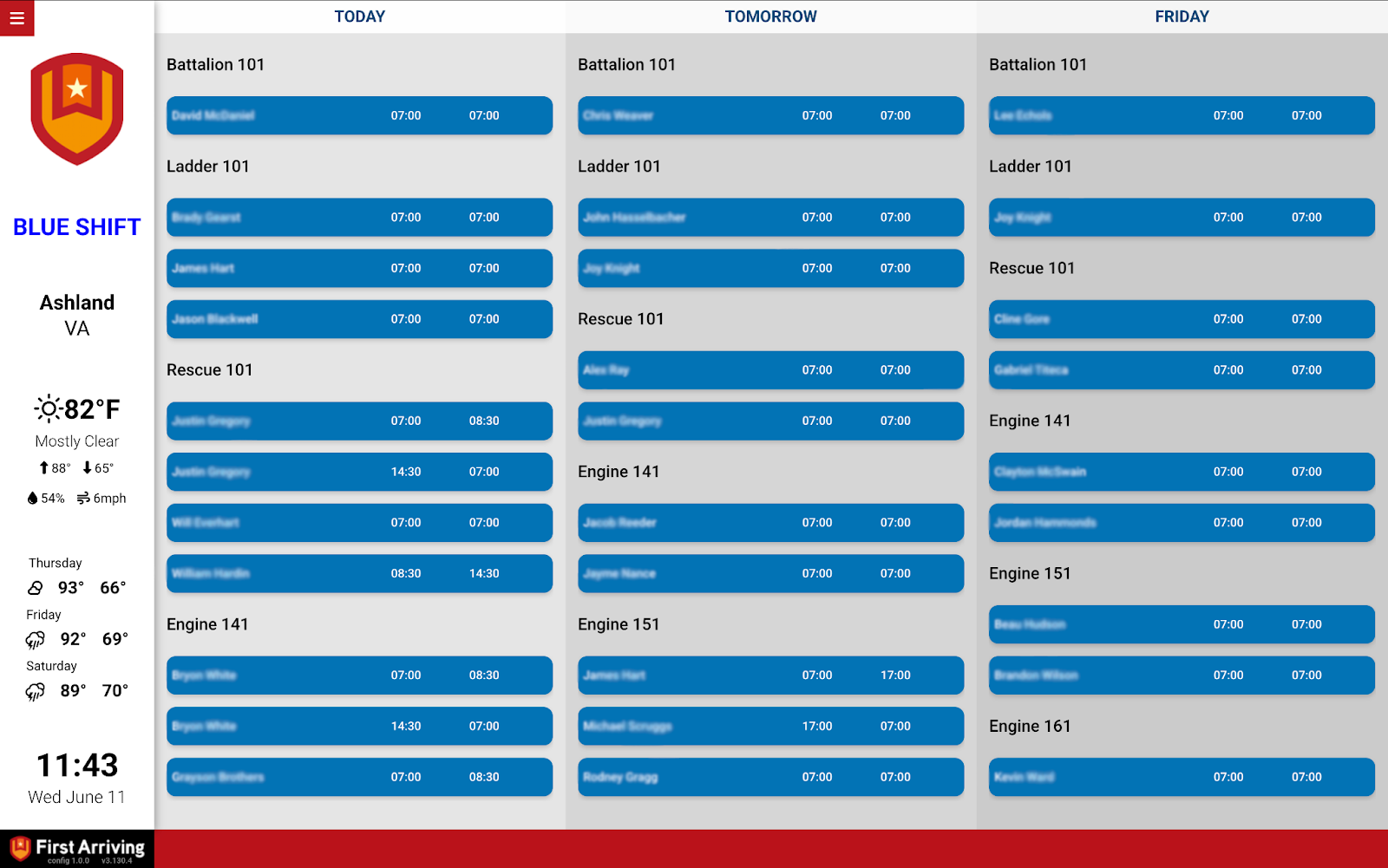
Scheduling — table view
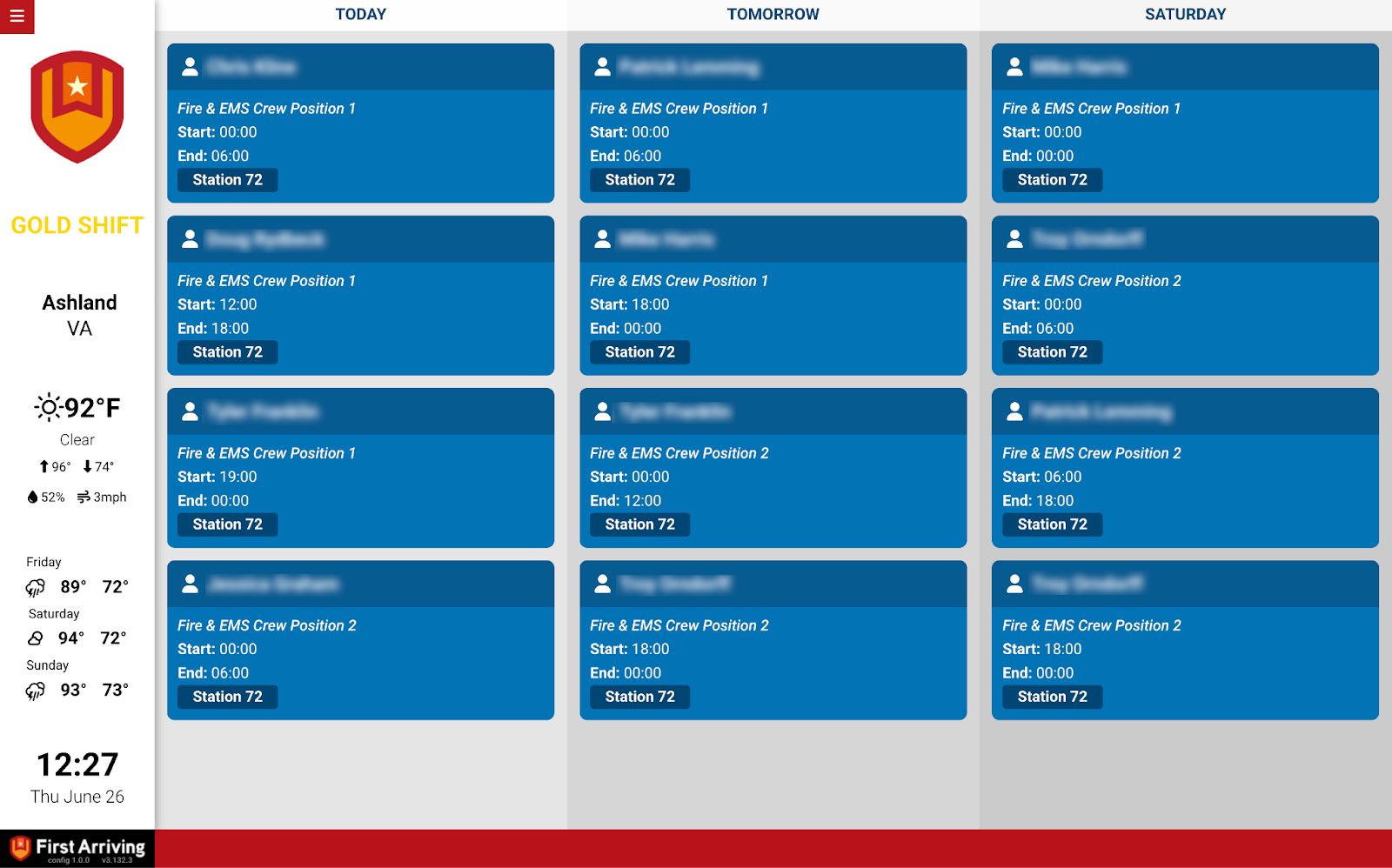
Scheduling — cards view
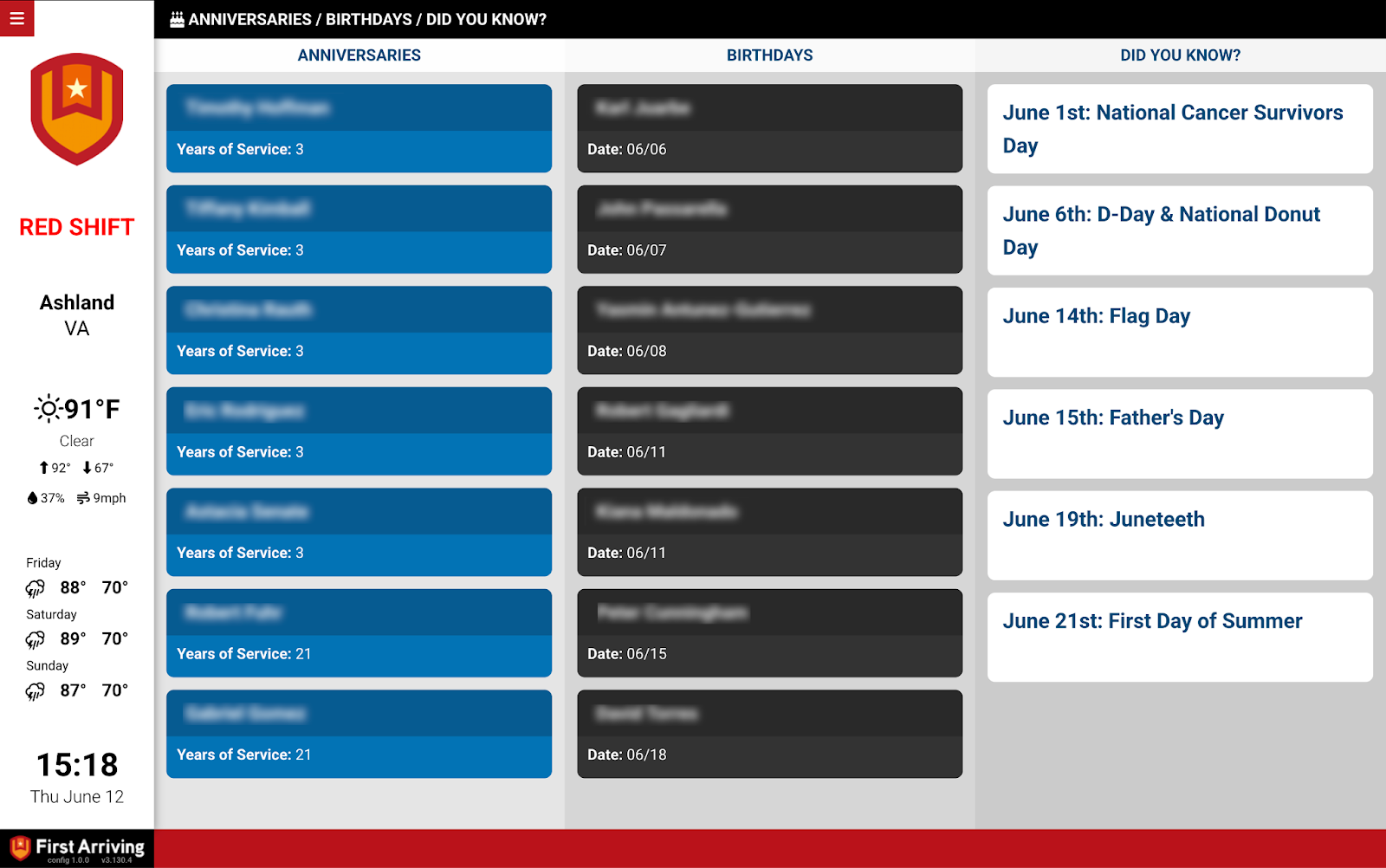
Birthdays & anniversaries — feed view
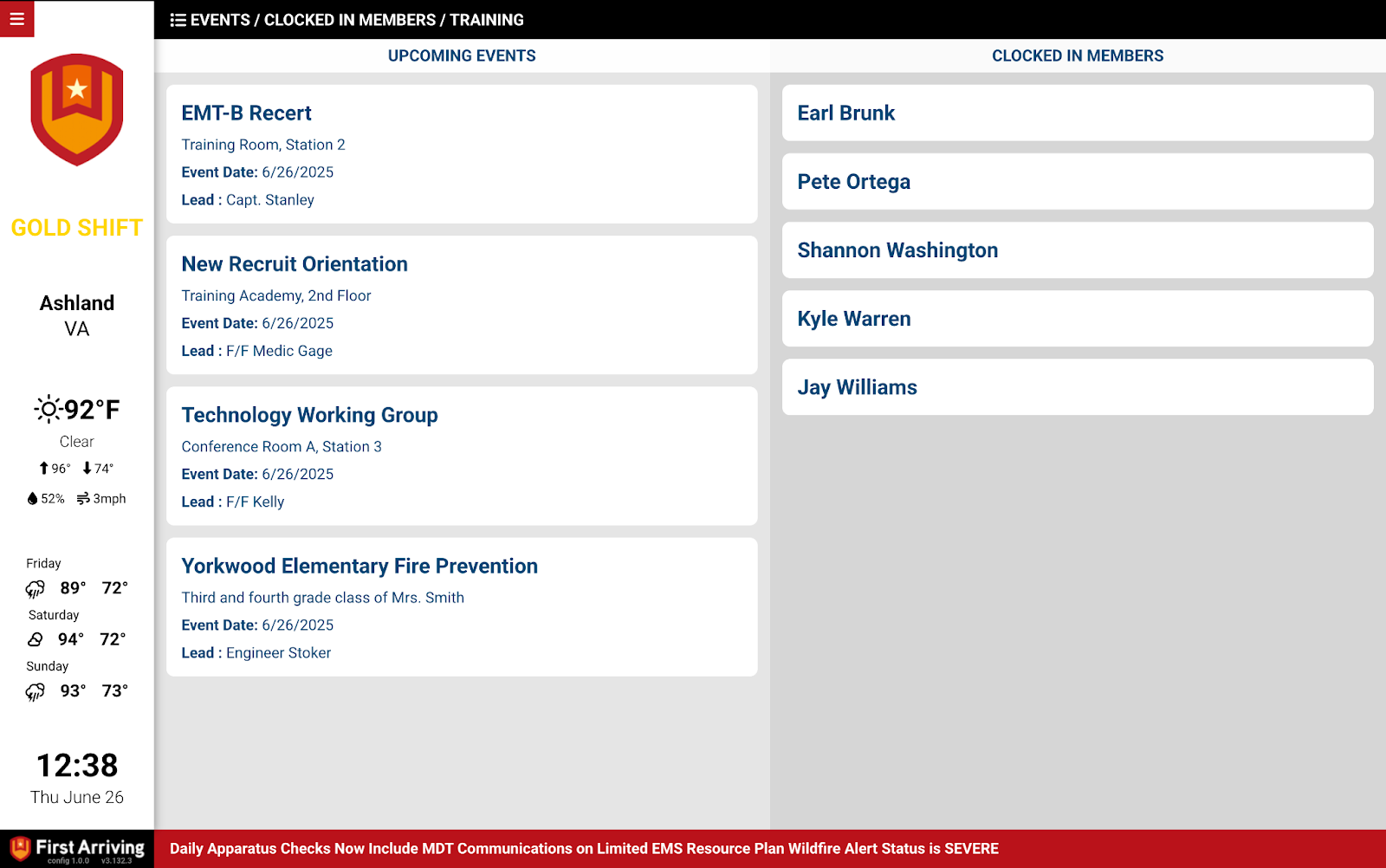
Events & clocked-in personnel — feed view
Questions about setup, or want table view in one station and cards in another? Open a ticket at our support center or reach us at dashboards@firstarriving.com.