
Integration Guide
Vairkko — scheduling & records
Put your Vairkko data on the screens in your stations — who is riding what today, which apparatus is front line, whose certifications are about to lapse, and what training is coming up.
What we can put on your dashboard
Four separate feeds, each its own widget.
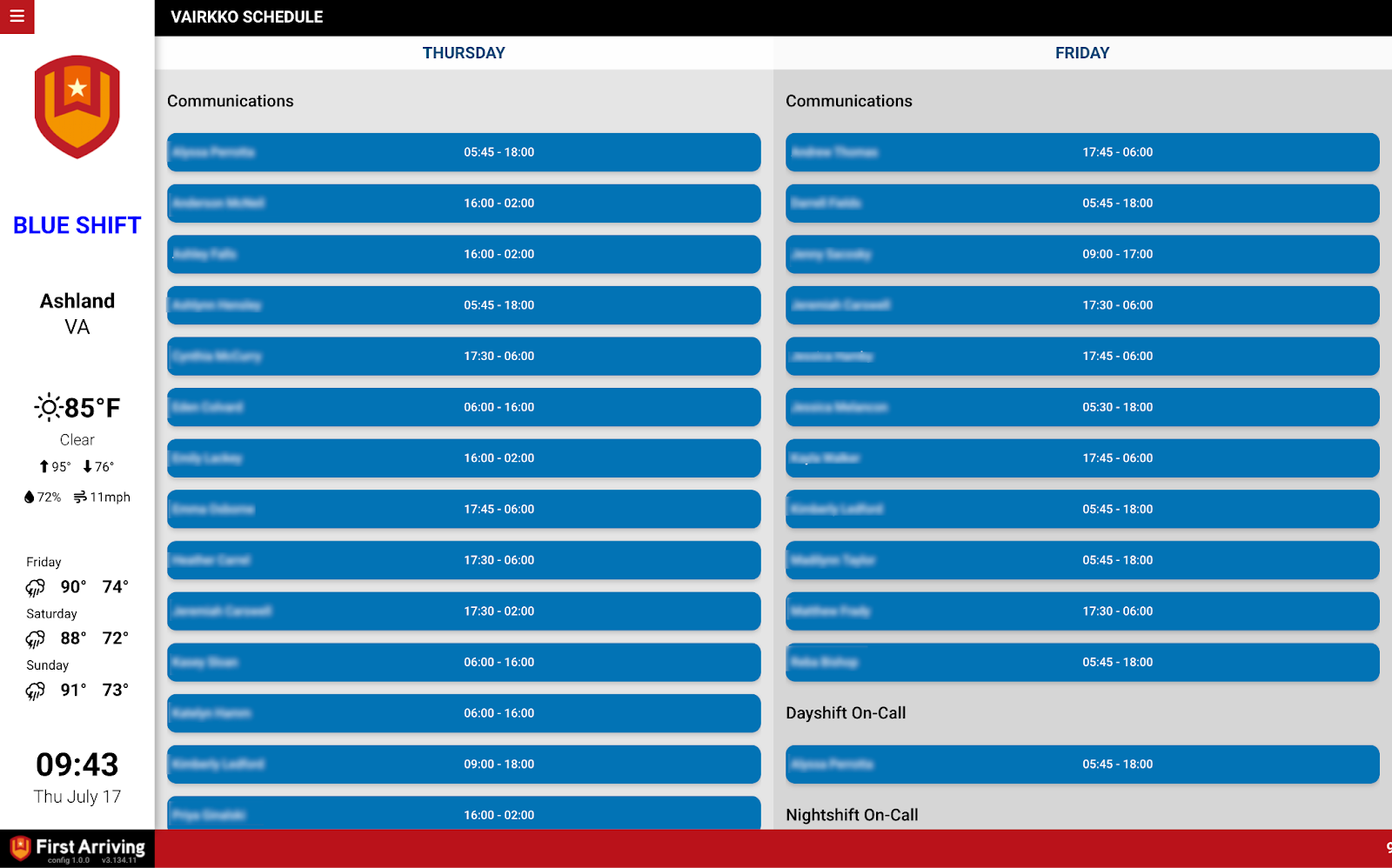
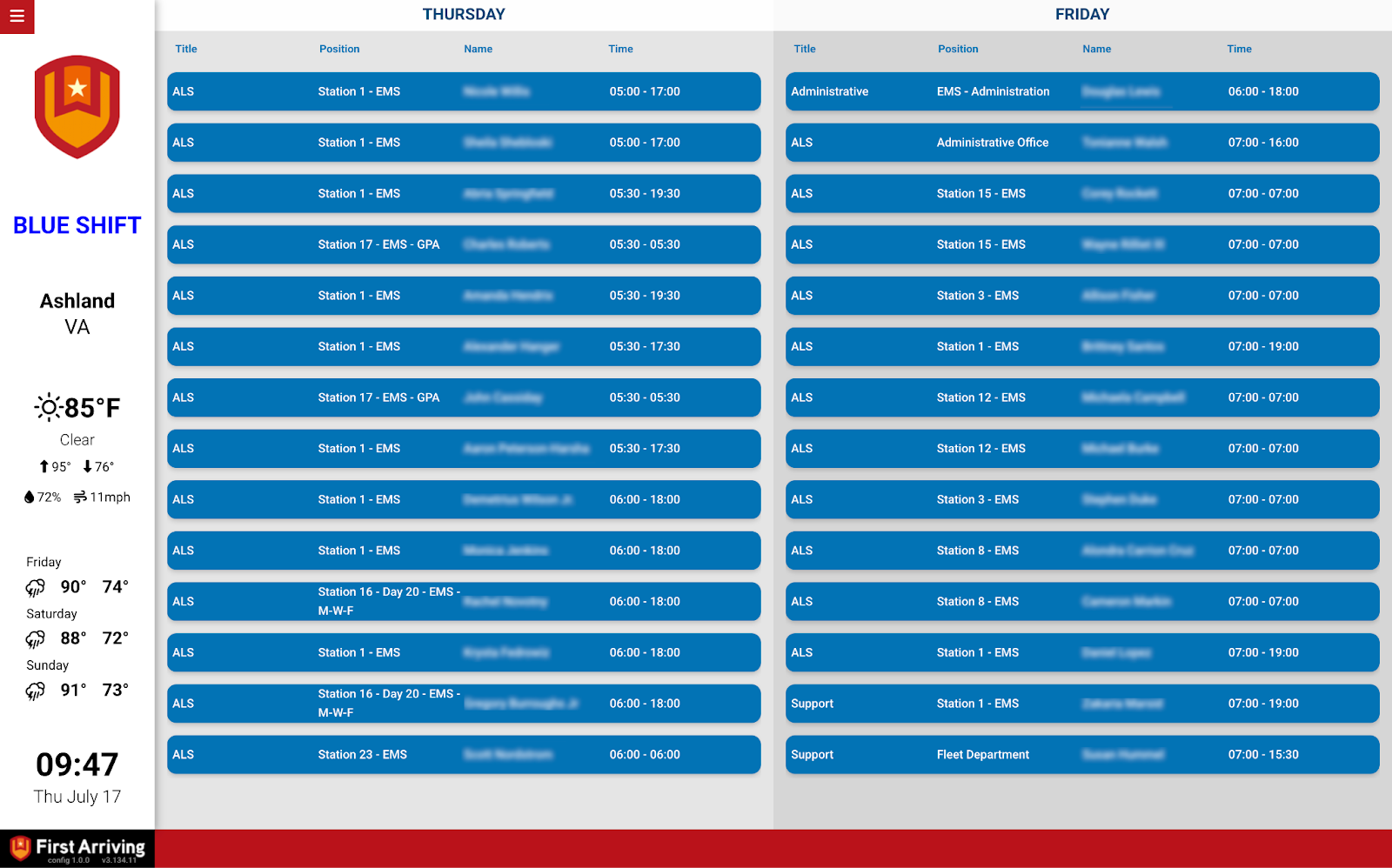
Daily roster
- Personnel name
- Unit assignment and riding assignment or position
- Start and end times
- Sortable by department and unit
- Shows the current day or the next day
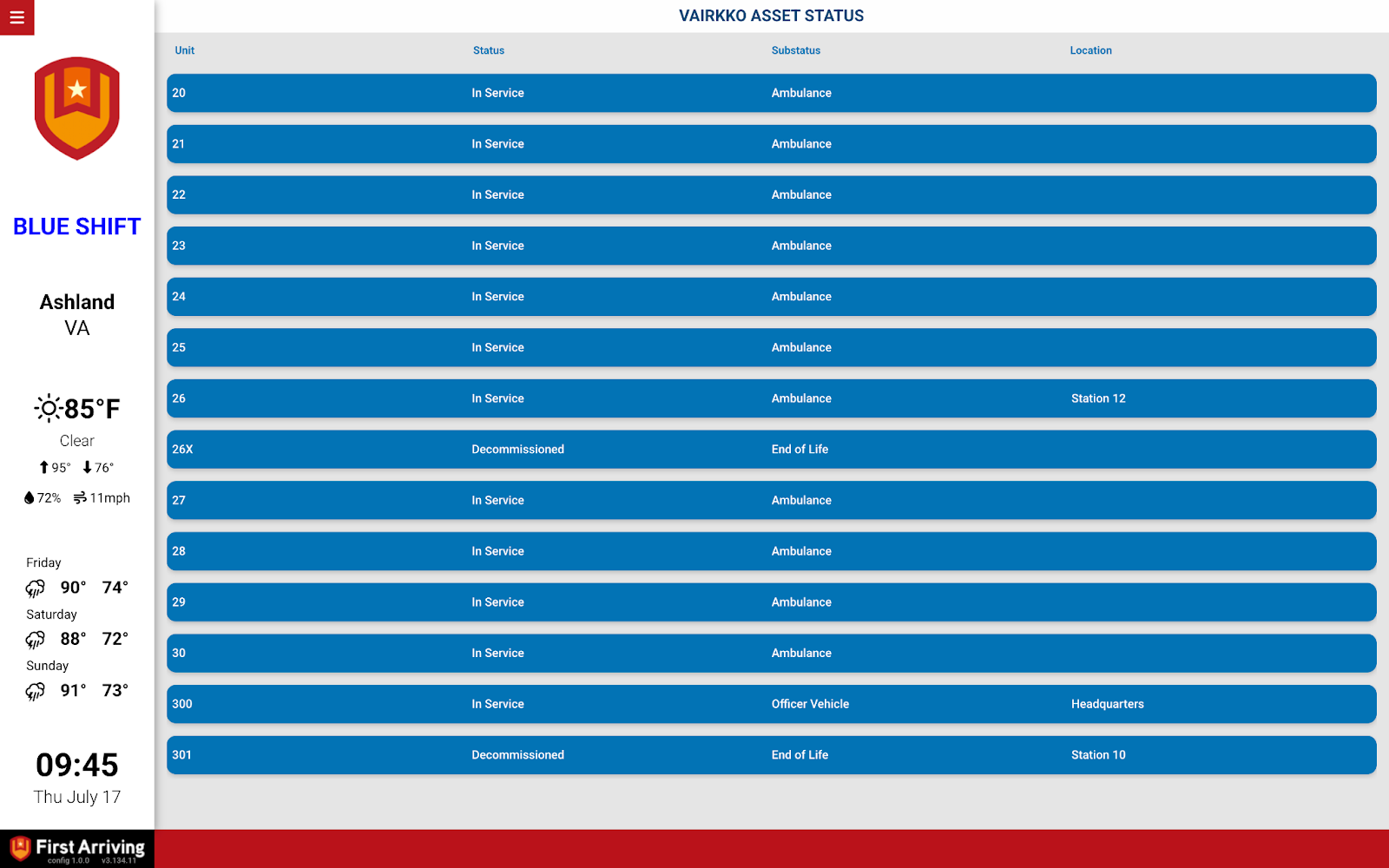
Vehicle status
- Unit and vehicle status — front line, back line, and so on
- Sub-status detail
- Assigned location
Certification tracking
Useful on an officer-facing screen, where a lapse gets noticed before it becomes a problem.
- Certification name and the personnel it applies to
- Expiration date
- Days until expiration, or days overdue
Calendars
- Your events calendar, straight from Vairkko
- Your training calendar, identical to what you see in Vairkko
What we need from you
Two API keys, plus one embed URL for each calendar you want shown.
About vendor charges: API and data access may carry additional charges, set by Vairkko and not controlled by First Arriving.
Compatible views
Questions about setup, or want certifications on one screen and the roster on another? Open a ticket at our support center or reach us at dashboards@firstarriving.com.