
Integration Guide
netDuty Scheduling
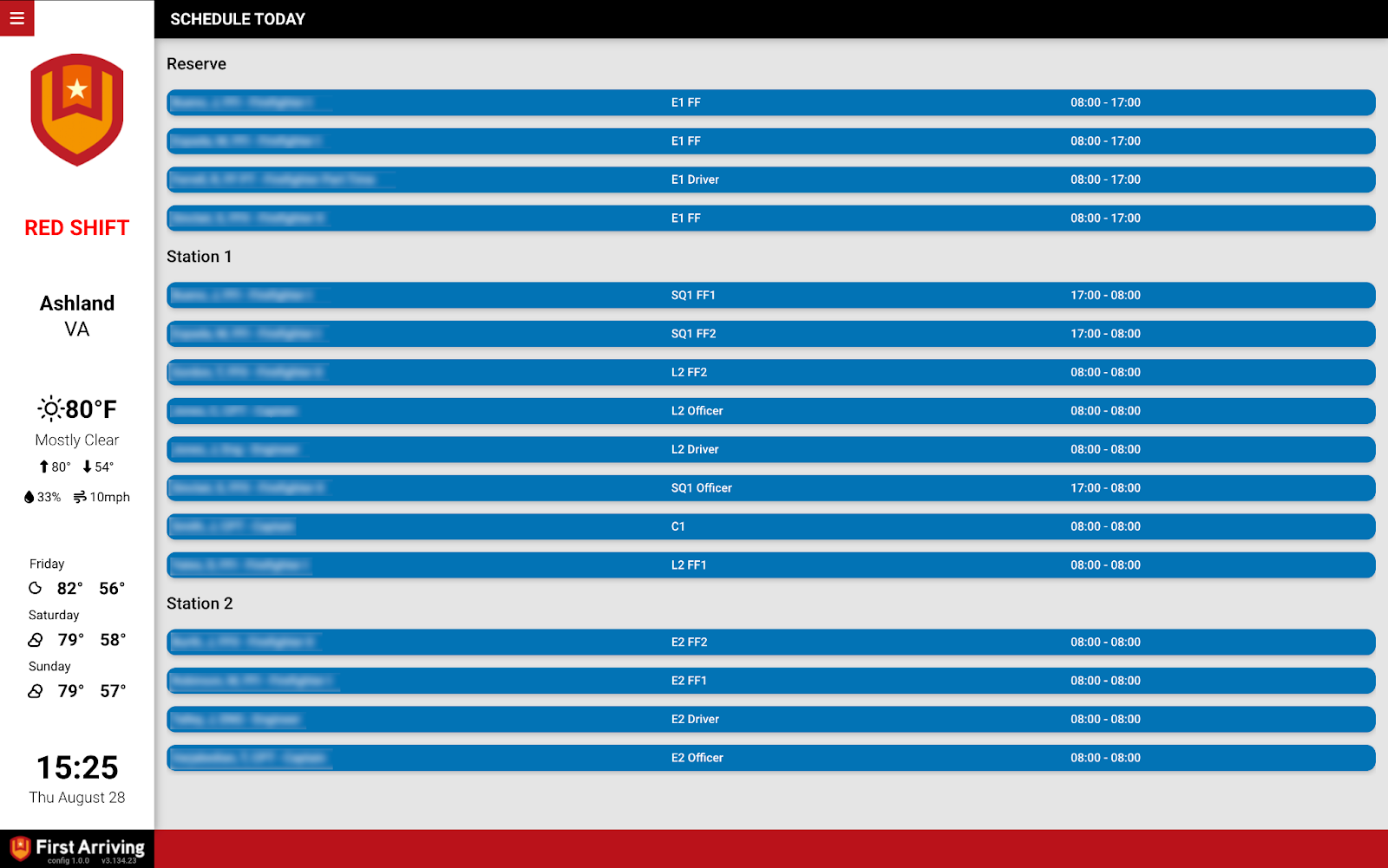
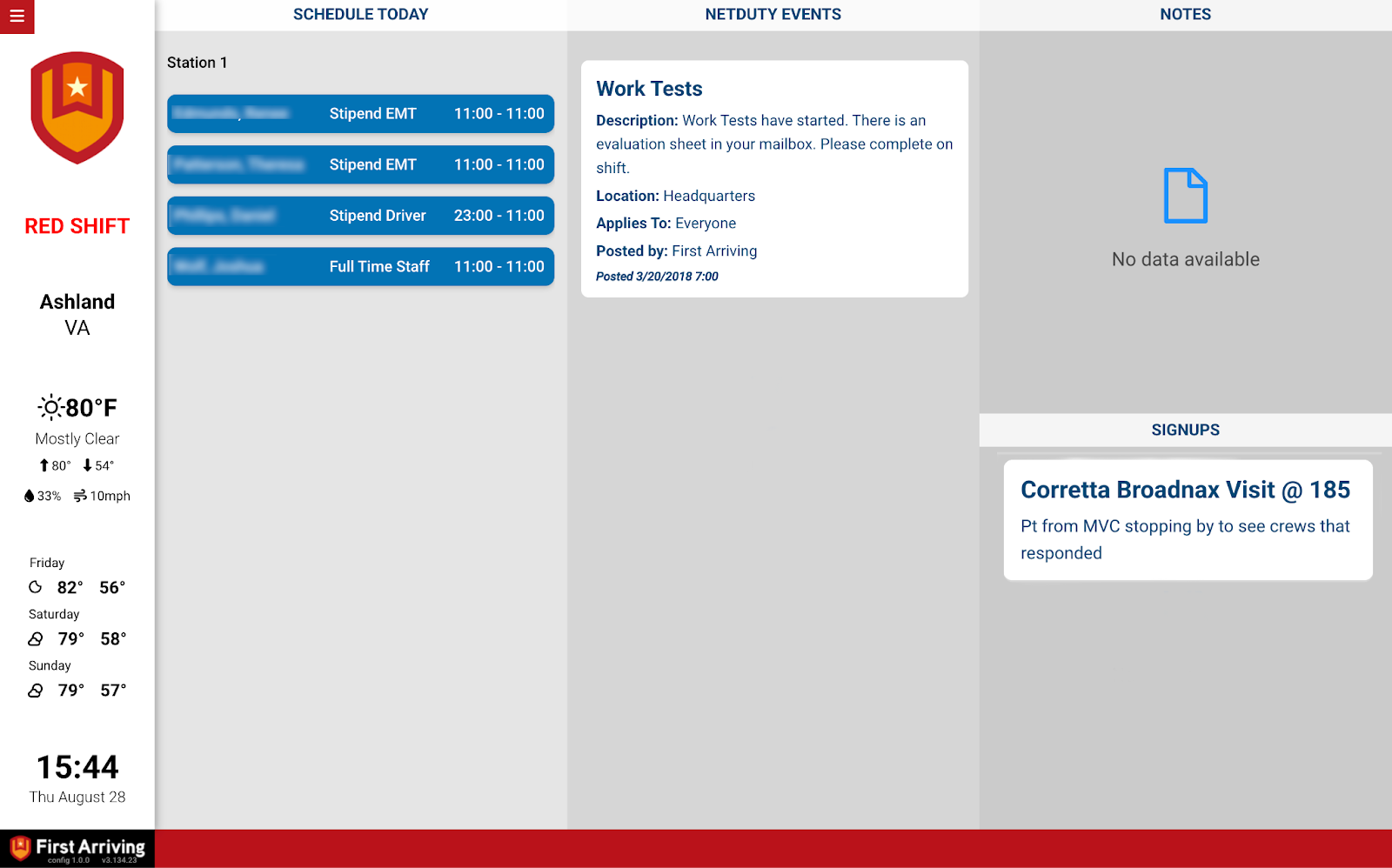
Put your daily roster from netDuty on the screens in your stations, along with the day’s events, notes for the on-coming crew, and open sign-ups.
What we can put on your dashboard
Daily schedule
Who is on, and where.
- Name
- Which unit each person is assigned to
- Which station each person is assigned to
- Start and end time
- Sort the list by station or by unit
Events
Anything listed for the current day.
Notes
Notes intended for the on-coming crew, so a shift change doesn’t lose them.
Sign-ups
Open sign-ups by event name, front and centre where people will see them.
What we need from you
About vendor charges: data or API access could carry an additional charge, determined by netDuty and not by First Arriving.
Example screens
Questions about setup, or want the roster sorted a particular way? Open a ticket at our support center or reach us at dashboards@firstarriving.com.