
Integration Guide
Tyler Technologies New World CAD
Show live unit status from Tyler Technologies New World Enterprise CAD on the screens in your stations — no manual entry, and every crew on shift sees the same picture.
What we can put on your dashboard
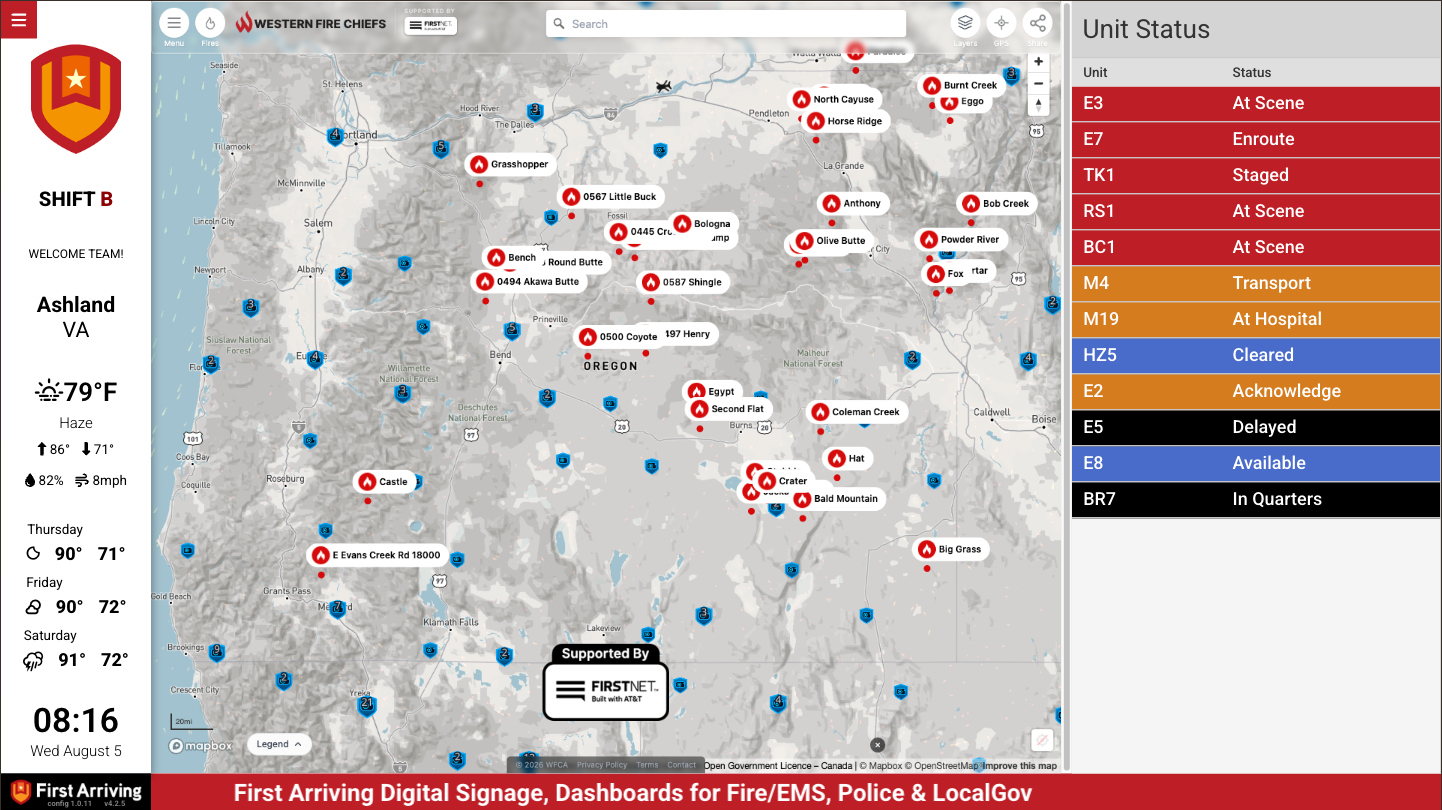
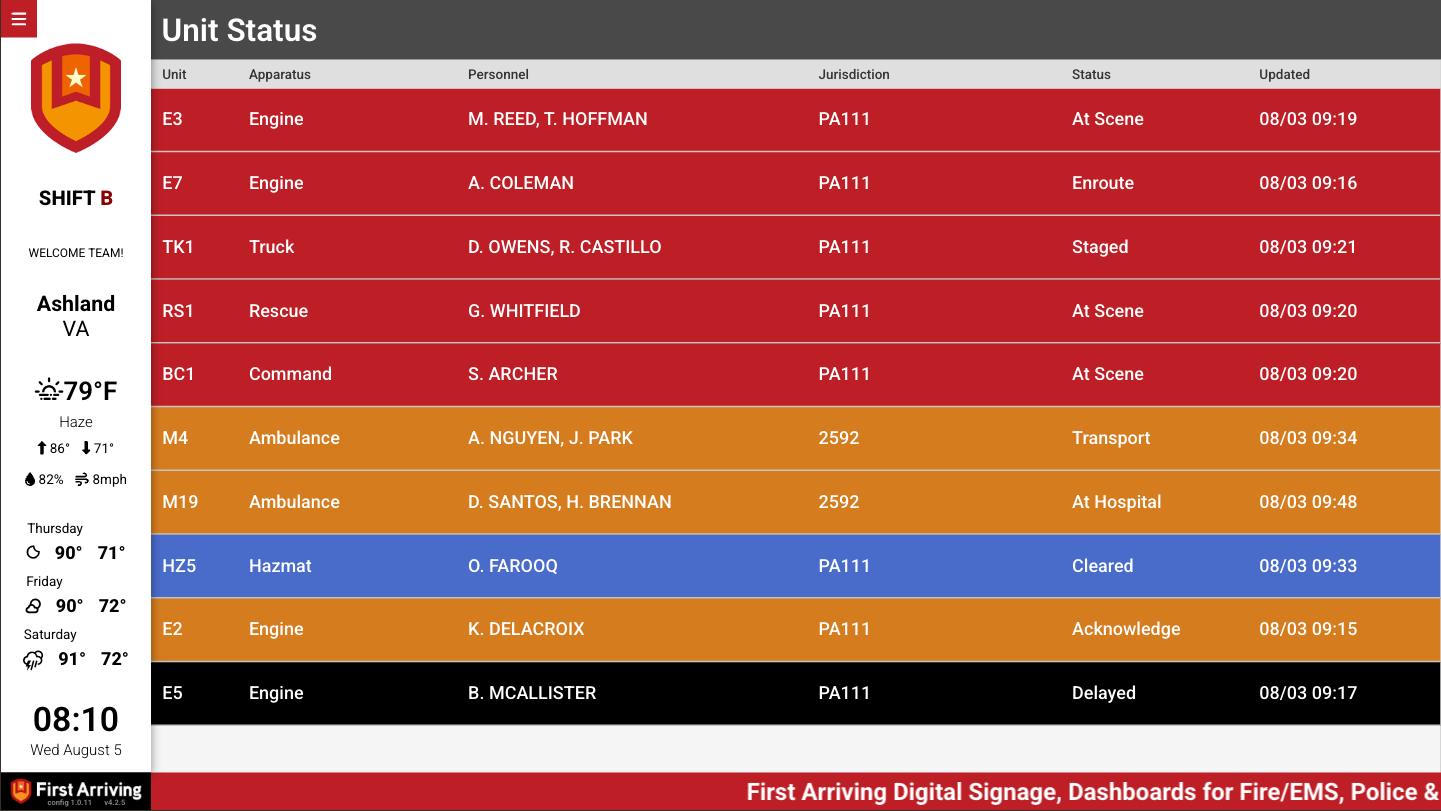
Unit status, two ways
Pick whichever suits the screen.
- A dedicated page in the content rotation
- Static on the dashboard, with other content rotating around it
What each unit shows
- Unit name
- Status — En Route, On Scene, Dispatched and so on
- Optional color coding by status
- Call Type
- Apparatus Type
- Priority
- Whether the unit is primary unit on call
- Jurisdiction
- Location/Address of Uni
Neighboring departments
Units from a neighboring department can be included, for awareness of who else is working nearby.
What we need from you
Three things
- Your dispatch center uses Tyler New World CAD
- Dispatch has, or is purchasing, the New World Enterprise CAD Standard Exporter — the integration depends on it
- The ability to send XML files to an SFTP location we provide
Open a ticket at our support center for the SFTP details. Worth starting the conversation with your dispatch center early, since the Standard Exporter is a separate Tyler purchase.
About vendor charges: data or API access could carry an additional charge, determined by Tyler Technologies and not by First Arriving.
Example screens
Want neighboring units included, or a particular color scheme? Open a ticket at our support center or reach us at dashboards@firstarriving.com.