
Integration Guide
Google Calendar
Put Google calendars on the screens in your stations as a calendar or a feed — shift schedules, meetings, public events, leadership availability. Whatever your agency already keeps in Google.
Two things have to be public, not one. Both the calendar itself and the events on it need to be set to public. A public calendar full of private events will display as empty.
What we can put on your dashboard
Key features
- Single-day, multi-day, multi-week and month-long views
- Connects to one or more individual user calendars
- Combine multiple calendars onto one page, or spread them across several
- Events update as they change in Google
- Optional keyword-based colour coding, or a full colour theme for the calendar
- Suits staffing, upcoming training, events, and public education events
What we need from you
One value, plus the two public settings above. No credentials.
The available views
Five layouts. Tell us which suits the screen and we will set it up.
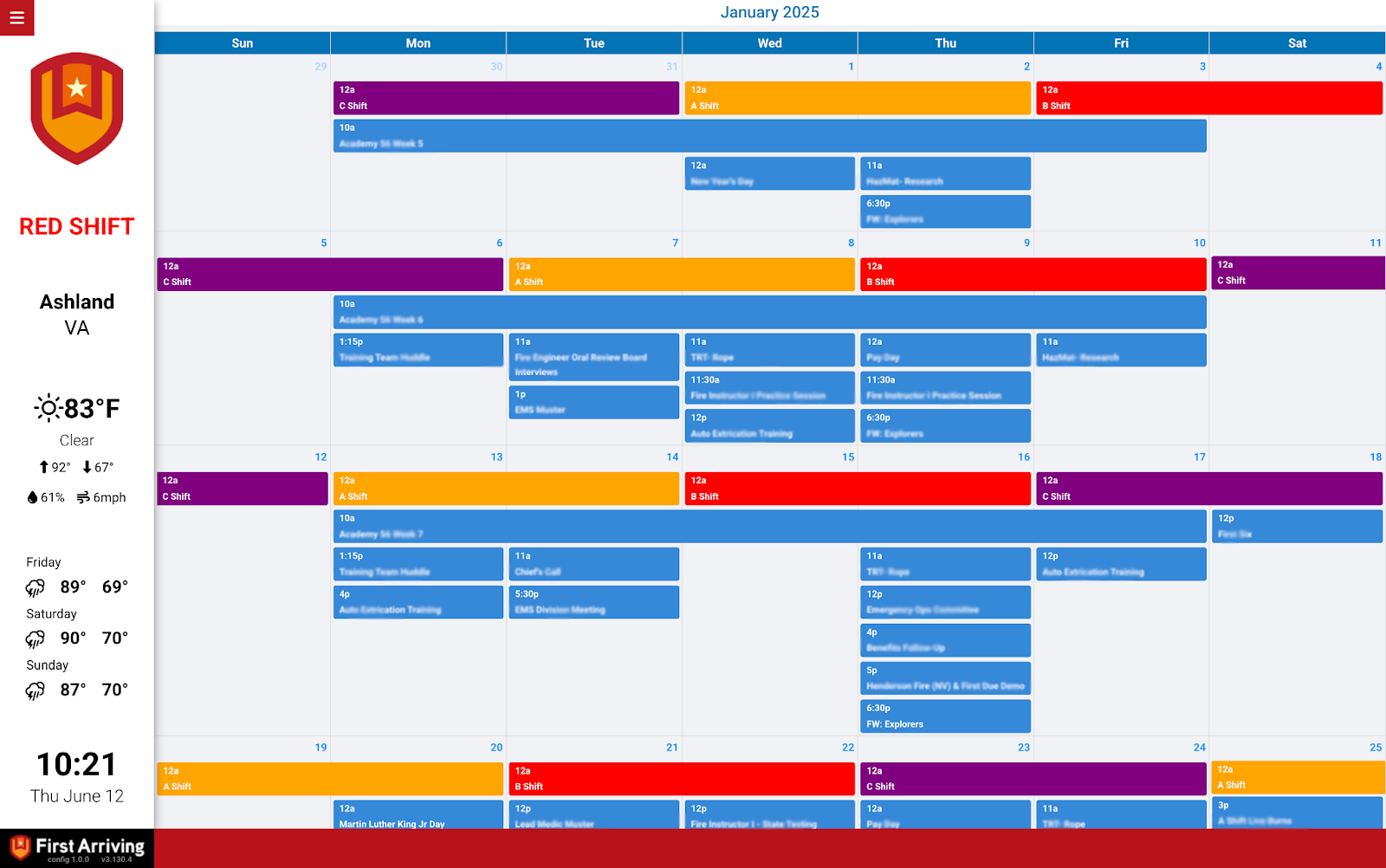
Month view
A monthly layout, Sunday to Saturday, with events shown as blocks in their dates including time and title.
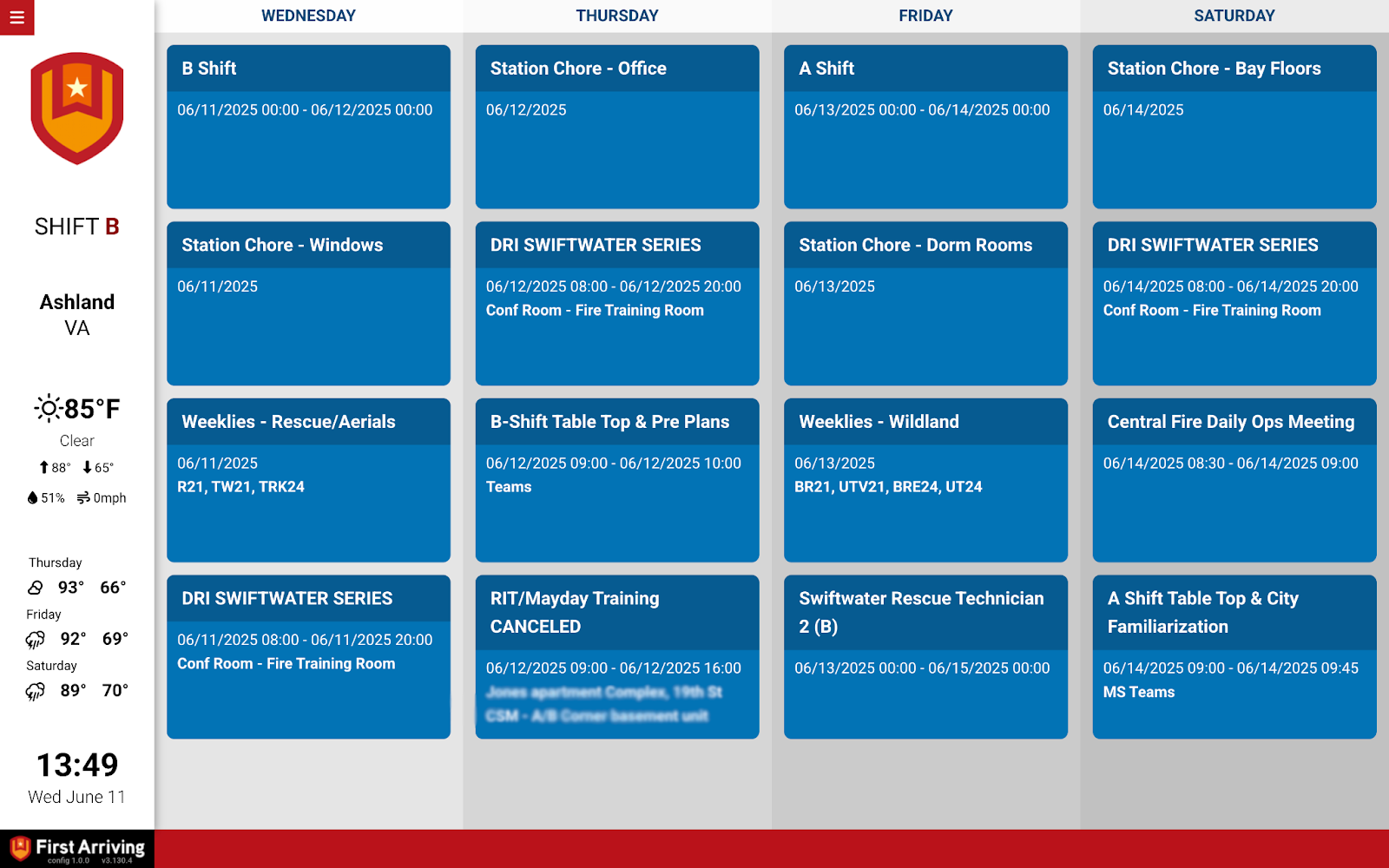
Multiple feed view (schedule)
Four vertical columns — Today, Tomorrow and the two days after — each listing events as cards with start and end times.
Multiple group table with titles
A daily personnel schedule for several days side by side, in columns listing who is scheduled and their assigned role.
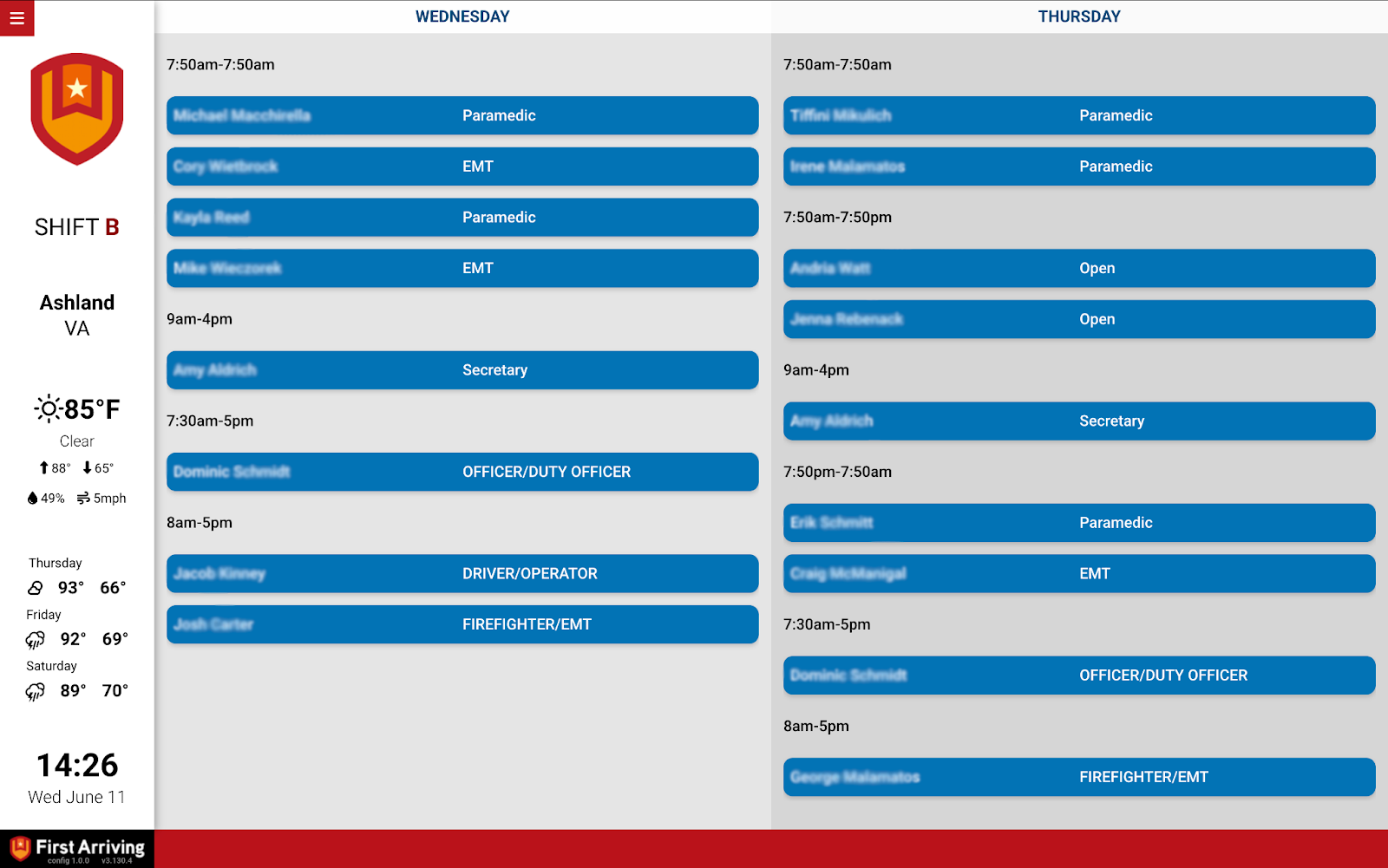
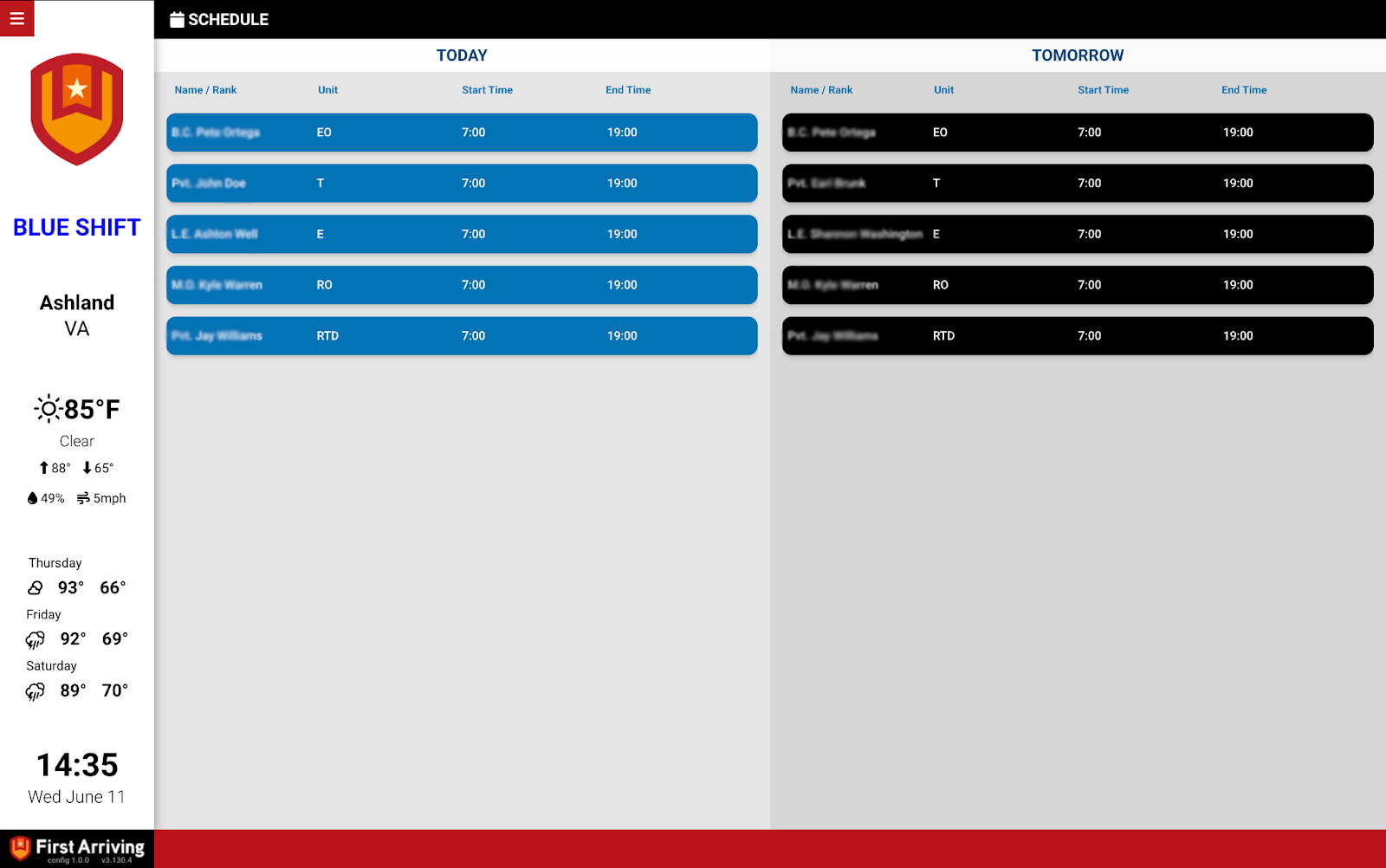
Table view
Calendar data in labelled columns — for example one table for today beside one for tomorrow. Useful for shift briefings or command staff.
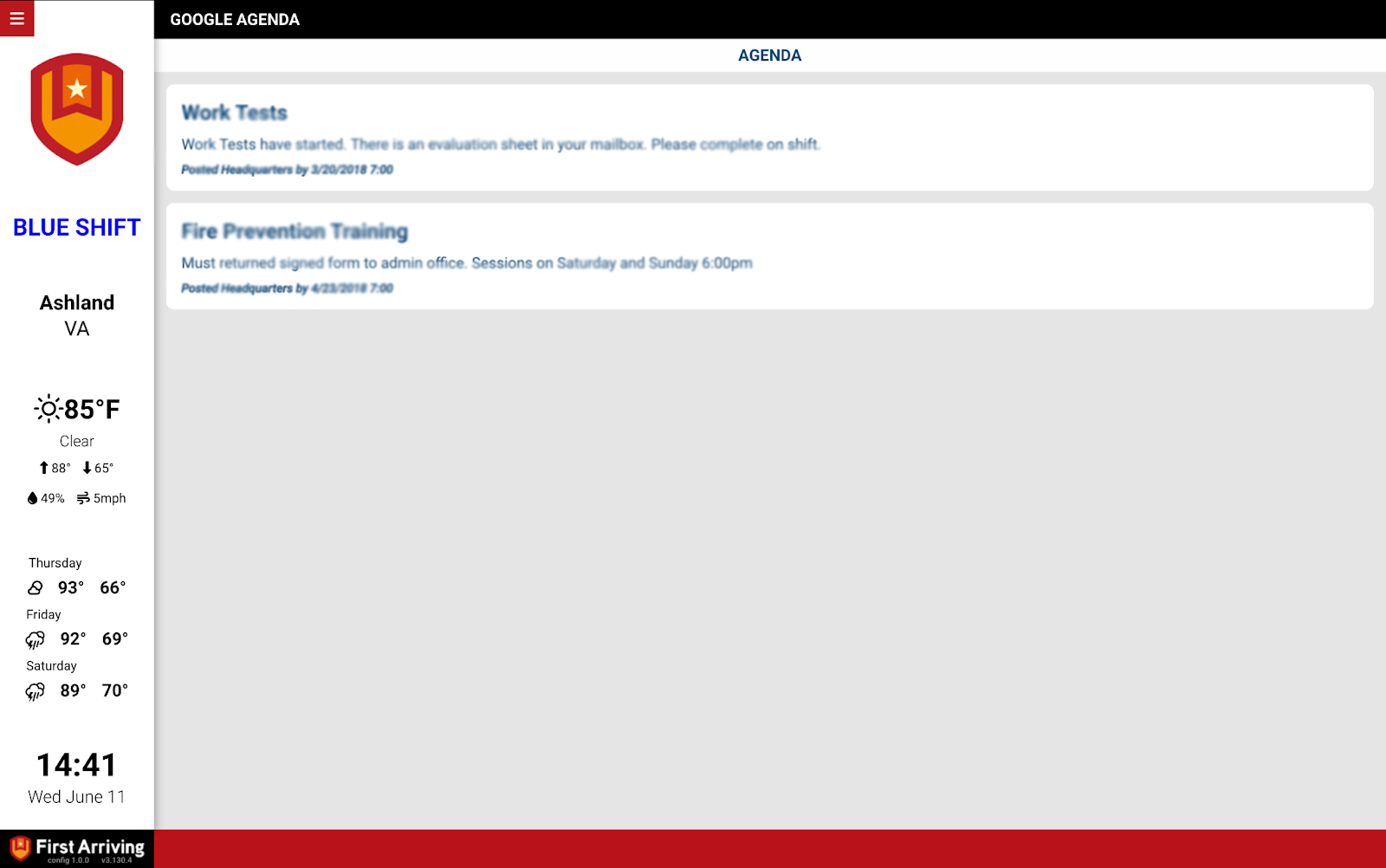
Event feed / agenda
Columns of scheduled events as cards carrying the event descriptions.
Not sure which view fits, or want several calendars combined? Open a ticket at our support center or reach us at dashboards@firstarriving.com.