
Integration Guide
ImageTrend Continuum
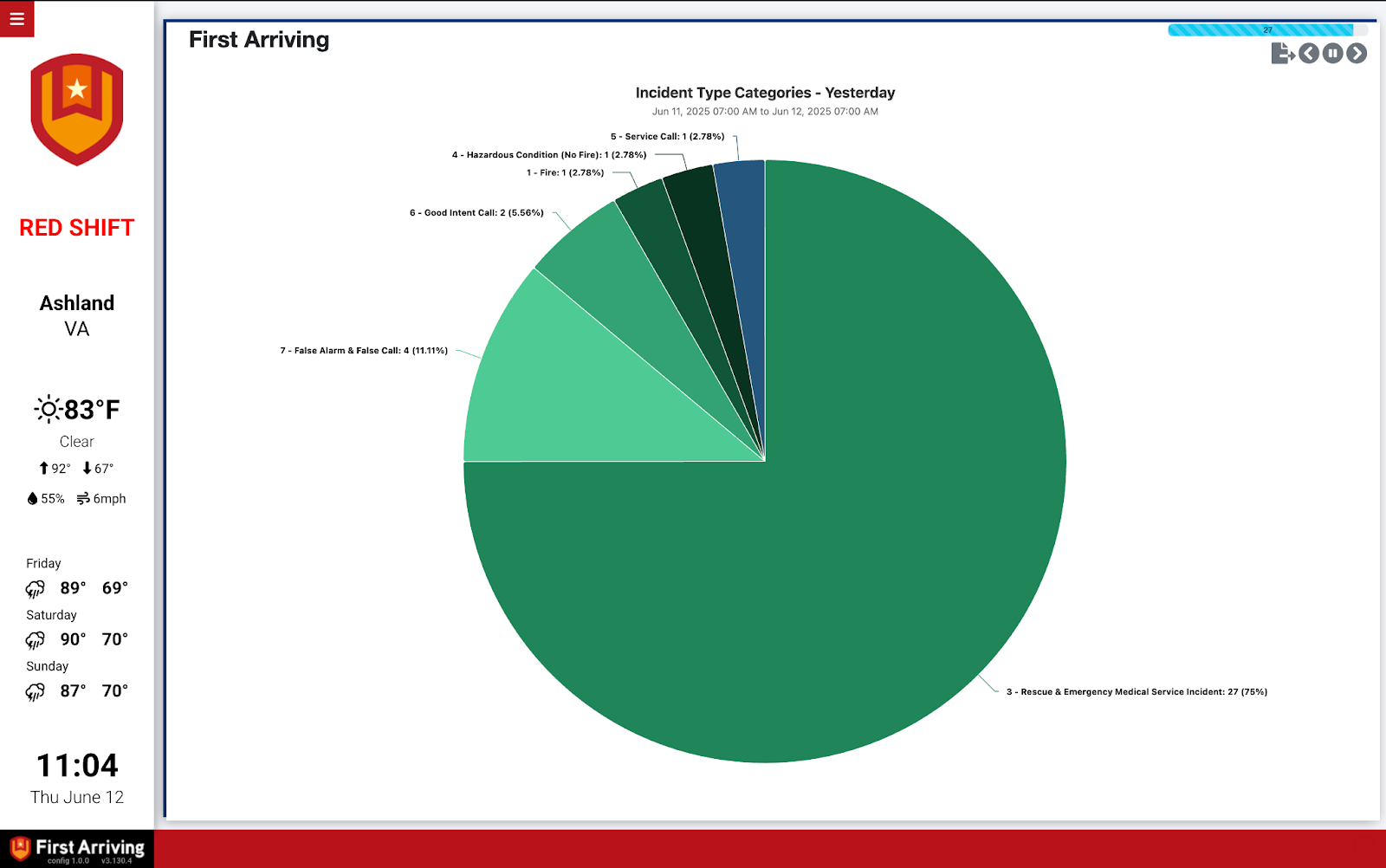
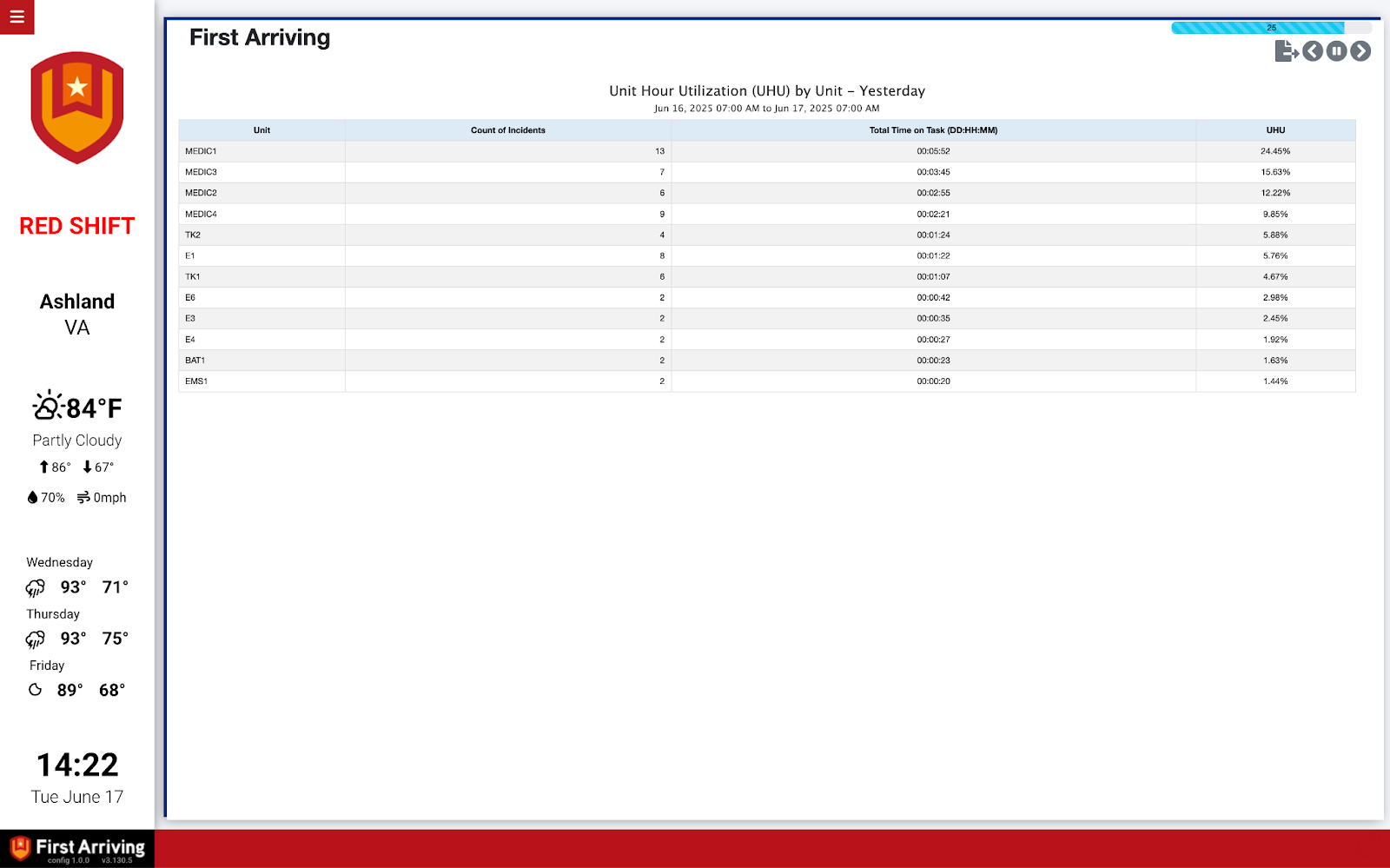
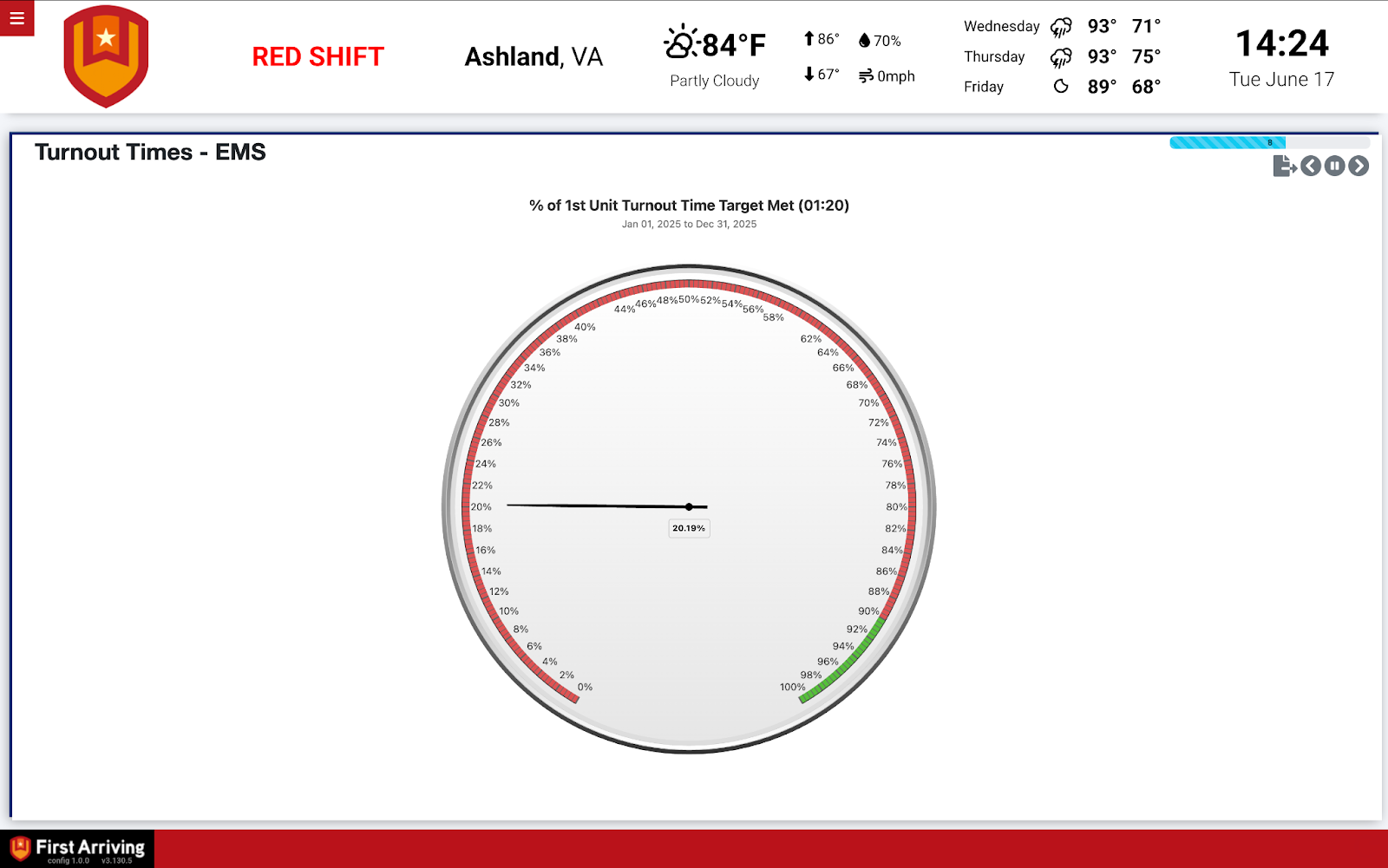
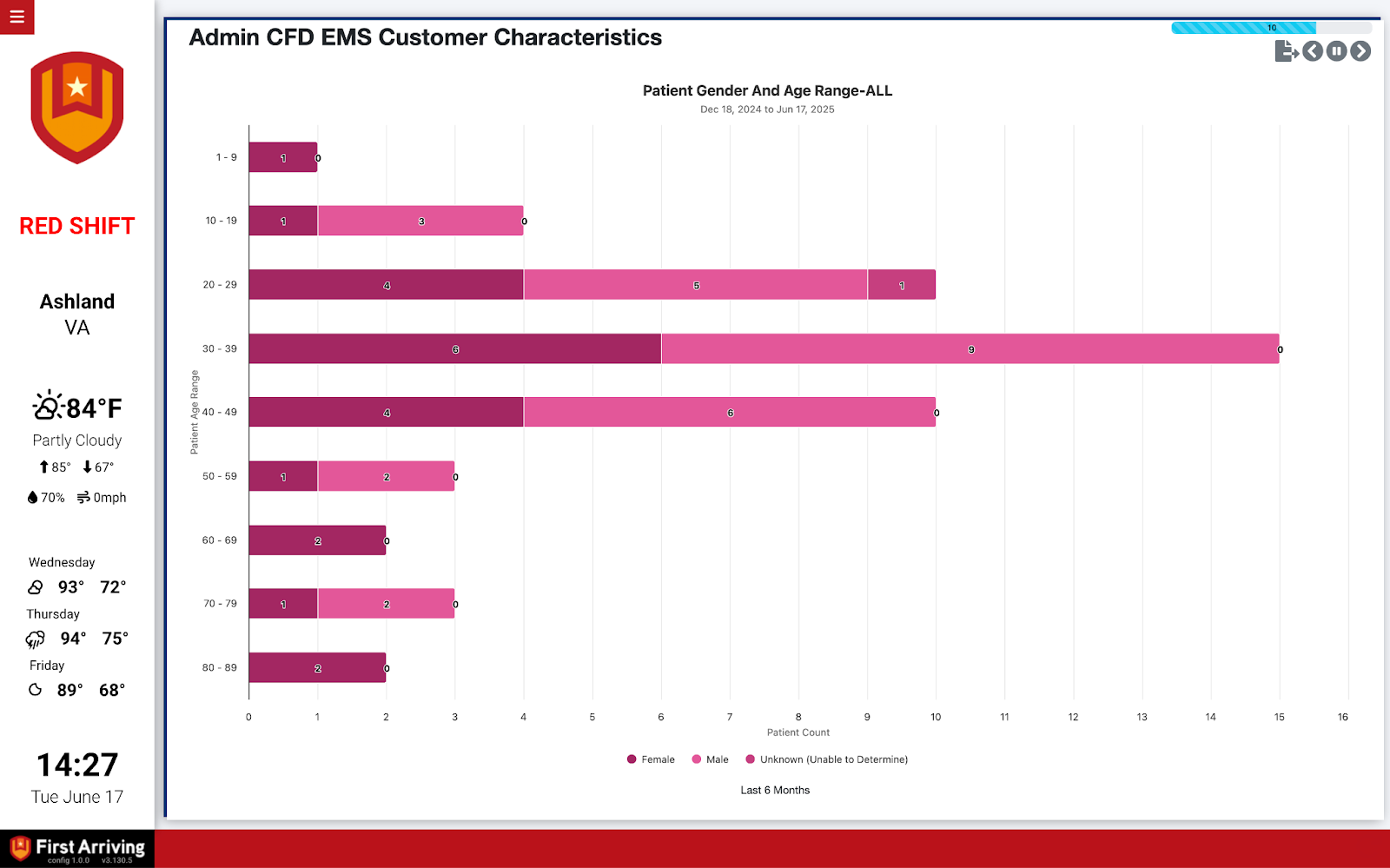
Show charts, reports and maps from ImageTrend Continuum live on the screens in your stations — nothing to build on our side, since Continuum already produces them.
About Continuum. Continuum analyzes the data in your ImageTrend system as it is added or updated, producing insights without you having to build reports. It supports playlists of charts, tabular reports and maps that can be shared internally or publicly.
What we can put on your dashboard
Continuum playlists
The playlist you already assembled, on the wall.
- Turnout times
- Incident map
- Response charts
Emailed reports
Continuum can send scheduled reports to an address we provide, and we display what arrives.
- Turnout times
- Ambulance clear times
- Narcotics checks
- Truck checks
- Run information
- Calls to date
What we need from you
One or both, depending on which route you take
- For a playlist: the URL to the content you want shown
- For emailed reports: point Continuum’s scheduled report at an email address we provide for data ingestion, with the data as CSV
Open a ticket at our support center and we will send you the ingestion address. No credentials needed either way — Continuum pushes to us, or we read a URL you already have.
Example screens
Not sure whether a playlist or an emailed report suits you better? Open a ticket at our support center or reach us at dashboards@firstarriving.com.