Integration Guide
FireRescue1 news feeds
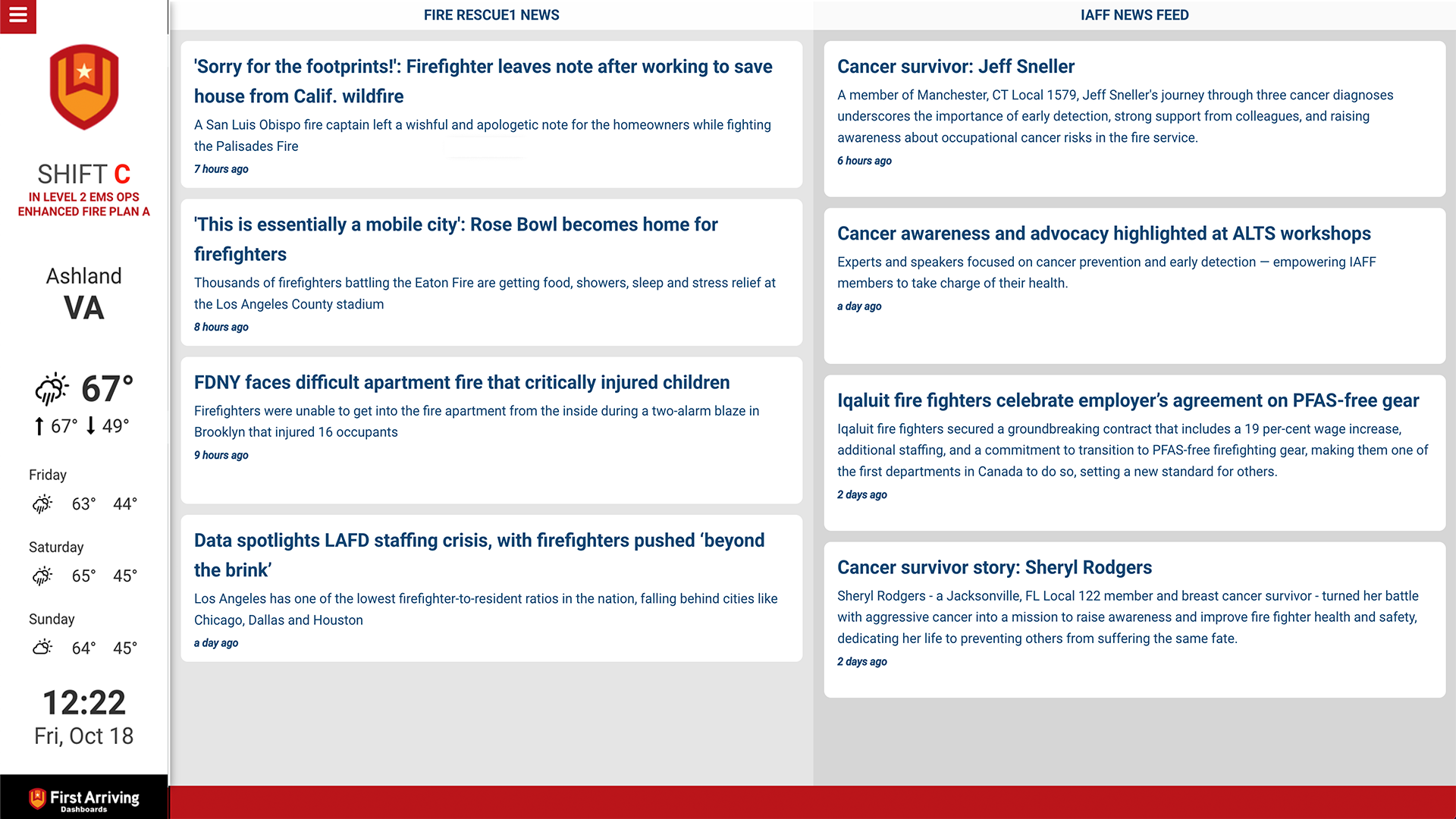
Put the latest firefighting news from FireRescue1 on the screens in your stations, so crews see what is happening in the fire service between calls.
What we can put on your dashboard
Each article shows
- The title of the entry
- The first few sentences of the article
- The article image, where one is present
New articles stand out
Anything published in the last 24 hours is highlighted, using a different text colour, a different background colour, or both — so crews can tell at a glance what they haven’t already seen.
Or run it as a ticker
Instead of a panel, the feed can scroll along a ticker at the bottom of your dashboards — useful when screen space is tight.
What we need from you
Just tell us which feed you want. FireRescue1 publishes several:
- Recently Published
- Daily News
- Most Popular Articles
- Exclusive Articles
- Experts & Columnists
- Product Coverage
The current list is on FireRescue1’s RSS feeds page.
Open a ticket at our support center with the feed you want, whether you want it as a panel or a ticker, and which screens it belongs on. No credentials needed — these feeds are public.
Example screens


Want more than one feed, or a feed on some screens and not others? Open a ticket at our support center or reach us at dashboards@firstarriving.com.