
Integration Guide
Vector Check It & Halligan
Put apparatus and equipment status on the screens in your stations — what is in service, what is overdue for a check, and what has an open work order.
About Vector Check It. Vector Check It — also known as Halligan — is Vector Solutions’ asset management and tracking application for public safety, covering apparatus and equipment inspections, service tickets, and controlled substances.
What we can put on your dashboard
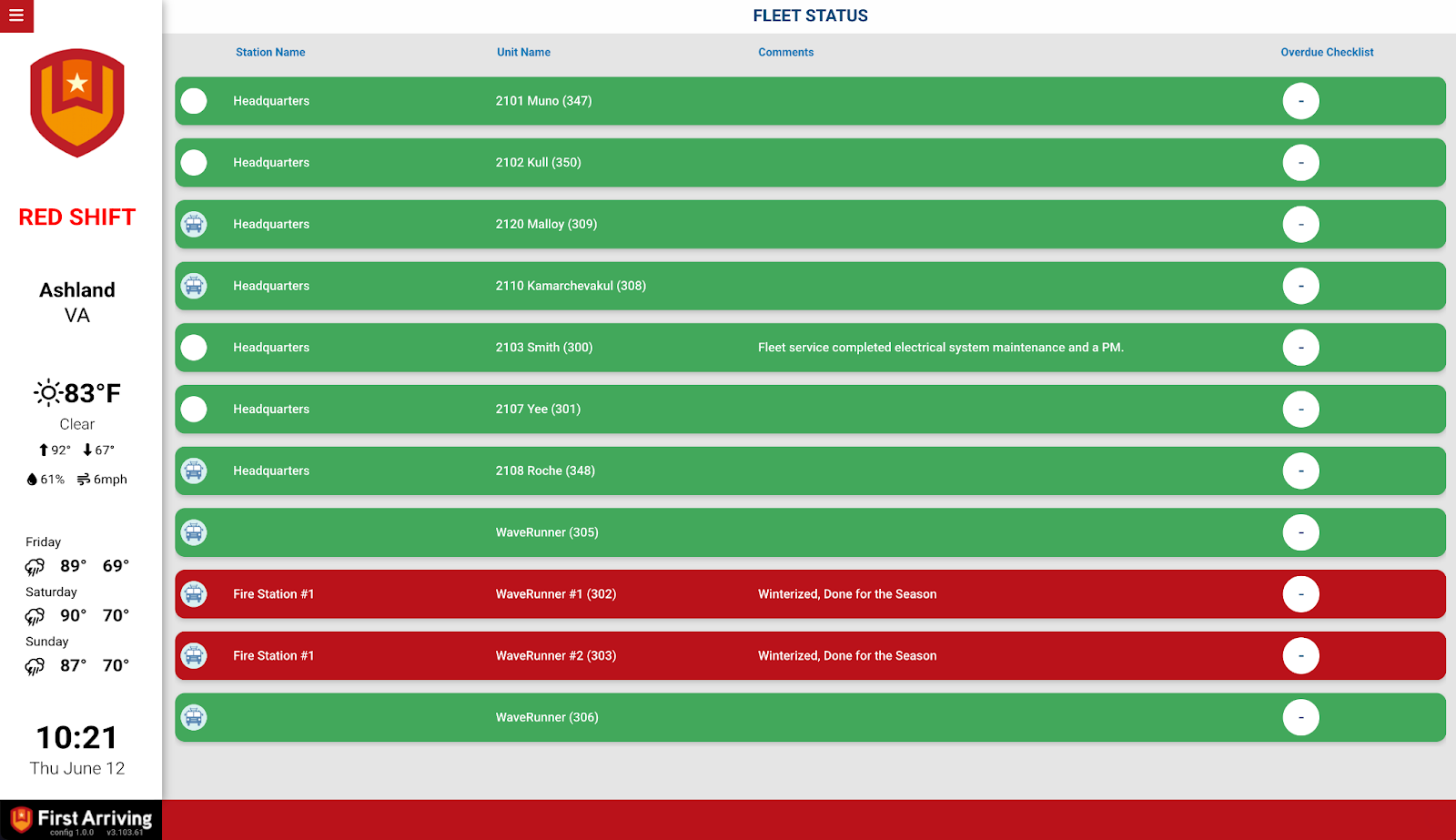
Fleet and apparatus status
- Unit image, name, and status — in or out of service
- Overdue checklists per unit
- Open work orders per unit
Equipment status
Name, make and model, status, and inspection status.
Sharing between agencies
In-service and out-of-service status can be shared with other agencies who also use First Arriving dashboards, subject to permissions.
What we need from you
You need a Check It, Vector Check It, or Halligan account. Setup works by creating a dedicated user for us and tying an authentication token to it.
Nobody may ever log in as the First Arriving user. The token stays valid only while that account is never signed into. One login breaks the integration and a new token has to be requested.
If the connection stops working
The usual cause is somebody signing in as the First Arriving user. A replacement token can always be requested. Contact the Check It support team with:
- The date you noticed it stop working
- Whether anyone logged into the First Arriving account
- Which devices and browsers were used to attempt a login
About vendor charges: data or API access could carry an additional charge, determined by the vendor and not by First Arriving.
Example screen
Want to see Check It itself? Visit the product page or request a free demo.
Questions about setup, or want other Check It data on your screens? Open a ticket at our support center or reach us at dashboards@firstarriving.com — more integration options are possible, so it is worth asking.